Picturesque AI Review 2026: A Browser Studio When You Need to Compare Takes
 PicX Studio Team8 min read
You already have a look. On PicX that is often a saved template: fill the slots, render, keep the one that matches the brief. The next problem is different. Two Seedance takes. A still that has to survive brand review. A reference performance you want on a locked portrait. A credit total you need to see before anything renders.
That job is a studio with a person in the loop. Picturesque AI is built for it.
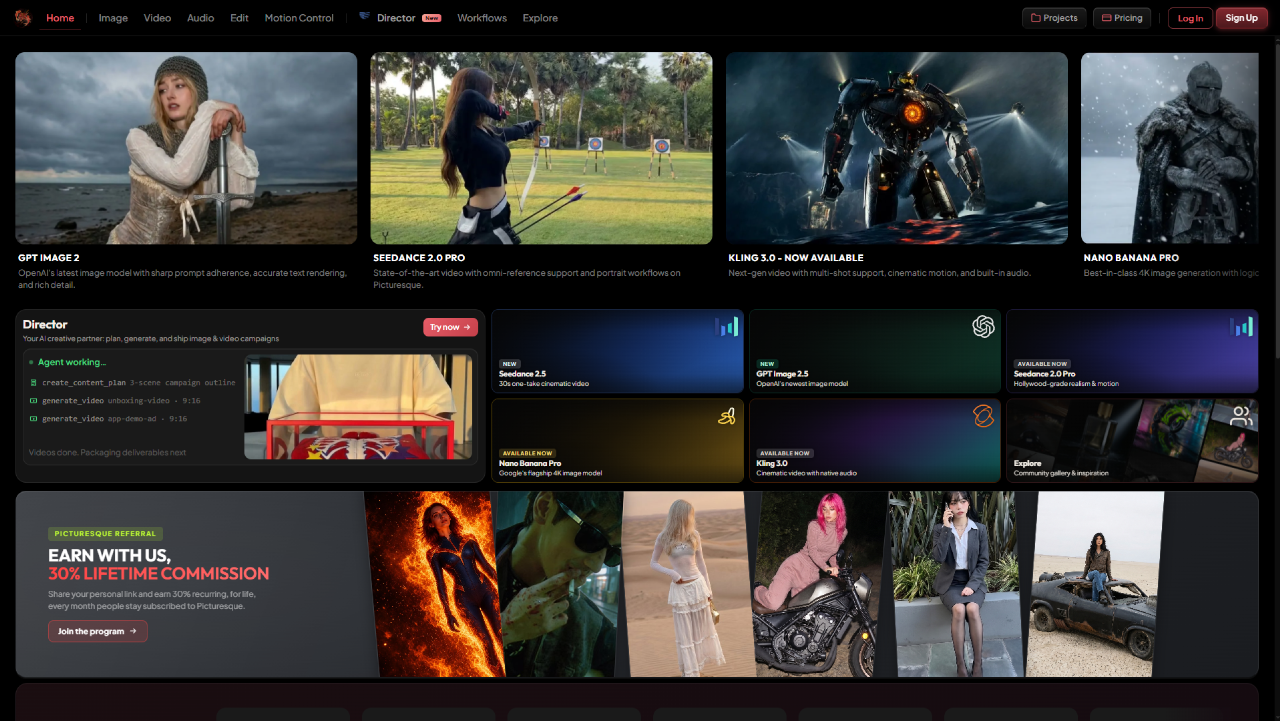
Picturesque AI homepage. Image, Video, Audio, Edit, Motion Control, and Director sit in one nav, with a shared credit wallet.
This Picturesque AI review is for that second job. It is not a ranking of chat apps. Picturesque is a browser studio: image, video, audio, edit, and motion control on one login and one credit wallet. PicX stays the template layer. Many teams will use both. The handoff is the asset, not a shared project file.
What Picturesque AI is
Picturesque AI is a multi-model studio you open in a tab. One account covers 100+ generation models across Image, Video, Audio, Edit, and Motion Control. It is not a ChatGPT product. It is not a single-model generator. Flagship routes include Nano Banana Pro for stills, Seedance 2.5 for video, Kling 3.0, and Kling Motion Control.
The useful claim is not "more models." It is one wallet and a person comparing frames. You lock a still, move into video, then patch in Edit without downloading a ZIP and re-uploading on another site.
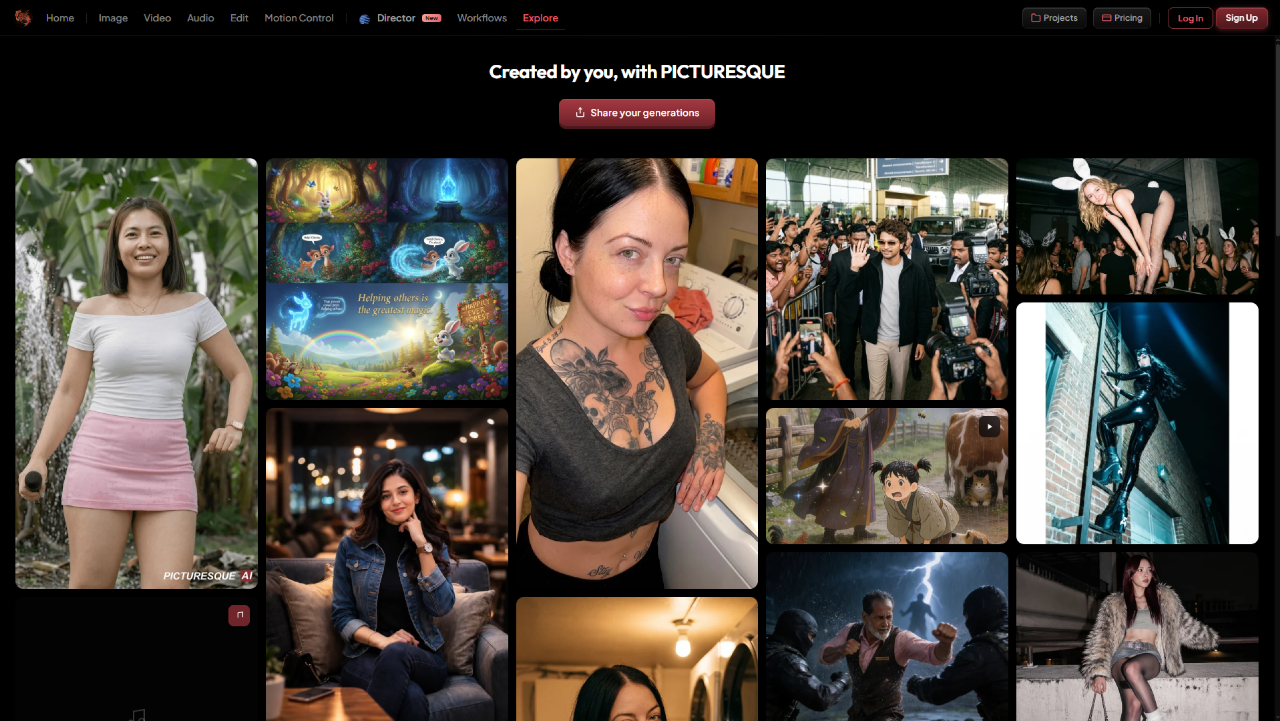
Explore on Picturesque AI. Public generations from the same studio, so you can see what the models actually look like before you spend.
PicX is the other shape of the same class: chat, a large prompt-template catalog, and (on the developer side) CLI and MCP when an agent has to return a file URL. If the brief is already a template, stay in PicX. If the brief is "which take do we keep," open Picturesque.
How you actually work there
The loop is still, then motion, then a decision.
Generate a plate on Nano Banana Pro. That still is 15 credits, which is also the daily free allowance, so a new account can do one Pro still per day without a card.
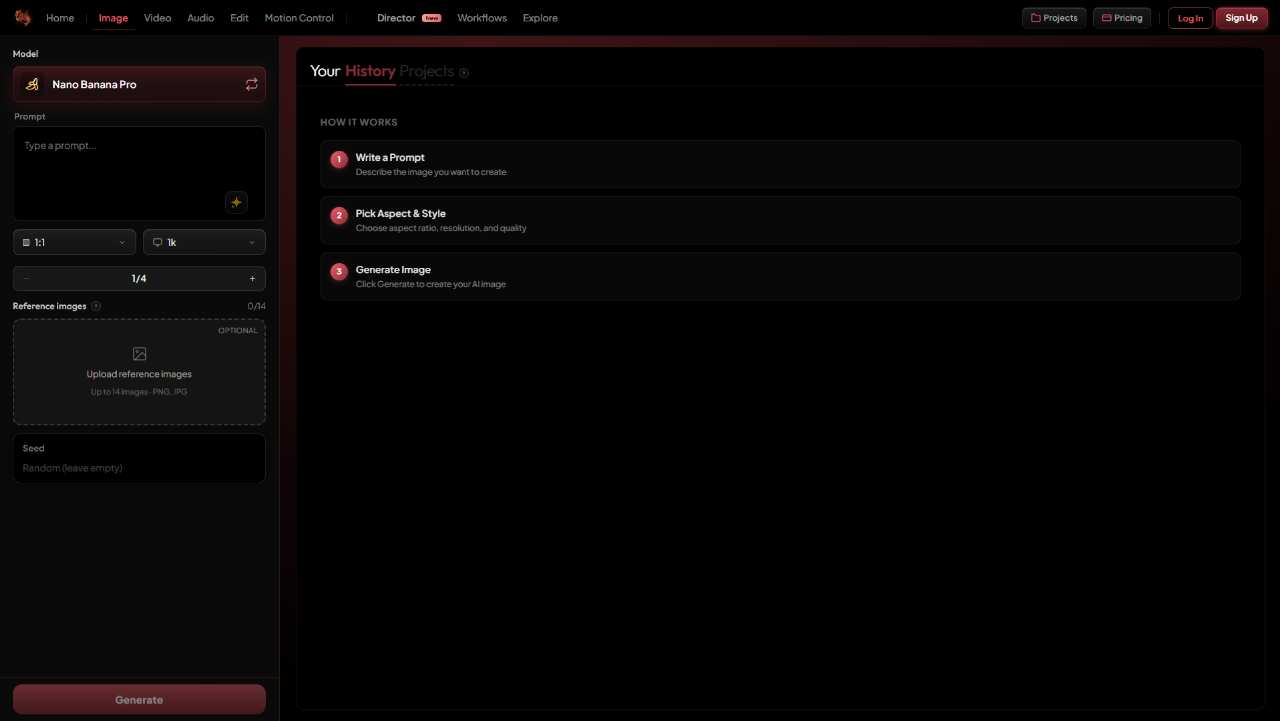
Nano Banana Pro in Image Studio. One Pro still is 15 credits, which is also the daily free allowance.
Then open Seedance 2.5 for the motion pass. Seedance 2.5 on Picturesque is 5-30 seconds, 480p-1080p, with image, video, and audio refs and synced audio in the same pass.
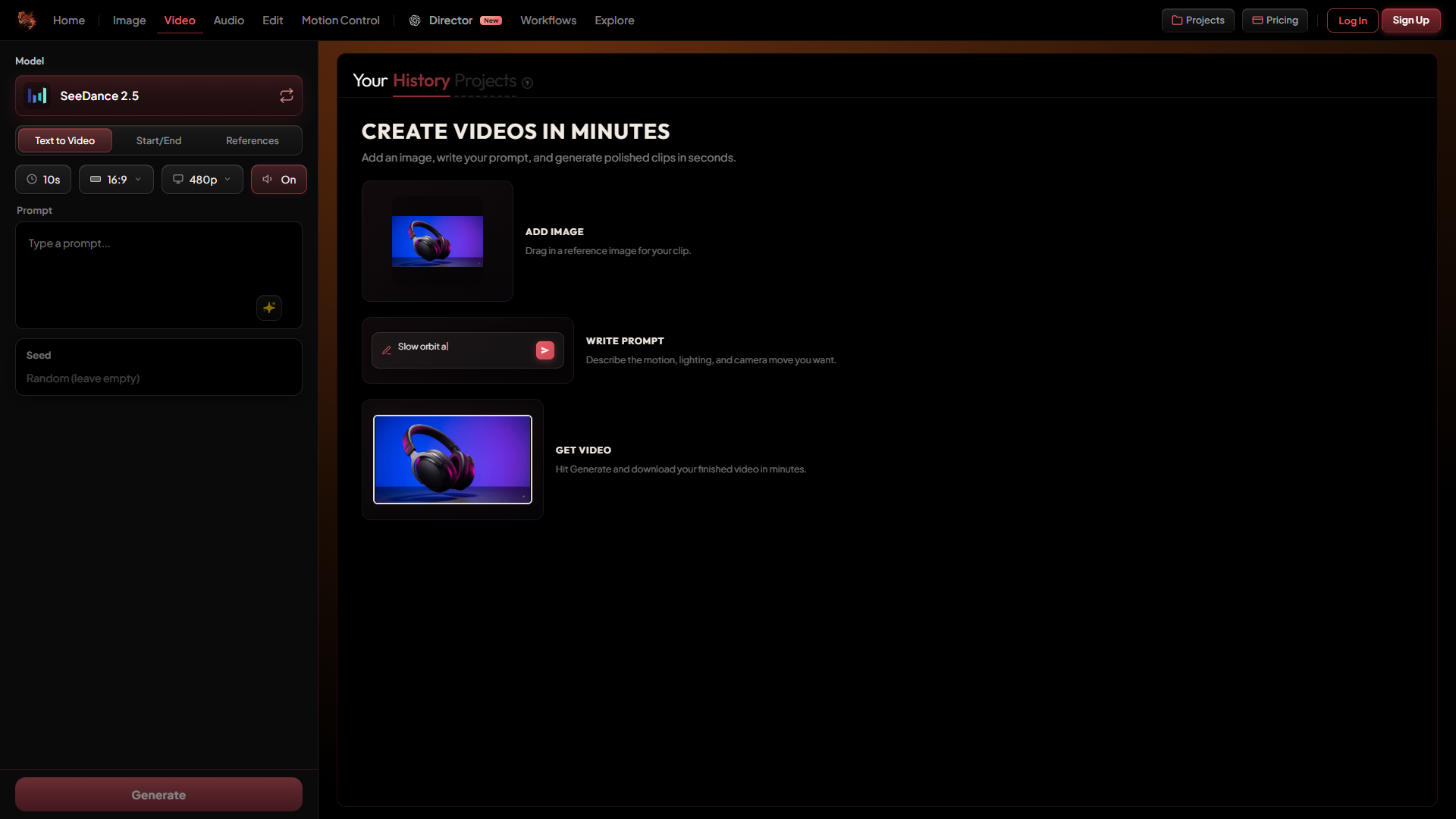
SeeDance 2.5 in Video Studio. Duration, resolution, and prompt live in the left rail. Generate sits at the bottom until you are ready.
Typical quotes (verified September 2026, confirm live before you batch):
| Job on Picturesque | Typical credits |
|---|---|
| Nano Banana Pro still | 15 |
| Kling Motion Control | 10 |
| Seedance 2.5, 5s, 480p, text-to-video | ~72 |
| Seedance 2.5, 5s, 720p | ~156 |
A 720p Seedance clip is more than ten Pro stills. The daily 15 credits will not cover it. That is not a trick. Budget per deliverable.
If the motion is a known performance on a locked portrait, Motion Control at 10 credits is often cheaper than another full text-to-video spend. If you need a plan in plain language before anyone hits generate, that is Director.
A concrete week: Monday you lock a product still on Nano Banana Pro with the daily 15. Tuesday you reject the first Seedance 2.5 480p take (~72 credits) and keep the 720p (~156). Wednesday you copy a reference walk onto the same still with Motion Control instead of burning another 720p pass. That is the studio loop. PicX would have been the right tool if Monday's still had already been a template you rerun every SKU.
Credits, without the soft sell
Freemium is 15 daily credits. They reset every day. They cover one Nano Banana Pro still or one Motion Control clip. They will not cover Seedance 2.5.
Ultimate is 8,000 credits from $45/month. Packs never expire. About 1 credit ≈ $0.01. Confirm live on Picturesque billing. Credit rows move. Do not quote this paragraph as a contract.
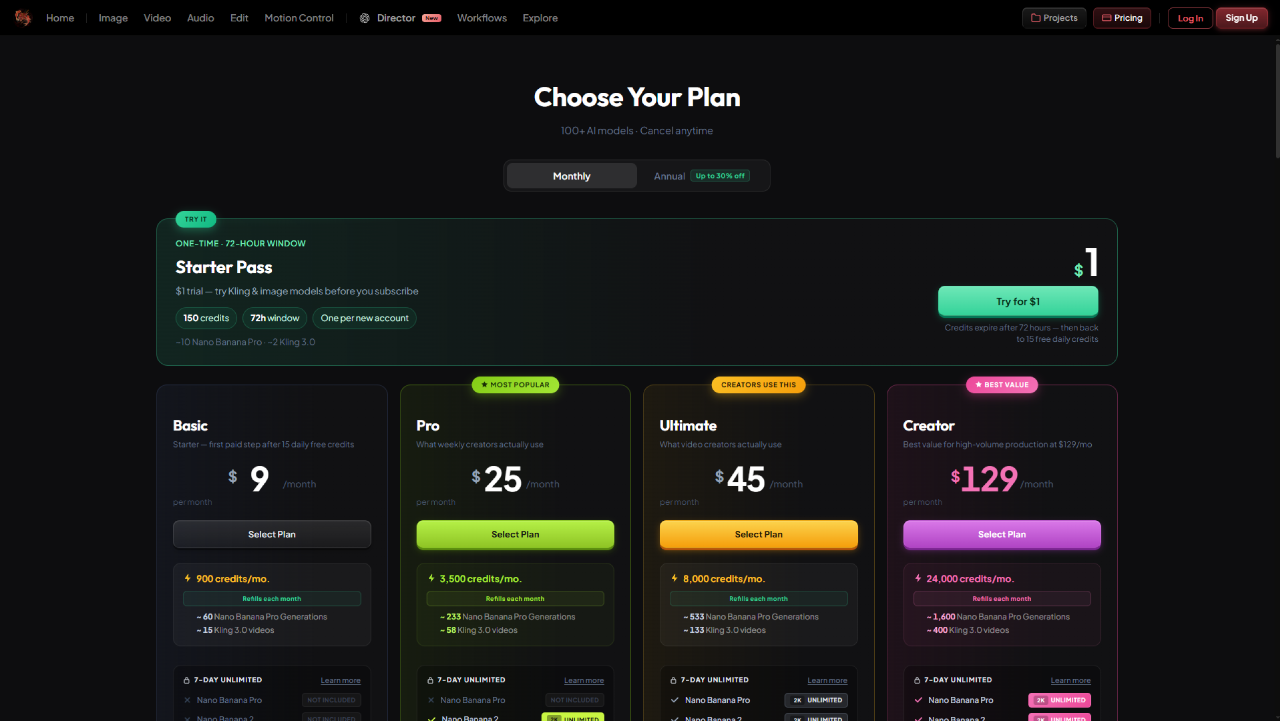
Picturesque billing. 15 daily credits on freemium. Ultimate is 8,000 credits from $45/month. Confirm live before you batch video.
The honest test is one still on the daily allowance, then a pack or plan when the clip is video. If you refuse any monthly bill, packs exist. If you generate every week, a plan is usually simpler. Neither is universally cheaper. Map your actual monthly jobs on their billing page.
Director, Motion Control, and what PicX does not try to be
Director (beta) takes a brief in plain language, proposes steps, and shows a credit total before anything renders. You pick the planning brain (Claude, GPT, Grok, or Kimi). Generation still goes to the studio models. Nothing spends until you approve.
Director is not only image and video. The same chat can also create websites and games. That side is in development now: a marketing site (HTML/CSS, hero media, a zip you preview locally) and a game asset pack (style bible, characters, environments, export for a game engine). Treat both as early. Confirm what actually generates before you batch. Image, video, and Motion Control are the stable loop today.
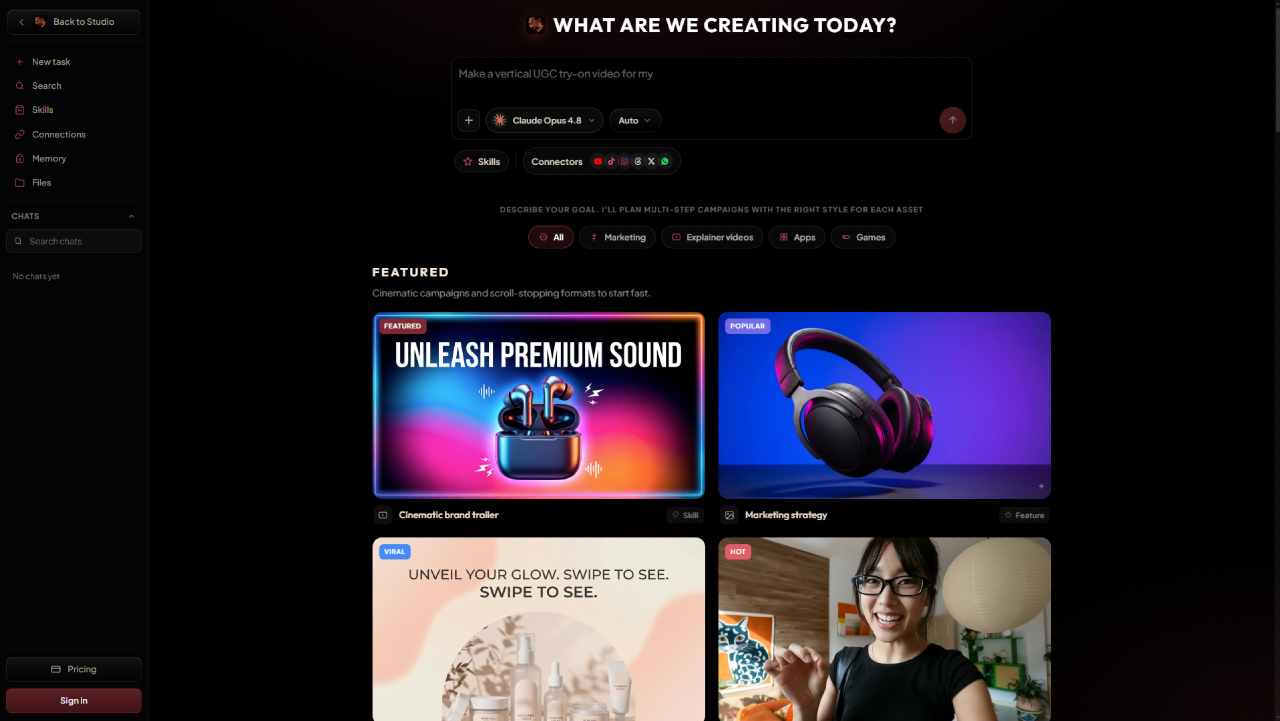
Director (beta). Plain-language brief, LLM picker, skills. Websites and games are in development in the same chat.
Kling Motion Control copies a reference performance onto a still. Typical cost is 10 credits. That is the daily allowance, so you can try one clip before you buy.
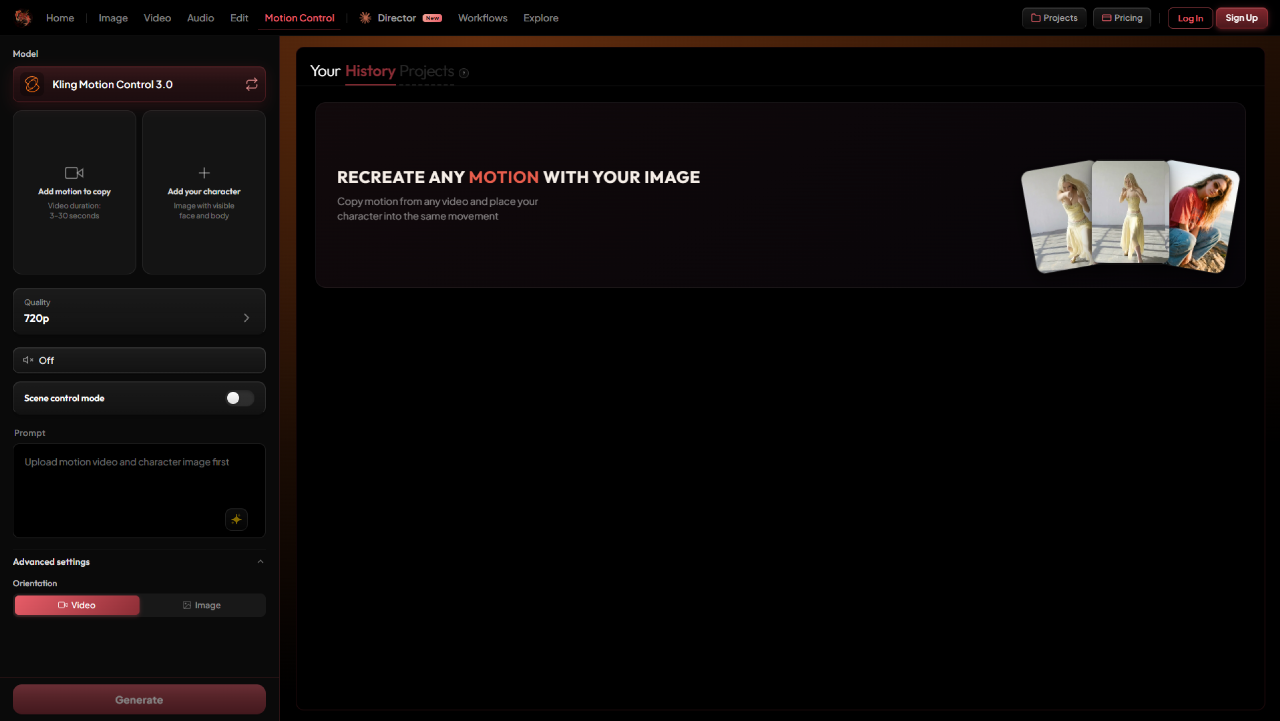
Kling Motion Control 3.0. Upload a motion clip and a character still. Typical cost is 10 credits, which fits the daily allowance.
Workflows stores graphs you rerun. That is the campaign-repeat layer: same pipeline, new product, new week.
PicX is not trying to be that layer. PicX is trying to be a prompt-template company: tens of thousands of looks (the public gallery currently labels 43k+ prompts; PicX describes the catalog as around 60,000, adding daily), plus CLI and MCP when the template is already locked. Director is not a template gallery. A template gallery is not a side-by-side review.
Use PicX when the look is the product. Use Picturesque when a person has to pick the winner.
When to stay in PicX, when to open Picturesque
Stay in PicX when you are filling a saved prompt, shipping a look from the template grid, or rerunning a locked brief from chat, CLI, or MCP.
Open Picturesque when:
- You need two Seedance 2.5 takes on screen before you spend the next clip.
- You need Motion Control on a locked still.
- You need a Director plan with a credit total first, including a website or game brief they are building in that same chat.
- You need image, video, audio, and edit in one wallet.
A workable hybrid: lock the look as a PicX template (or as a Picturesque still), generate volume on the side that already has the brief, then finish keepers in Picturesque for comparison, Motion Control, or a Director pass. Two studios still means two wallets. Export the file.
Limitations to be aware of
Picturesque is not your product backend. If you need a task_id in your own database, use a developer API. Picturesque will not be that contract. PicX CLI and MCP are built for that loop.
Director is beta. Confirm the credit total before you batch. Website and game production in Director is in development. Do not treat it as a finished agency handoff yet.
Video burns credits. A Seedance 2.5 720p pass is a real spend. Dry-run in studio. Do not standardize a 30-second take from a 5-second idea.
Two histories. There is no shared project with PicX. The handoff is the asset.
Before you sign up
Spend the 15 daily credits on a Nano Banana Pro still. If the next job is Seedance 2.5, open billing before you hit generate. If the next job is a look you already saved on PicX, you may not need a second studio at all.
If you do: Picturesque for comparison, Director, and Motion Control. PicX for templates and agent reruns. Same model class. Different job.
FAQ
Is Picturesque AI free?
Fifteen daily credits, no card for that allowance. That is one Nano Banana Pro still or one Motion Control clip. Video on Seedance 2.5 needs a pack or a plan.
Is Picturesque AI a ChatGPT alternative?
No. Chat is not the product. The product is a browser studio with a shared credit wallet.
Can Director make websites and games?
Yes, in the same Director chat. Website and game production is in development now. Use it for a first site or asset pack, then confirm the export before you treat it as a ship. Image, video, and Motion Control are the stable loop.
PicX Studio vs Picturesque: which one?
PicX if the look is already a template, or if CLI/MCP has to return a file URL. Picturesque if a person has to compare takes, run Director (including website and game briefs), or use Motion Control. Many teams will keep both.
Can I use PicX and Picturesque together?
Yes. Export the file. There is no shared project.
- #ai-tools
- #video
- #credits
- #reviews