How do I use the Soft-Toned Makeup Close-Up template?
Choose the primary action to open PicX Studio with the available template settings. Review the model and format, personalize the creative direction, and generate when ready.
A ready image prompt for PicX Studio. Change the subject, setting, or lighting one variable at a time.
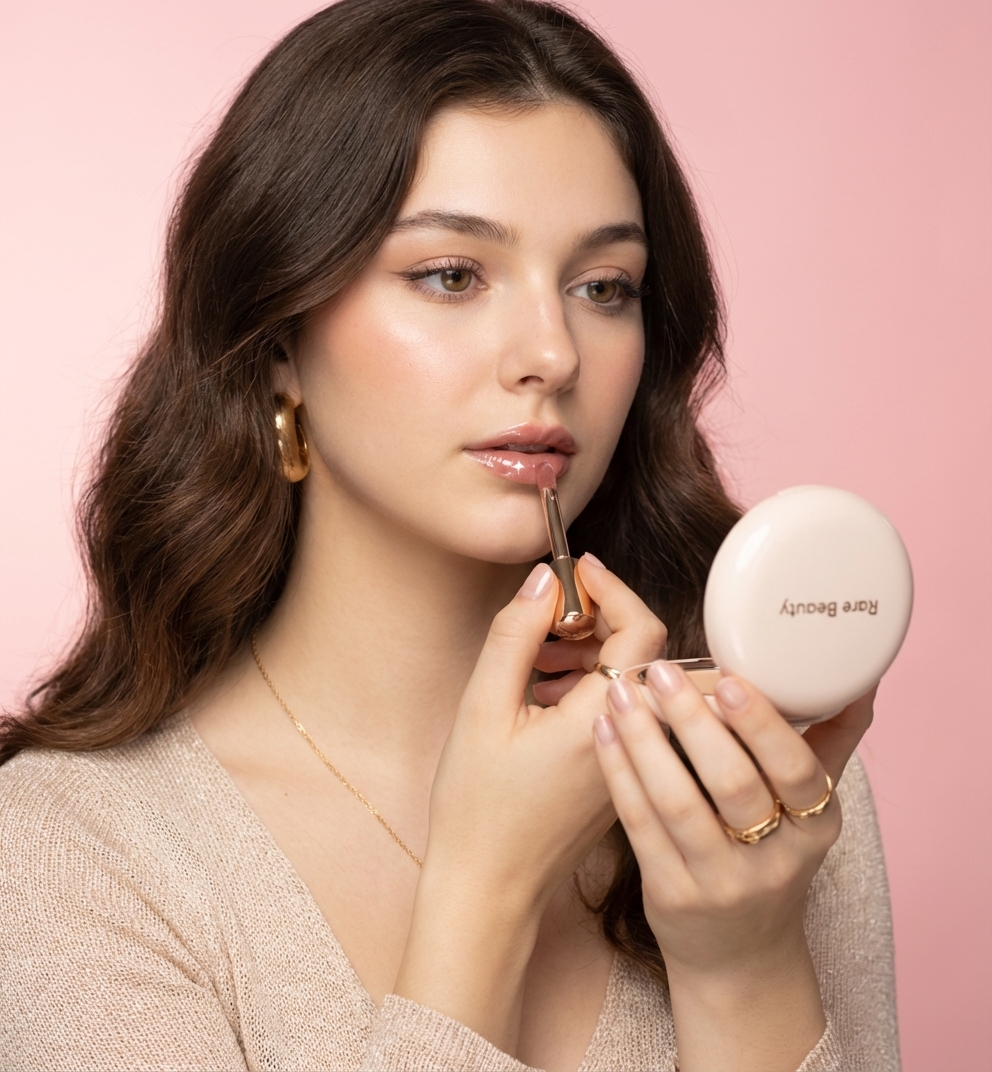
Ultra-detailed luxury makeup commercial featuring the uploaded image in a pastel pink studio with soft gradient backdrop fading from baby pink to blush rose. Outfit: delicate soft knit top in pale nude or champagne, matching warm-toned accessories. Props: glossy lip tint, compact powder, or blush compact held in hand. Lighting: diffused key from 40-inch softbox, faint rim light for hair separation, subtle sparkle highlights on lips. Pose: close-up shot with the uploaded image applying lip tint or showing compact open toward camera; eyes softly looking into lens. Camera: Canon EOS R5 + RF 100mm macro, f/2.8. Mood: Rare Beauty / Fenty Beauty soft glam aesthetic. Color grade: pastel, clean, feminine tones with glossy reflective textures.
Choose the primary action to open PicX Studio with the available template settings. Review the model and format, personalize the creative direction, and generate when ready.
Yes. You can change the subject, setting, lighting, mood, format, and available model controls before creating your image.
This template is free to open and customize. Generation usage is shown in PicX Studio before you create.
Choose a compatible model in PicX Studio based on the style, speed, and output controls your project needs.
Follow a topic to a crawlable collection of related PicX Studio templates.
43,474 public templates available. Verified via the PicX Studio public templates API; refreshed hourly.