High Fashion Studio Photoshoot
Sample Prompt
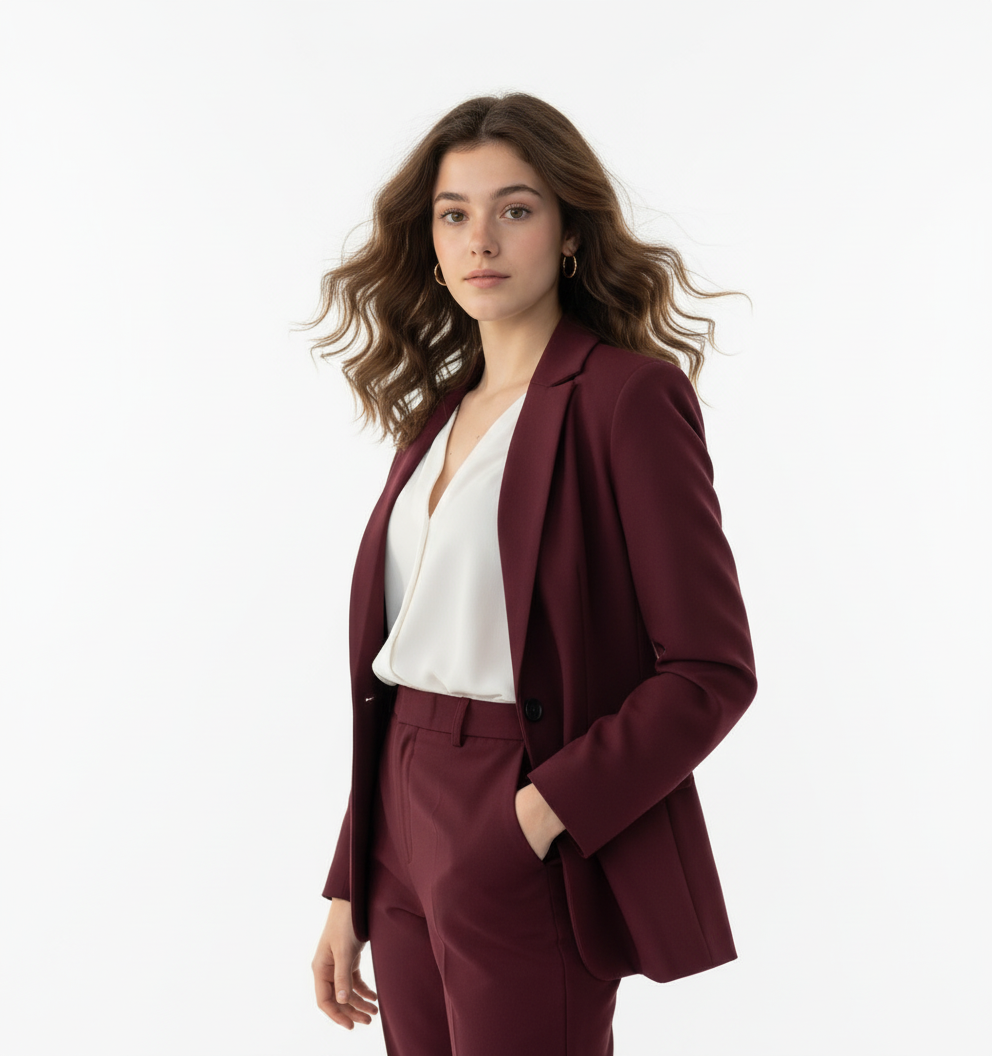
CREATE A HIGH QUALITY HD 4K PICTURE OF A CONFIDENT YOUNG WOMAN POSES IN A HIGH-FASHION STUDIO PHOTOSHOOT WITH A CLEAN WHITE BACKDROP AND STRONG DIRECTIONAL LIGHTING THAT CASTS SOFT SHADOWS. SHE WEARS A TAILORED DEEP MAROON PANTSUIT WITH A STRUCTURED BLAZER AND MATCHING HIGH-WAISTED TROUSERS, STYLED WITH A CRISP WHITE BLOUSE SLIGHTLY UNBUTTONED FOR A RELAXED YET CHIC LOOK. HER HAND RESTS CASUALLY IN HER POCKET, GIVING A POISED AND SELF-ASSURED STANCE. HER VOLUMINOUS WAV HAIR FLOWS NATURALLY WITH A SLIGHT WIND EFFECT, ADDING MOVEMENT AND ENERGY TO THE SKIKES SHE ACCESSORIZES WITH SUBTLE GOLD HOOP EARRINGS AND MINIMAL MAKEUP THAT HIGHLIGHTS HER SHARP FEATURES. THE OVERALL AESTHETIFIS MODERN, POWERFUL, AND EDITORIAL, BLENDING ELEGANCE WITH A COMMANDING PRESENCE, DON'T CHANGE MY FACE KEEP IT AS REAL AG SHOWN IN THE PICTURE.
Use This Template
Click to start creating with this template
About High Fashion Studio Photoshoot
CREATE A HIGH QUALITY HD 4K PICTURE OF A CONFIDENT YOUNG WOMAN POSES IN A HIGH-FASHION STUDIO PHOTOSHOOT WITH A CLEAN WHITE BACKDROP AND STRONG DIRECTIONAL LIGHTING THAT CASTS SOFT SHADOWS. SHE WEARS A TAILORED DEEP MAROON PANTSUIT WITH A STRUCTURED BLAZER AND MATCHING HIGH-WAISTED TROUSERS, STYLED WITH A CRISP WHITE BLOUSE SLIGHTLY UNBUTTONED FOR A RELAXED YET CHIC LOOK. HER HAND RESTS CASUALLY IN HER POCKET, GIVING A POISED AND SELF-ASSURED STANCE. HER VOLUMINOUS WAV HAIR FLOWS NATURALLY WITH A SLIGHT WIND EFFECT, ADDING MOVEMENT AND ENERGY TO THE SKIKES SHE ACCESSORIZES WITH SUBTLE GOLD HOOP EARRINGS AND MINIMAL MAKEUP THAT HIGHLIGHTS HER SHARP FEATURES. THE OVERALL AESTHETIFIS MODERN, POWERFUL, AND EDITORIAL, BLENDING ELEGANCE WITH A COMMANDING PRESENCE, DON'T CHANGE MY FACE KEEP IT AS REAL AG SHOWN IN THE PICTURE. Features: 100% free. PicXStudio's AI-powered template for instant image generation.
This AI image template is designed to help you create professional High Fashion Studio Photoshoot images quickly. Simply use the provided prompt as a starting point, customize it to your needs, and generate stunning AI images in seconds.