How do I use the Karina aespa Behind-the-Scenes Night Portrait template?
Choose the primary action to open PicX Studio with the available template settings. Review the model and format, personalize the creative direction, and generate when ready.
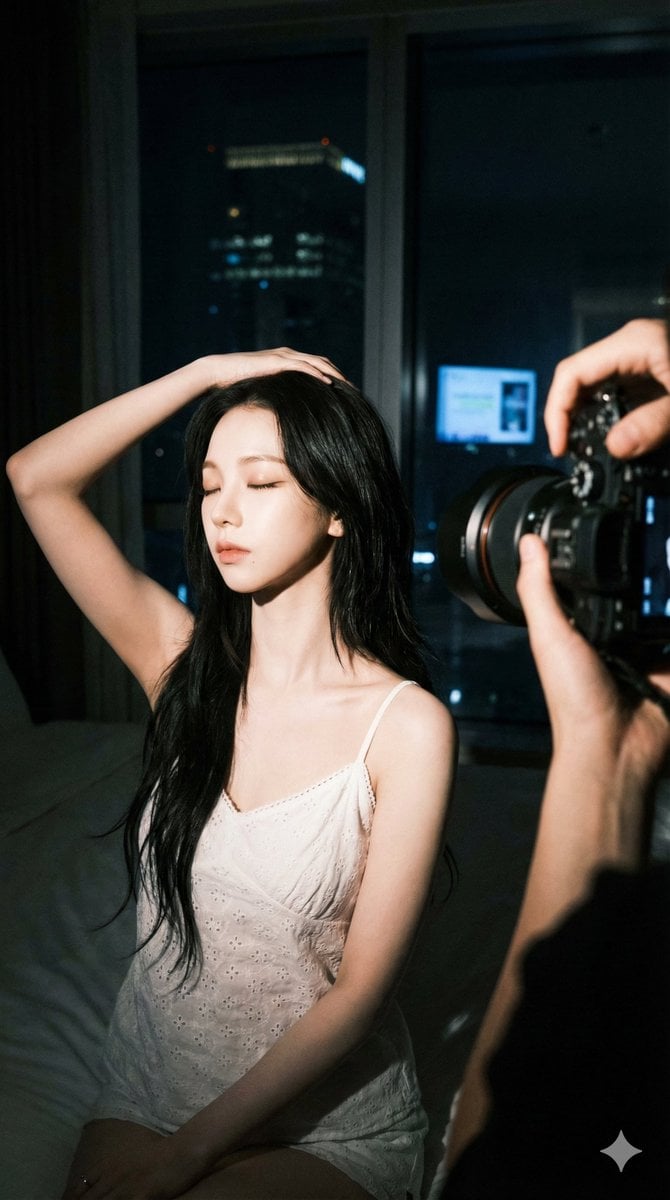
Karina aespa Behind-the-Scenes Night Portrait (free to use) — Free AI image template on PicX Studio.
Behind-the-scenes indoor photography at night, high-contrast. Subject is Karina from aespa, signature sharp V-shaped jawline, large almond-shaped eyes with soft makeup, porcelain skin, long voluminous dark hair in layered wolf-cut style. She sits, tilted slightly toward the camera with eyes closed, right arm raised with hand resting on her head, highlighting visible collarbones. Soft white eyelet embroidery camisole with small bow tie at the chest and black bottoms. To the right, a professional camera and photographer's hands are visible in the foreground. Background features a window overlooking a dark city with a digital screen and a distant lit building. Side-lit from the left, soft but high-contrast, shallow depth of field.
Use Karina aespa Behind-the-Scenes Night Portrait to plan an AI image around art style projects, themes such as fashion and portrait. Match the preview's composition first, then personalize the subject, setting, and mood for your own project.
Use the primary action to load the template settings in PicX Studio.
Adjust the subject and creative details for your destination.
Create the image, compare the result with the preview, and refine one variable at a time.
A continuous mix — similar concepts first, woven with same-model prompts and fresh picks from the catalog.
Choose the primary action to open PicX Studio with the available template settings. Review the model and format, personalize the creative direction, and generate when ready.
Yes. You can change the subject, setting, lighting, mood, format, and available model controls before creating your image.
This template is free to open and customize. Generation usage is shown in PicX Studio before you create.
Choose a compatible model in PicX Studio based on the style, speed, and output controls your project needs.
A continuous mix — similar concepts first, woven with same-model prompts and fresh picks from the catalog.
Follow a topic to a crawlable collection of related PicX Studio templates.
32,032 public templates available. Verified via the PicX Studio public templates API; refreshed hourly.


