How do I use the Apple iPhone Pro Feature Board template?
Choose the primary action to open PicX Studio with the available template settings. Review the model and format, personalize the creative direction, and generate when ready.
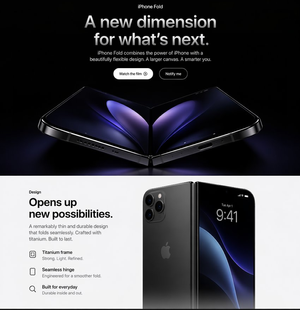
Generates a clean Apple-style iPhone Pro marketing board with a hero product render and five structured feature benefit cards. (free to use) — Free AI image template on PicX Studio.
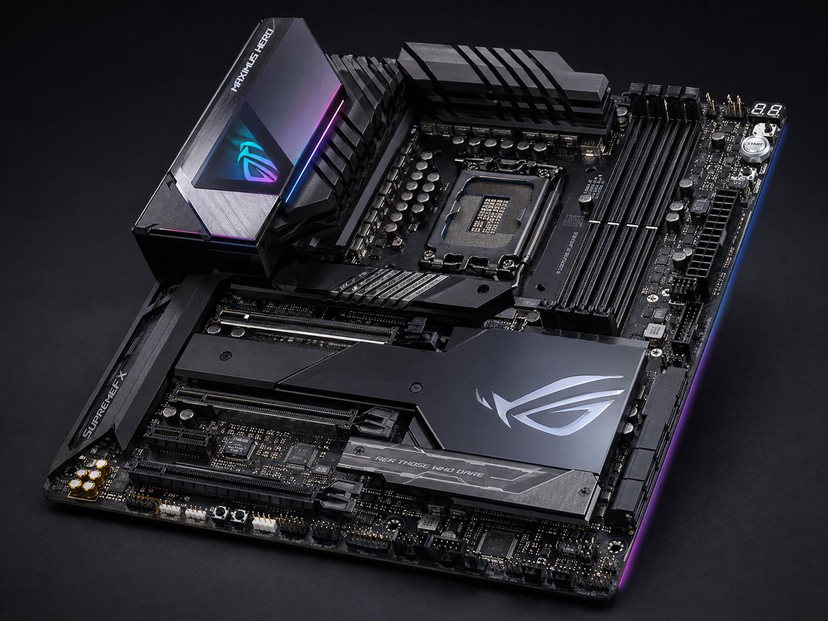
{"type":"premium Apple-style product marketing board for a fictional smartphone","canvas":{"aspect_ratio":"1:1","background":"clean white to very light gray","style":"minimalist Apple keynote/product page aesthetic, crisp typography, subtle grid lines, soft shadows, photorealistic product renders"},"headline":{"text":"{argument name=\"product name\" default=\"Apple iPhone 17 Pro\"}","position":"top left","subtitle":"Features & Benefits","typography":"large bold black San Francisco-like sans serif headline with light gray subtitle"},"hero_section":{"position":"left two-thirds upper area","main_copy":{"headline":"{argument name=\"main benefit headline\" default=\"Pro power. Everyday advantage.\"}","body":"Built for creators, professionals, and everyday users who want the best camera, fastest performance, and all-day reliability in one device."},"product_render":"large floating rear three-quarter render of a silver titanium iPhone Pro with rounded rectangular body, triple camera cluster, Apple logo, side buttons, soft studio shadow"},"layout":{"grid":"thin pale gray divider lines forming 6 visible content areas: 1 large hero area plus 5 feature cards","sections":[{"title":"Pro Camera System","position":"top right","count":3,"labels":["Three 48MP Fusion cameras","Up to 8x optical-quality zoom","4K 120 fps, ProRes RAW, Apple Log 2"],"visual":"cropped close-up of the phone camera island on a silver device"},{"title":"A19 Pro Performance","position":"middle right","count":3,"labels":["A19 Pro chip","Vapor-chamber cooling","Fast, sustained performance"],"visual":"black processor chip labeled Apple A19 PRO over faint circuit-board texture"},{"title":"Battery & Charging","position":"bottom right","count":3,"labels":["Up to 33 hours video playback","Faster USB-C charging","MagSafe support"],"visual":"cropped bottom edge of iPhone with USB-C port above a round silver MagSafe puck and cable"},{"title":"Display & Durability","position":"bottom left","count":4,"labels":["6.3-inch Super Retina XDR","ProMotion up to 120Hz","Ceramic Shield 2","IP68"],"visual":"partial front view iPhone with dark blue abstract wallpaper and Dynamic Island"},{"title":"Smart Tools","position":"bottom center","count":4,"labels":["Apple Intelligence","Center Stage front camera","Action Button","Camera Control"],"visual":"thin side profile of phone plus two rounded square icons, one colorful Apple Intelligence-like loop icon and one black focus/face tracking icon"}]},"design_notes":"Use precise alignment, generous whitespace, black and gray text hierarchy, subtle photographic depth, polished reflections, product-spec infographic clarity, and a premium launch-campaign feel. Keep all text sharp and readable, with no extra logos besides the Apple mark on the devices and chip."}
Use Apple iPhone Pro Feature Board to plan an AI image around gpt-image-2 generation, themes such as en and gpt-image-2. Match the preview's composition first, then personalize the subject, setting, and mood for your own project.
Use the primary action to load the template settings in PicX Studio.
Adjust the subject and creative details for your destination.
Create the image, compare the result with the preview, and refine one variable at a time.
A continuous mix — similar concepts first, woven with same-model prompts and fresh picks from the catalog.
Choose the primary action to open PicX Studio with the available template settings. Review the model and format, personalize the creative direction, and generate when ready.
Yes. You can change the subject, setting, lighting, mood, format, and available model controls before creating your image.
This template is free to open and customize. Generation usage is shown in PicX Studio before you create.
Start with gpt-image-2, which is the model associated with this template. You can compare another compatible model for a different finish.
A continuous mix — similar concepts first, woven with same-model prompts and fresh picks from the catalog.
Follow a topic to a crawlable collection of related PicX Studio templates.
36,410 public templates available. Verified via the PicX Studio public templates API; refreshed hourly.