How do I use the Golden Hour Portrait Glow template?
Choose the primary action to open PicX Studio with the available template settings. Review the model and format, personalize the creative direction, and generate when ready.
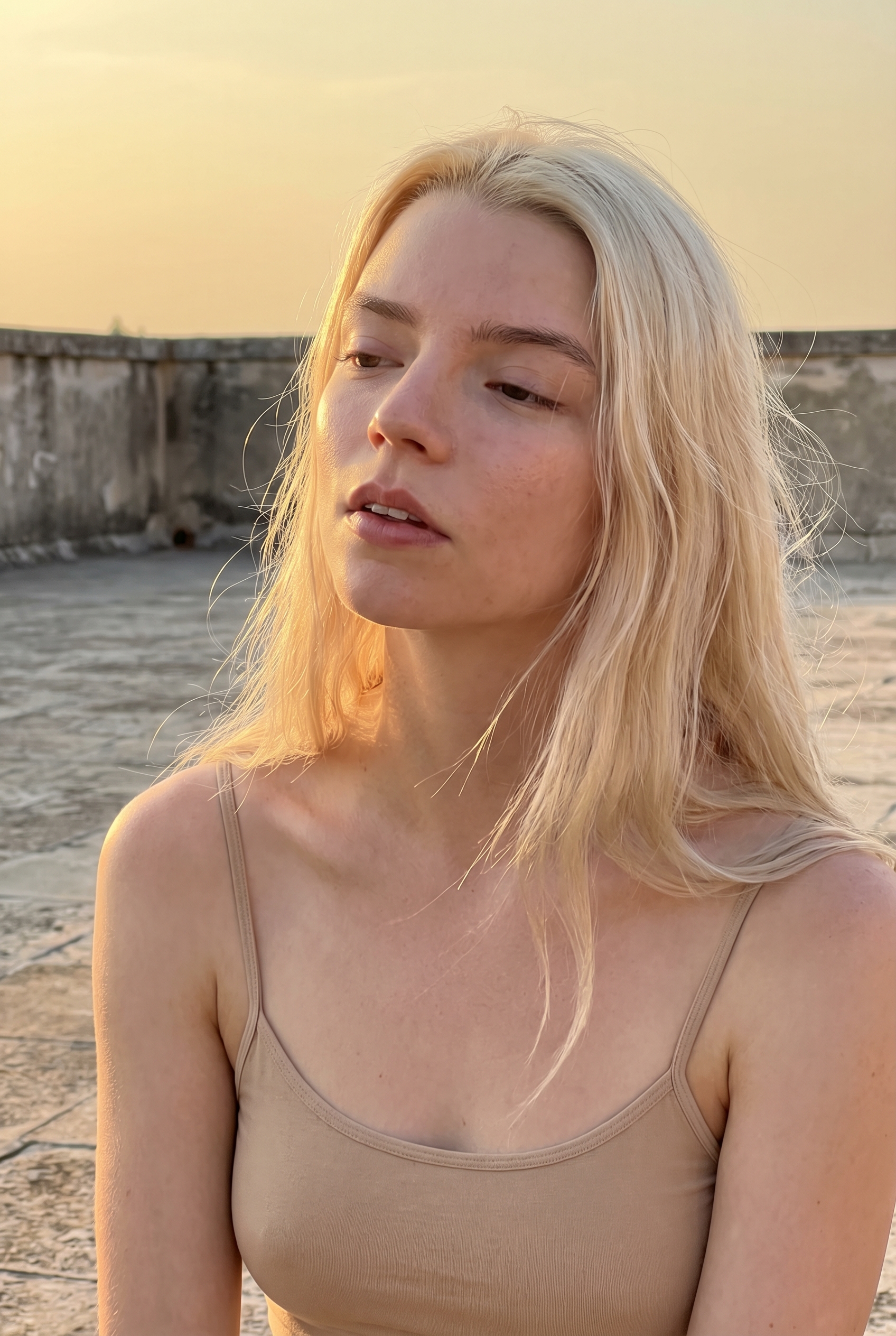
Use the Golden Hour Portrait Glow AI image template on PicX Studio. Free template, no signup required.
{ "meta": { "camera": "iPhone 17 Pro", "lens": "35mm", "aspect_ratio": "9:16", "style": "iphone natural light shot, golden hour glow, no portrait blur" }, "scene": { "location": "open terrace wall", "time": "sunset golden hour", "atmosphere": "warm, quiet, cinematic softness" }, "lighting": { "primary": "direct golden sunlight", "temperature": "warm", "effect": [ "glow on skin and hair", "strong highlights on cheekbones", "soft shadow shaping face" ] }, "camera": { "angle": "eye level", "distance": "close portrait", "framing": "slightly off-center, natural" }, "subject": { "identity": "Anya Taylor-Joy inspired, pale luminous skin, defined features", "pose": { "position": "standing still", "head": "slightly tilted toward sun" }, "expression": { "eyes": "half closed in sunlight", "lips": "soft, relaxed" }, "hair": { "style": "loose blonde strands glowing in light" }, "outfit": { "top": { "type": "minimal strap top", "color": "beige", "fit": "clean and natural" } } }, "iphone_realism": { "details": [ "slight lens flare", "natural highlight clipping", "real skin texture" ] } }
Use Golden Hour Portrait Glow to plan an AI image around themes such as new. Match the preview's composition first, then personalize the subject, setting, and mood for your own project.
Use the primary action to load the template settings in PicX Studio.
Adjust the subject and creative details for your destination.
Create the image, compare the result with the preview, and refine one variable at a time.
A continuous mix — similar concepts first, woven with same-model prompts and fresh picks from the catalog.
Choose the primary action to open PicX Studio with the available template settings. Review the model and format, personalize the creative direction, and generate when ready.
Yes. You can change the subject, setting, lighting, mood, format, and available model controls before creating your image.
This template is free to open and customize. Generation usage is shown in PicX Studio before you create.
Choose a compatible model in PicX Studio based on the style, speed, and output controls your project needs.
A continuous mix — similar concepts first, woven with same-model prompts and fresh picks from the catalog.
Follow a topic to a crawlable collection of related PicX Studio templates.
32,032 public templates available. Verified via the PicX Studio public templates API; refreshed hourly.


