How do I use the NB2 template?
Choose the primary action to open PicX Studio with the available template settings. Review the model and format, personalize the creative direction, and generate when ready.
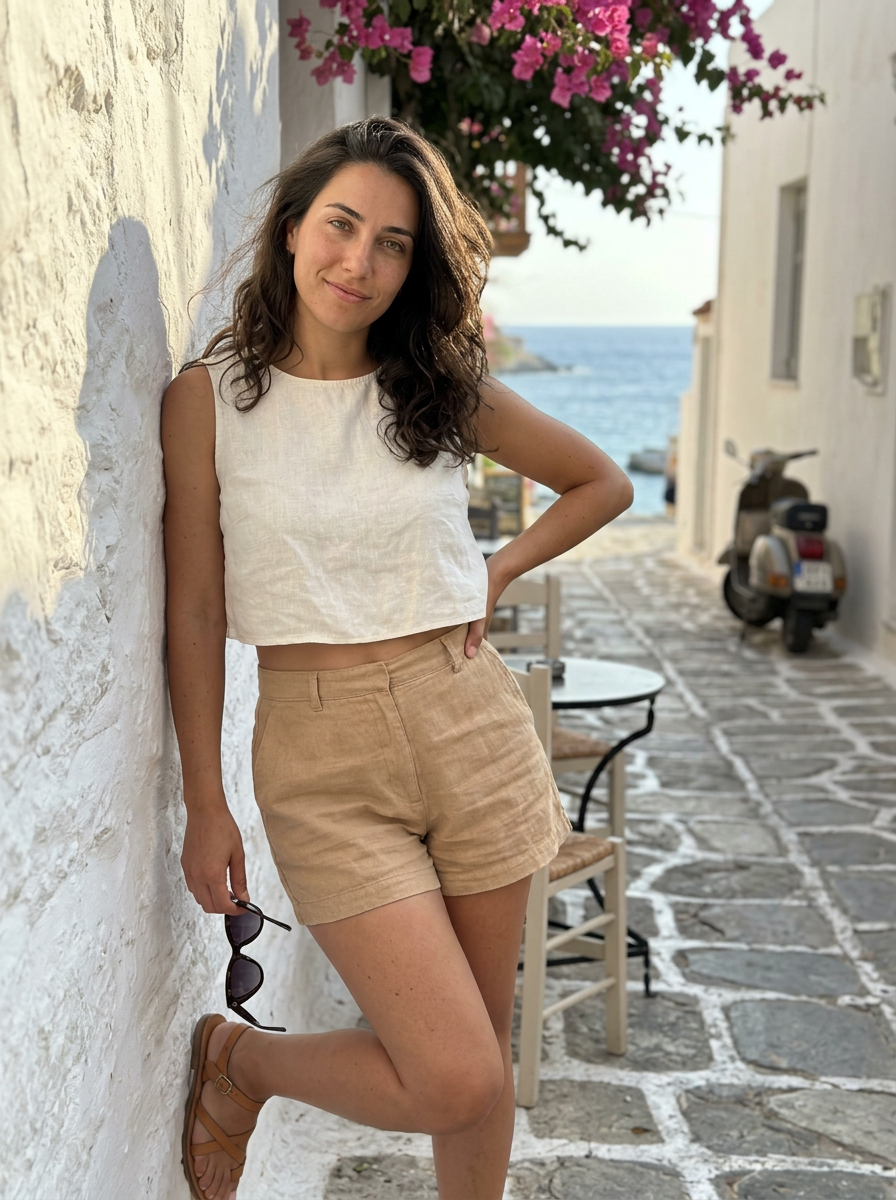


Use the NB2 AI image template on PicX Studio. Free template, no signup required.
{ "meta": { "aspect_ratio": "2:3", "quality": "photorealistic", "resolution": "6k", "camera": "iPhone 15 Pro", "lens": "35mm", "style": "natural daylight smartphone photo, unedited social media realism" }, "scene": { "location": "small Mediterranean coastal town", "environment": [ "stone-paved narrow street", "whitewashed buildings with wooden shutters", "bougainvillea flowers hanging from balconies", "glimpse of blue sea at the end of the street", "parked scooters and café chairs" ], "time": "late afternoon", "atmosphere": "warm air, sea breeze, relaxed summer calm" }, "lighting": { "type": "natural sunlight", "key_light": "soft afternoon sun from side", "fill_light": "light reflected from white buildings", "effect": "real shadows, soft contrast, no glow" }, "camera_perspective": { "shot_type": "casual candid photo (taken by a friend)", "angle": "slightly off-center eye level", "framing": "waist-up", "distance": "2–3 meters", "imperfections": [ "slight motion blur", "natural iPhone sharpness", "tiny framing imbalance" ] }, "subject": { "gender": "female", "age": "mid 20s (clearly adult)", "ethnicity": "Middle Eastern / Mediterranean mix", "face": { "eyes": "large natural green eyes", "expression": "calm, relaxed, faint smile", "skin": "visible pores, sun-kissed texture", "makeup": "very minimal, almost bare" }, "hair": { "color": "dark brown", "style": "loose, natural waves", "behavior": "lightly moved by sea breeze" }, "body": { "type": "slim-curvy, natural proportions" }, "pose": { "stance": "standing casually in the street", "posture": "relaxed shoulders", "arms": "one hand holding sunglasses, other hanging loose", "energy": "effortless summer presence" }, "outfit": { "top": { "type": "thin linen crop top", "color": "white", "fit": "relaxed", "underwear": "no bra" }, "bottom": { "type": "high-waisted linen shorts", "color": "light beige", "fit": "loose, breathable" }, "footwear": { "type": "flat leather sandals", "color": "tan" } } }, "realism_constraints": [ "no beauty filter", "no face perfection", "no cinematic grading", "looks like a random travel photo" ], "overall_vibe": "quietly attractive summer moment in a coastal town" }
Treat NB2 as a focused AI image concept rather than a finished brief. Read the preview for composition, choose the intended destination, and then personalize one creative variable at a time.
Use the primary action to load the template settings in PicX Studio.
Adjust the subject and creative details for your destination.
Create the image, compare the result with the preview, and refine one variable at a time.
A continuous mix — similar concepts first, woven with same-model prompts and fresh picks from the catalog.
Choose the primary action to open PicX Studio with the available template settings. Review the model and format, personalize the creative direction, and generate when ready.
Yes. You can change the subject, setting, lighting, mood, format, and available model controls before creating your image.
This template is free to open and customize. Generation usage is shown in PicX Studio before you create.
Choose a compatible model in PicX Studio based on the style, speed, and output controls your project needs.
A continuous mix — similar concepts first, woven with same-model prompts and fresh picks from the catalog.
Follow a topic to a crawlable collection of related PicX Studio templates.
32,032 public templates available. Verified via the PicX Studio public templates API; refreshed hourly.


