How do I use the TENNIS template?
Choose the primary action to open PicX Studio with the available template settings. Review the model and format, personalize the creative direction, and generate when ready.
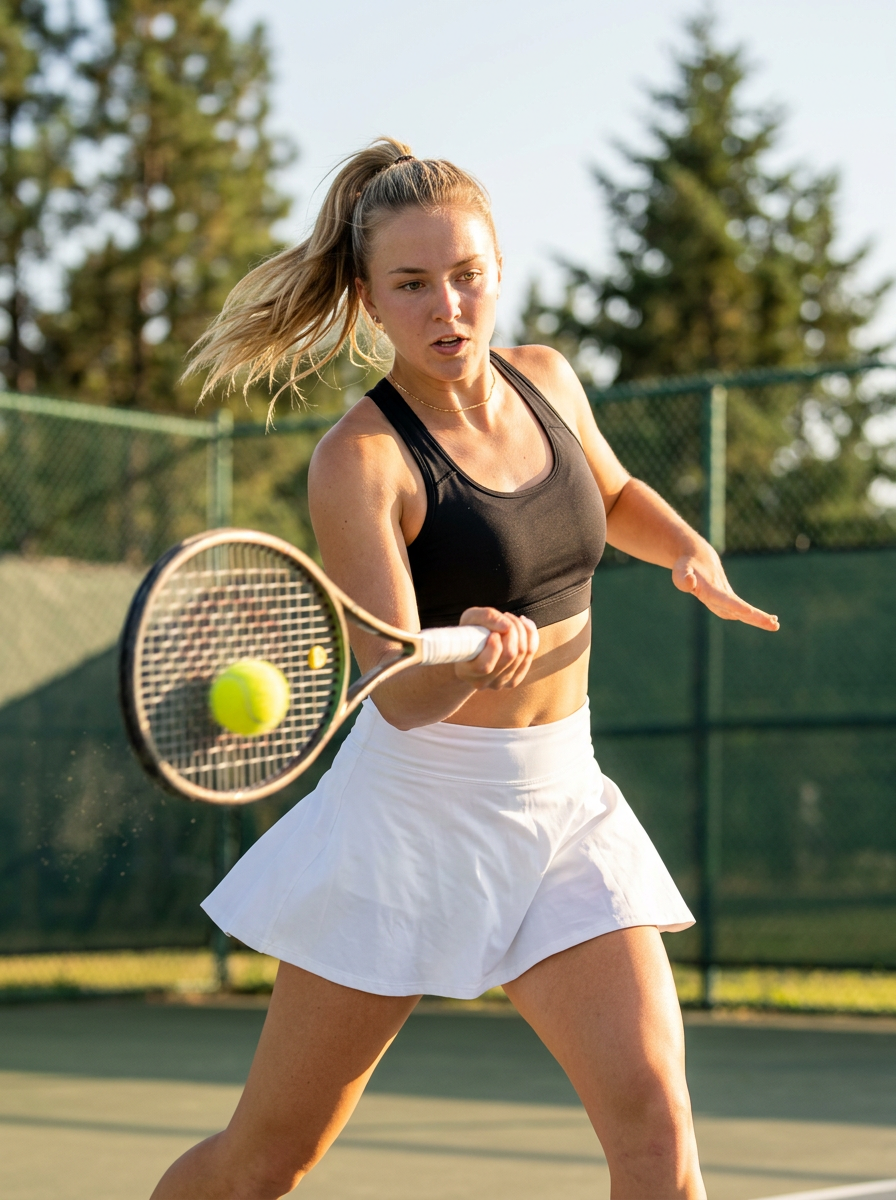


Use the TENNIS AI image template on PicX Studio. Free template, no signup required.
{ "prompt": "Dynamic tennis action shot, young athletic woman with blonde hair in high ponytail swinging in motion, mid-swing hitting yellow tennis ball with racket, wearing black sports bra athletic top and white pleated tennis skirt, delicate gold chain necklace, toned athletic physique, focused determined expression, outdoor tennis court setting, green chain link fence in background, tall green pine trees behind, bright blue sky, sunny summer day, golden hour warm sunlight, sports photography style, athletic lifestyle content, motion blur on hair and racket showing movement, dust particles in air, 3:4", "negative_prompt": "indoor, studio, posed static, casual clothing, nighttime, winter, heavy makeup", "style": "sports action photography, athletic lifestyle, tennis editorial, dynamic motion capture", "aspect_ratio": "3:4", "camera": { "type": "professional sports photography camera", "angle": "front facing, slightly low angle, action shot", "framing": "medium shot capturing swing motion, upper and lower body" }, "lighting": { "type": "natural bright sunlight, golden hour", "quality": "warm directional sunlight, highlights on skin and hair", "atmosphere": "sunny outdoor summer day" }, "mood": "athletic, dynamic, energetic, focused, competitive, healthy lifestyle", "color_palette": "blonde hair, black sports top, white pleated skirt, yellow tennis ball, green trees and fence, blue sky, warm golden skin tones", "subject_features": { "hair": "blonde, pulled up in high ponytail, swinging with motion, some strands loose", "skin": "fair, athletic glow, slight sweat sheen from activity", "eyes": "focused on ball, determined gaze", "lips": "natural, slightly parted with exertion", "expression": "focused, athletic concentration, mid-action", "physique": "toned athletic build, visible fitness" }, "accessories": { "necklace": "delicate thin gold chain necklace" }, "wardrobe": { "top": "black sports bra or athletic crop top, racerback style", "bottom": "white pleated tennis skirt, classic athletic style" }, "props": { "racket": "tennis racket in hands, mid-swing forehand motion", "ball": "yellow tennis ball being hit by racket" }, "pose": { "action": "dynamic forehand swing, hitting tennis ball", "body": "rotated torso, athletic stance, weight transfer", "arms": "extended in swing motion holding racket", "movement": "captured mid-action with motion blur" }, "setting": { "location": "outdoor tennis court", "background": "green chain link fence, tall pine trees, clear blue sky", "ground": "tennis court surface with slight dust", "atmosphere": "sunny summer day, active outdoor sports setting" } }
Use TENNIS to plan an AI image around themes such as nb2. Match the preview's composition first, then personalize the subject, setting, and mood for your own project.
Use the primary action to load the template settings in PicX Studio.
Adjust the subject and creative details for your destination.
Create the image, compare the result with the preview, and refine one variable at a time.
A continuous mix — similar concepts first, woven with same-model prompts and fresh picks from the catalog.
Choose the primary action to open PicX Studio with the available template settings. Review the model and format, personalize the creative direction, and generate when ready.
Yes. You can change the subject, setting, lighting, mood, format, and available model controls before creating your image.
This template is free to open and customize. Generation usage is shown in PicX Studio before you create.
Choose a compatible model in PicX Studio based on the style, speed, and output controls your project needs.
A continuous mix — similar concepts first, woven with same-model prompts and fresh picks from the catalog.
Follow a topic to a crawlable collection of related PicX Studio templates.
32,032 public templates available. Verified via the PicX Studio public templates API; refreshed hourly.


