How do I use the Canyon Travel Template template?
Choose the primary action to open PicX Studio with the available template settings. Review the model and format, personalize the creative direction, and generate when ready.
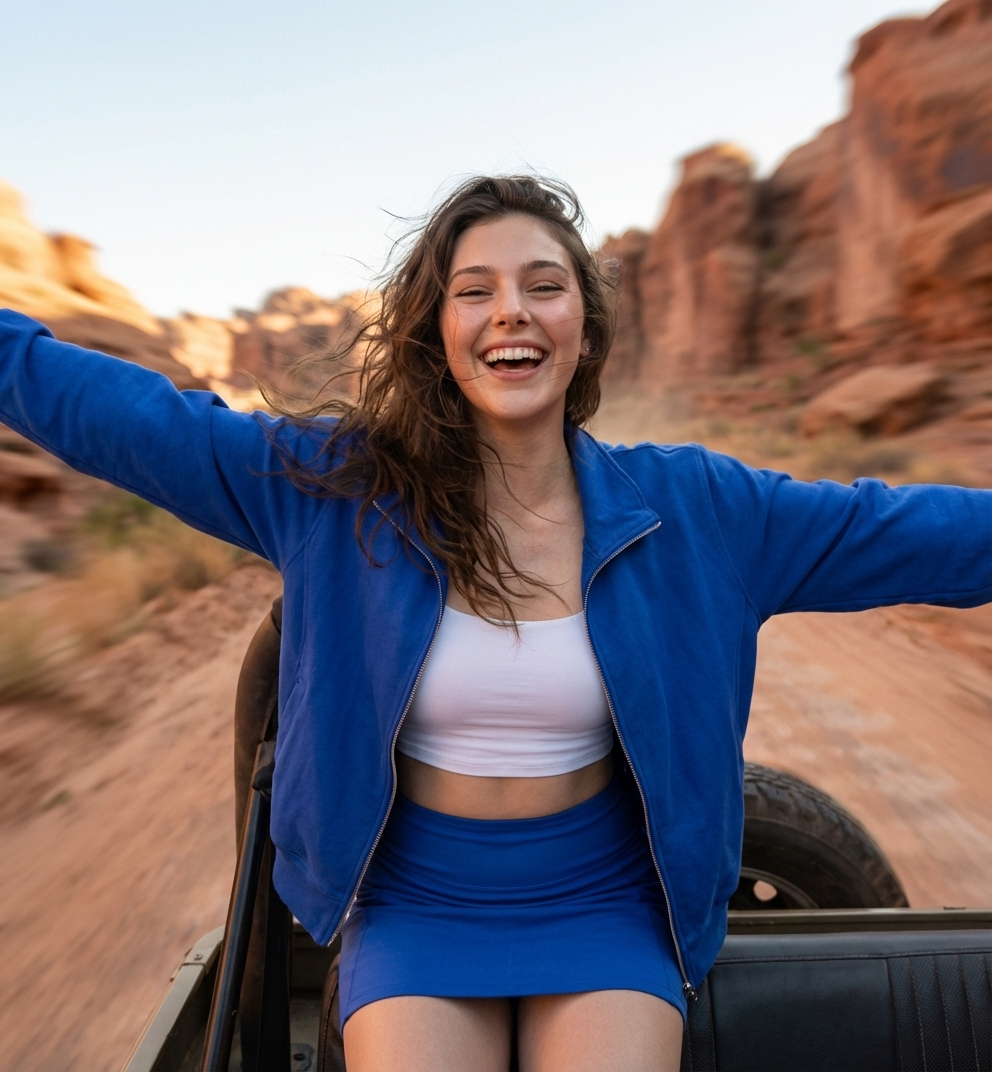


Use the Canyon Travel Template AI image template on PicX Studio. Free template, no signup required.
Create an ultra-realistic, high-resolution outdoor portrait series featuring *the same girl’s face from the reference photo* — same facial structure, bone lines, nose shape, eyes, eyebrows, smile, skin tone, and hair texture. Make the face perfectly consistent in every frame, lifelike, and naturally expressive with no AI artifacts. She is wearing a cobalt-blue coordinated sporty outfit: a fitted zip-up jacket, a matching mini skirt, and a white crop top. Her hair is long, natural, slightly wavy with soft flyaways that behave realistically in outdoor wind. Makeup is minimal and natural (clean skin, soft eyeliner, light blush, subtle gloss). Skin texture must stay extremely detailed: pores, micro-highlights, natural shadows — nothing airbrushed. Set the scene in a warm canyon with reddish sandstone cliffs, earthy textures, dry shrubs, soft beige ground, and a slightly overcast sky that diffuses the sunlight. Lighting is fully natural: no AI glow or fake reflections. Maintain a cinematic color palette — warm canyon reds + clean sky + deep blue outfit contrast. Every color must look like real camera sensor output. Photography style: • shot on a real professional DSLR (Canon R5 / Sony A7R4 look) • 50mm–85mm lens • shallow depth of field, creamy natural bokeh • extremely sharp subject with soft background separation • film-like contrast, gentle dynamic range, well-balanced highlights • natural grain, realistic textures, true-to-life skin tones Capture multiple candid moments: walking between cliffs, leaning on rocks, gently smiling, laughing, fixing her jacket, hair blowing with the wind, posing with arms open, sitting near a tree, resting by the river, or riding in an open jeep. Expressions must be authentic — no plastic AI smile, but real subtle human emotion. Details to preserve in every shot: • your exact eyes, eyebrows, nose shape, lips, and jawline • natural hair texture and movement • accurate skin details (pores, texture, natural shine) • real shadow fall on face and body • realistic clothing folds and fabric texture • natural imperfections (slight strands of hair, wind movement, tiny wrinkles in clothing) Overall mood: free-spirited, youthful, adventurous, captured in a travel-documentary style. Absolutely nothing should feel illustrated, smoothed, plastic, or AI, every frame must look like a real photographer shot it on location.”
Treat Canyon Travel Template as a focused AI image concept rather than a finished brief. Read the preview for composition, choose the intended destination, and then personalize one creative variable at a time.
Use the primary action to load the template settings in PicX Studio.
Adjust the subject and creative details for your destination.
Create the image, compare the result with the preview, and refine one variable at a time.
A continuous mix — similar concepts first, woven with same-model prompts and fresh picks from the catalog.
Choose the primary action to open PicX Studio with the available template settings. Review the model and format, personalize the creative direction, and generate when ready.
Yes. You can change the subject, setting, lighting, mood, format, and available model controls before creating your image.
This template is free to open and customize. Generation usage is shown in PicX Studio before you create.
Choose a compatible model in PicX Studio based on the style, speed, and output controls your project needs.
A continuous mix — similar concepts first, woven with same-model prompts and fresh picks from the catalog.
Follow a topic to a crawlable collection of related PicX Studio templates.
32,032 public templates available. Verified via the PicX Studio public templates API; refreshed hourly.


