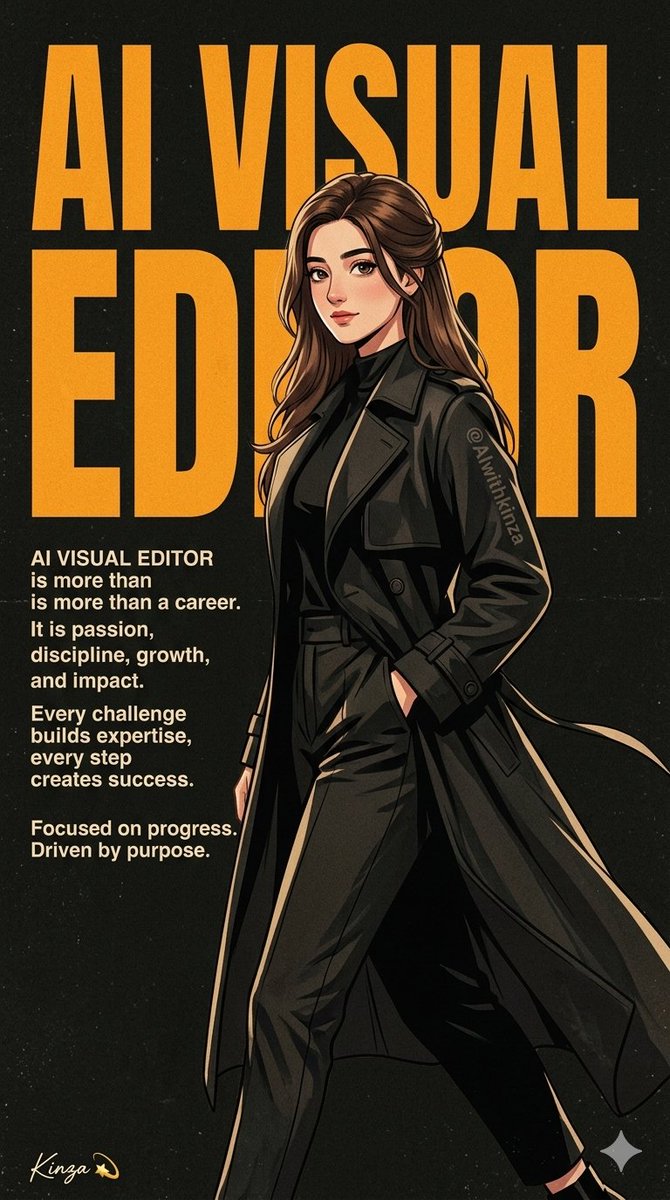
How do I use the Premium Anime Typographic Poster template?
Choose the primary action to open PicX Studio with the available template settings. Review the model and format, personalize the creative direction, and generate when ready.
A sophisticated prompt for creating high-fashion anime-style posters with bold typography and cinematic lighting, ideal for brand visuals or stylized character portraits. (free to use) — Free AI image template on PicX Studio.
Create a {argument name="style" default="premium anime-style typographic poster"}. Accurately recreate the person's face and features based on the reference photo. Show her in a stylish side-walking pose with a modern, high-fashion outfit and a confident expression. Place "{argument name="main text" default="AI VISUAL EDITOR"}" in huge, bold English typography behind the subject, using textured orange letters on a dark vintage background. Add professional-themed text on the left side: "AI VISUAL EDITOR is more than a career. It is passion, discipline, growth, and impact. Every challenge builds expertise, every step creates success. Focused on progress. Driven by purpose." Subtly integrate the branding handle "{argument name="handle" default="AIwithkinza"}" on the clothing. Include the signature watermark "Kinza 💫" subtly in the bottom corner of the design. Premium poster aesthetic, cinematic lighting, clean composition, grain texture, ultra-detailed digital illustration, 4K, 9:16 aspect ratio.
Use Premium Anime Typographic Poster to plan an AI image around nano-banana-2 generation. Match the preview's composition first, then personalize the subject, setting, and mood for your own project.
Use the primary action to load the template settings in PicX Studio.
Adjust the subject and creative details for your destination.
Create the image, compare the result with the preview, and refine one variable at a time.
A continuous mix — similar concepts first, woven with same-model prompts and fresh picks from the catalog.
Choose the primary action to open PicX Studio with the available template settings. Review the model and format, personalize the creative direction, and generate when ready.
Yes. You can change the subject, setting, lighting, mood, format, and available model controls before creating your image.
This template is free to open and customize. Generation usage is shown in PicX Studio before you create.
Start with nano-banana-2, which is the model associated with this template. You can compare another compatible model for a different finish.
A continuous mix — similar concepts first, woven with same-model prompts and fresh picks from the catalog.
Follow a topic to a crawlable collection of related PicX Studio templates.
32,032 public templates available. Verified via the PicX Studio public templates API; refreshed hourly.


