87-stranger-superheroines-spider-man-and-bl
{
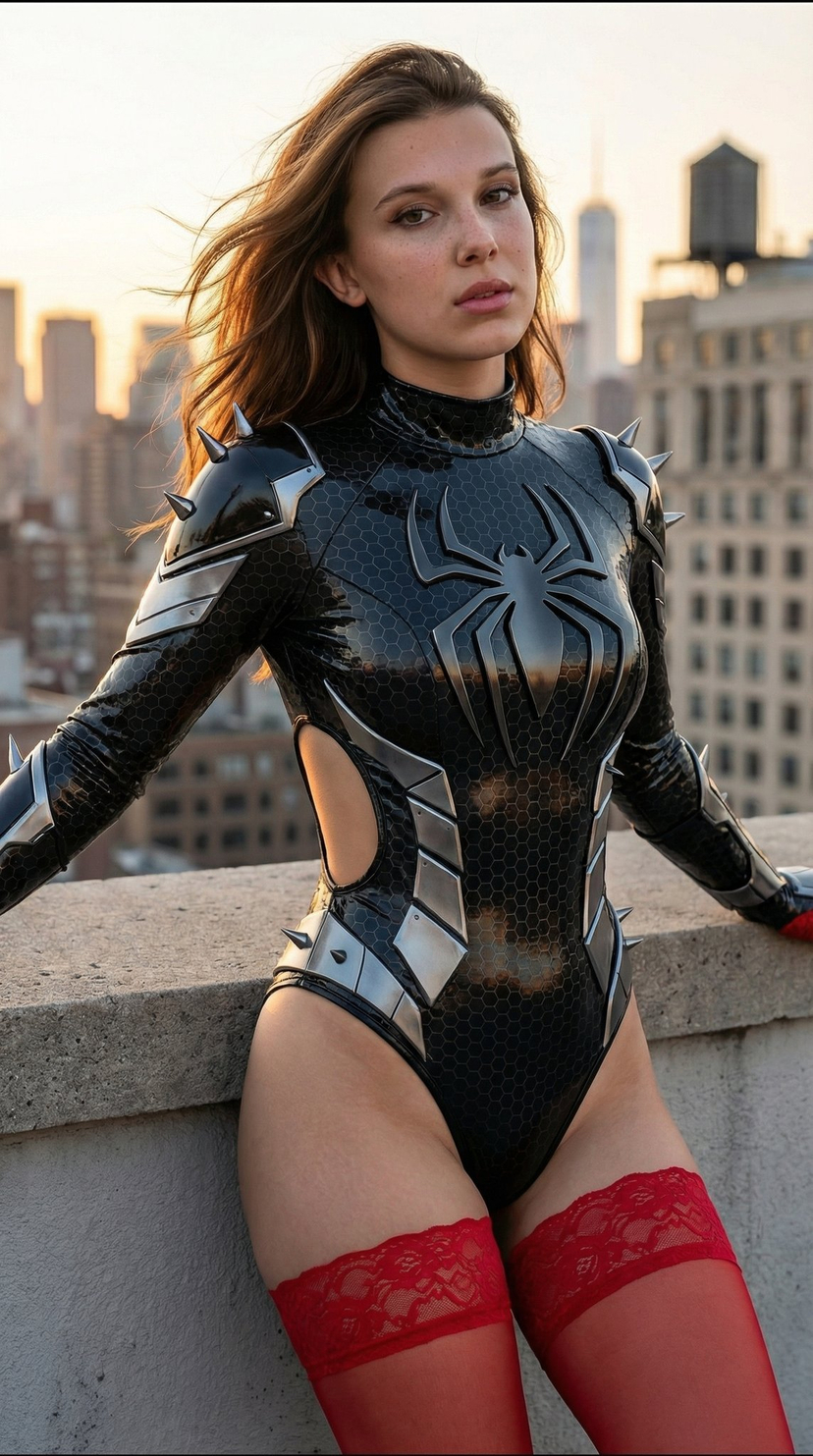
"prompt": "Ultra-detailed photorealistic 8K portrait of stunning 20-22 year old woman with long vibrant fiery brown hair flowing in wind, fair porcelain skin with light freckles on nose/cheeks, large expressive blue-green eyes, sharp soft features, high cheekbones, full glossy lips, confident seductive direct gaze. Standing on NYC rooftop at golden hour sunset, dramatic blue sky with scattered clouds, expansive skyline of skyscrapers/glass towers with warm sunlight reflections. Leaning powerfully against concrete ledge, one hand on it, strong seductive pose emphasizing curves, cinematic composition, shallow DOF sharp on face/costume.\n\nWearing ultra-tight glossy black futuristic superhero bodysuit (Black Panther/Black Widow/Spider-Gwen blend), high-shine wet-look latex with intricate dark hexagonal carbon-fiber texture, large sharp metallic silver-black geometric spider emblem on chest, high dramatic collar with silver claw/spike protrusions, sleeveless halter with exposed shoulders, deep side cutouts showing toned waist/underboob, form-fitting to every contour with defined cleavage/visible abs, silver angular armor panels/spikes on shoulders/hips/thighs, high-cut thong bottom with silver blade edges, reflective metallic highlights.\n\nPaired with sheer translucent red floral lace thigh-high stockings with ornate bands, barefoot, silver ring on finger.\n\nMasterpiece, hyperrealistic photography, cinematic golden hour lighting with rim light/volumetric shadows, dramatic contrast, highly detailed skin pores/fabric textures/hair strands, sensual powerful superhero vibe",
"negative_prompt": "blurry, low res, bad anatomy, deformed/mutated hands, extra/missing/fused fingers/limbs, poorly drawn face, bad proportions, disfigured, ugly, gross proportions, watermark/text/signature/logo/username, cartoon/anime/illustration/3d render/CGI, plastic/doll skin, low/worst quality, jpeg artifacts, over/underexposed, monochrome/greyscale",
"metadata": {
"aspect_ratio": "2:3 or 3:4 portrait",
"style_influences": ["hyperrealistic photography", "cinematic hero portrait", "golden hour editorial", "futuristic cosplay", "Marvel/DC character design"],
"lighting_keywords": ["golden hour", "rim lighting", "volumetric shadows", "side lighting", "cinematic contrast"],
"character_traits": {
"hair_color": "vibrant fiery brown",
"eye_color": "blue-green/teal",
"skin_tone": "fair porcelain with freckles",
"body_type": "hourglass athletic-curvy, large bust, defined waist, full hips",
"expression": "confident subtly seductive direct gaze"
},
"costume_details": {
"primary_color": "glossy black",
"accents": "metallic silver sharp spikes",
"texture": "hexagonal carbon fiber, wet-look shine",
"cut_style": "high-cut thong, halter neck, deep side cutouts",
"additional": "red sheer floral lace thigh-high stockings"
},
"scene_info": {
"location": "NYC rooftop urban skyline",
"ti










![Naive doodle-style subject illustration — A doodle-style {argument name="subject" default="[subject]"}, naive lines, humorous shape exaggeration](https://pbs.twimg.com/media/G6Wl2YxbsAARB2b.jpg)











![Stone-Carved Statue Prompt for Nano Banana Pro — A tiny stone-carved statue of {argument name="姓名" default="[NAME]"}, with chisel marks and uneven surfaces, sit](https://pbs.twimg.com/media/G-guzz1asAAzWAC.jpg)