How do I use the Urban Streethero Editorial Illustration template?
Choose the primary action to open PicX Studio with the available template settings. Review the model and format, personalize the creative direction, and generate when ready.
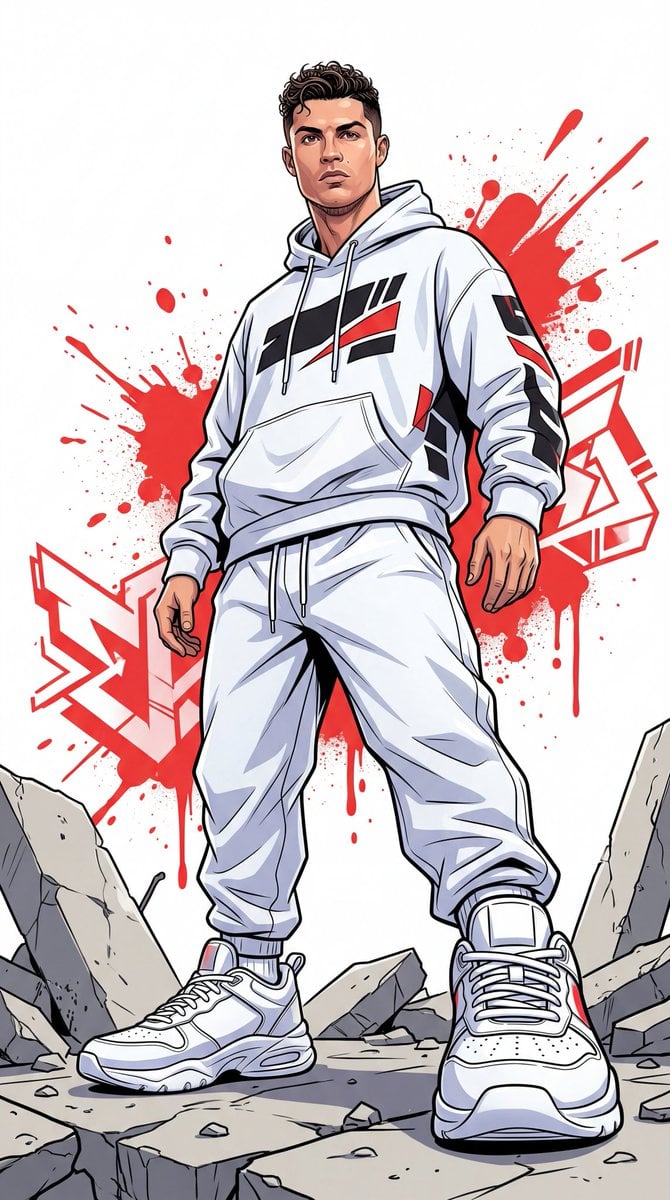
Urban editorial street-hero illustration with clean line art, bold red paint accents, and dramatic low-angle composition. (free to use) — Free AI image template on PicX Studio.
A dynamic full-body urban illustration of a man wearing an oversized white hoodie with subtle black and red accents, paired with loose white track pants and bold white sneakers. The character has a sharp confident gaze directed forward, conveying intensity and self-assurance. The composition is captured from a dramatic low-angle perspective, emphasizing power and dominance. His stance is strong and grounded with exaggerated perspective on the sneakers in the foreground for added depth. Surrounding him are fragmented concrete elements and subtle debris, suggesting an urban gritty environment. The background is a clean white canvas featuring bold red paint splashes and abstract geometric shapes, creating a modern street-art aesthetic. The visual style combines crisp clean line art with vibrant flat colors and soft cel shading for depth and dimension. Lighting is bright even and diffused across the entire scene, minimizing harsh shadows while maximizing clarity and detail. Ultra-detailed sharp focus 8K resolution vertical composition.
Use Urban Streethero Editorial Illustration to plan an AI image around design projects, themes such as spider-man and urban. Match the preview's composition first, then personalize the subject, setting, and mood for your own project.
Use the primary action to load the template settings in PicX Studio.
Adjust the subject and creative details for your destination.
Create the image, compare the result with the preview, and refine one variable at a time.
A continuous mix — similar concepts first, woven with same-model prompts and fresh picks from the catalog.
Choose the primary action to open PicX Studio with the available template settings. Review the model and format, personalize the creative direction, and generate when ready.
Yes. You can change the subject, setting, lighting, mood, format, and available model controls before creating your image.
This template is free to open and customize. Generation usage is shown in PicX Studio before you create.
Choose a compatible model in PicX Studio based on the style, speed, and output controls your project needs.
A continuous mix — similar concepts first, woven with same-model prompts and fresh picks from the catalog.
Follow a topic to a crawlable collection of related PicX Studio templates.
32,032 public templates available. Verified via the PicX Studio public templates API; refreshed hourly.


