How do I use the crocs-high-fashion-surrealist-poster template?
Choose the primary action to open PicX Studio with the available template settings. Review the model and format, personalize the creative direction, and generate when ready.
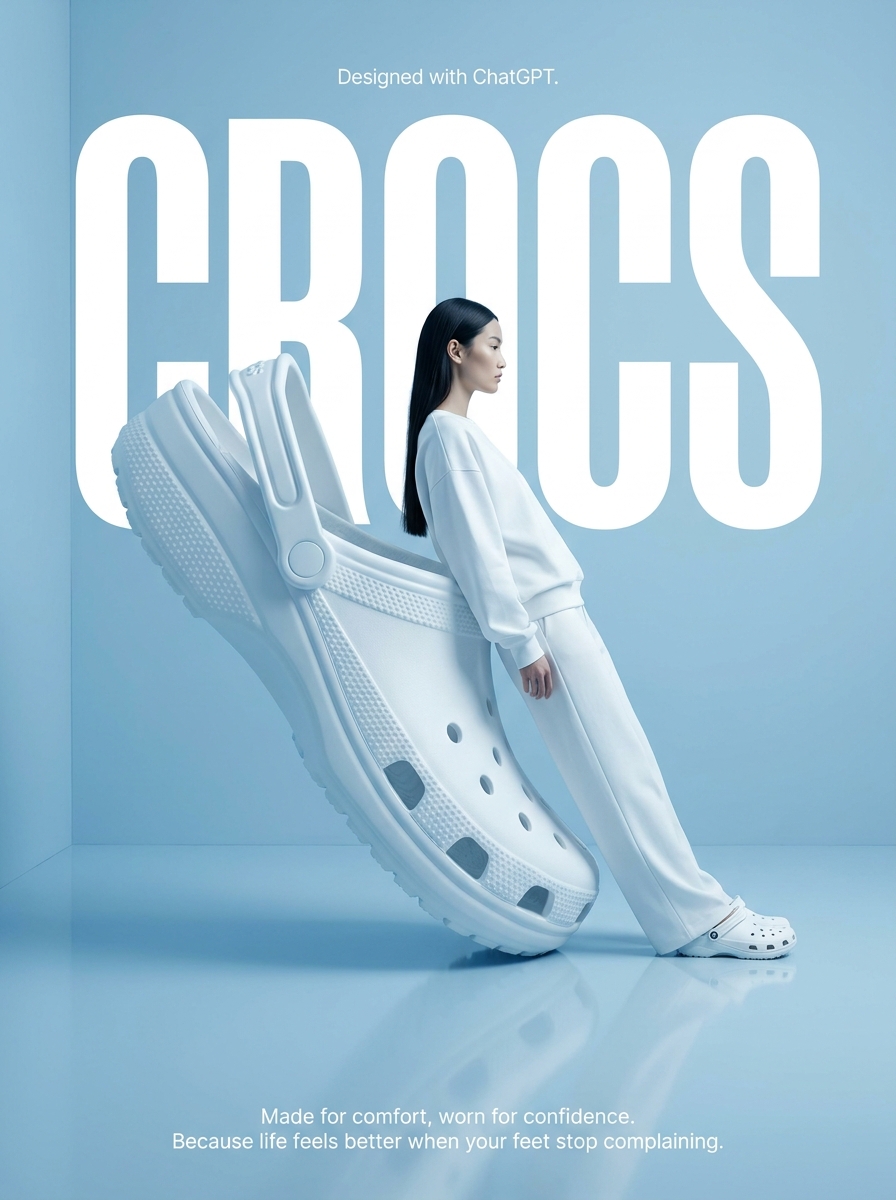
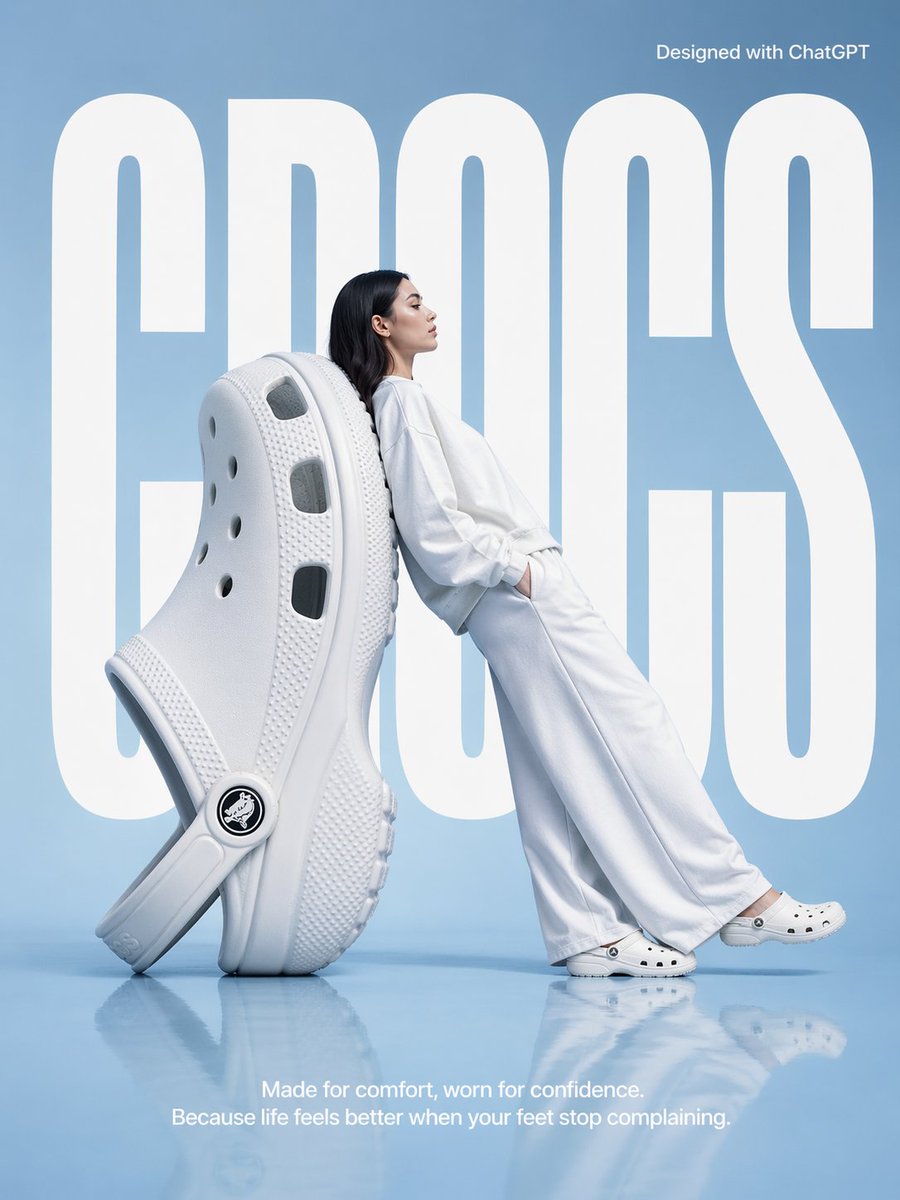
High-fashion surrealist Crocs advertising poster — oversized giant white Croc as backrest, model in all-white leaning against it, minimalist light blue studio, semi-reflective floor, CROCS typography, Designed with ChatGPT, 3:4 ratio Change the subject, setting, or lighting one variable at a time.

A high-fashion surrealist advertising poster for Crocs. The scene is set in a minimalist, monochrome light blue studio with a semi-reflective floor. The central focus is an oversized, giant white Croc clog positioned on its heel at a diagonal angle, serving as a backrest. A fashion model with long dark hair, dressed in a clean, all-white coordinated sweatshirt and wide-leg trousers, leans her entire back against the giant shoe in a relaxed, leaning posture. She is facing right in profile, looking ahead with a serene expression, and wearing standard-sized white Crocs. In the background, the word CROCS is written in massive, bold, white condensed sans-serif typography, partially occluded by the giant shoe and the model to create a sense of depth. At the top right, Designed with ChatGPT. At the bottom center, a white sans-serif tagline reads: Made for comfort, worn for confidence. Because life feels better when your feet stop complaining. The lighting is soft, cool, and even, casting gentle shadows and a soft reflection of the subjects on the glossy blue floor. The overall aesthetic is clean, modern, and high-concept. Aspect ratio 3:4.
Choose the primary action to open PicX Studio with the available template settings. Review the model and format, personalize the creative direction, and generate when ready.
Yes. You can change the subject, setting, lighting, mood, format, and available model controls before creating your image.
This template is free to open and customize. Generation usage is shown in PicX Studio before you create.
Start with GPT Image 2, which is the model associated with this template. You can compare another compatible model for a different finish.
Follow a topic to a crawlable collection of related PicX Studio templates.
43,474 public templates available. Verified via the PicX Studio public templates API; refreshed hourly.
![Surrealist Fashion Advertising Poster — High fashion surrealist advertising poster. {argument name="background color" default="[Background Color]"} minimalist s](https://cms-assets.youmind.com/media/1780564660421_n6xnpk_HJ28oiaa0AAy0vq.jpg)










![Minimalist Flat Vector Travel Poster — Premium minimalist flat-vector travel poster for {argument name="city name" default="[CITY_NAME]"}, 3:4 vertical format.](https://cms-assets.youmind.com/media/1787917359711_3ug846_HQX205cbMAA6F6S-300x400.jpg)



















![Children's Book Illustration Style Prompt for Character Drawing — DRAWING a drawing of {argument name="角色" default="[Character]"}, crayon on white paper, in the](https://pbs.twimg.com/media/G7UDR6vbYAALCVo.jpg)

![Space Mission Technical Artifacts — 16:9, do this for 4 famous space missions: void main() { string[] subjects = {"{argument name="subject one" default="[SUB_1]](https://cms-assets.youmind.com/media/1779096592895_53y1uu_HIfXbkRW4AAaI4v.jpg)






![Selfie with Movie Character Template Prompt — I’m taking a selfie with {argument name="movie character" default="[movie character]"} on the set of {argument nam](https://pbs.twimg.com/media/G752JHzbsAAho4B.jpg)