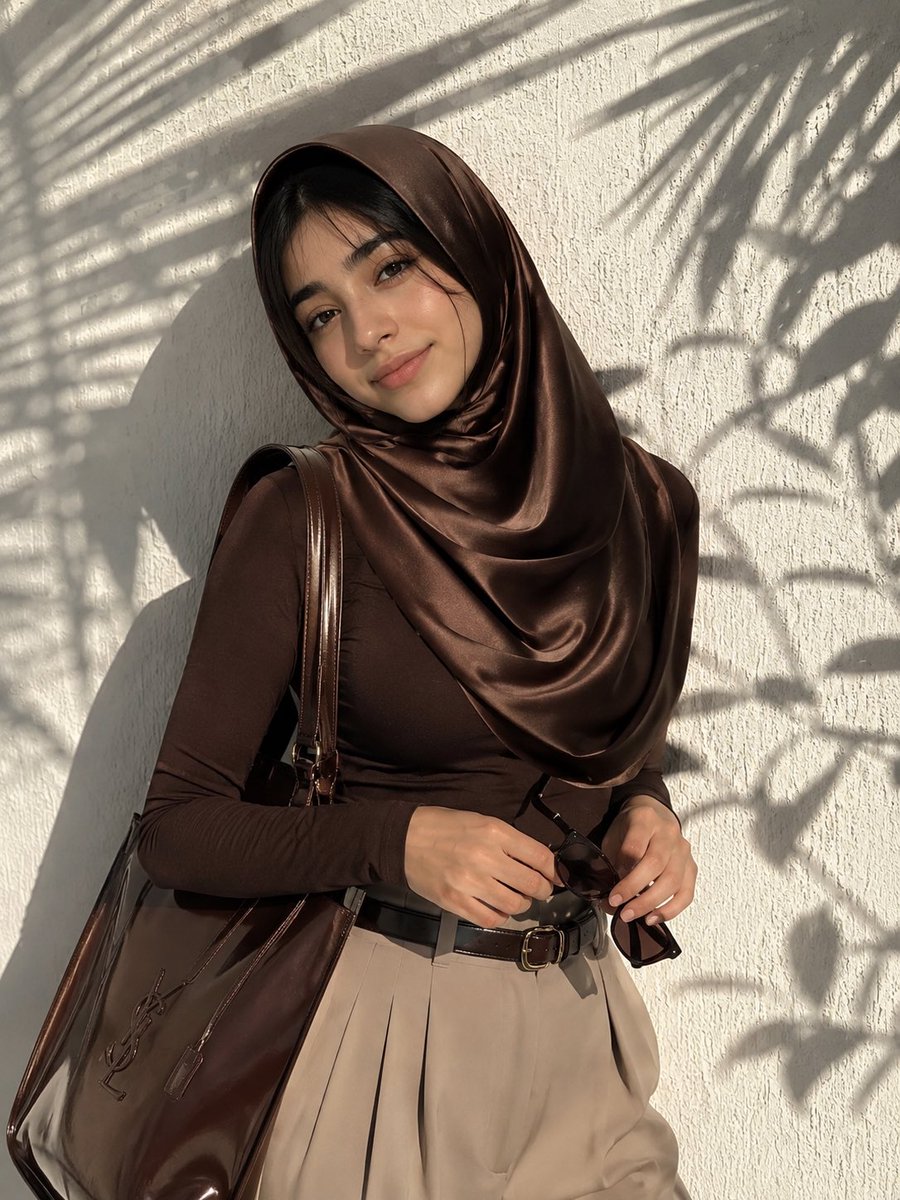
How do I use the Photorealistic Hijab Fashion Portrait template?
Choose the primary action to open PicX Studio with the available template settings. Review the model and format, personalize the creative direction, and generate when ready.
A high-detail prompt for creating a professional fashion portrait featuring a model in a chocolate brown satin hijab with cinematic outdoor lighting. (free to use) — Free AI image template on PicX Studio.
Photorealistic fashion portrait of a beautiful young woman wearing a {argument name="outfit color" default="luxurious chocolate brown"} {argument name="clothing item" default="satin hijab"} elegantly draped with soft folds around her head and shoulders, matching tight long-sleeved brown top, high-waisted beige trousers with slim brown leather belt. She holds dark sunglasses gracefully in her hands and carries a large glossy brown leather tote bag with embossed logo on her shoulder. Confident pose leaning against a {argument name="background" default="white textured wall"} with strong dramatic palm leaf shadows cast across the wall and her figure. Bright natural golden sunlight, high contrast, cinematic lighting, flawless makeup with defined eyebrows and lashes, elegant three-quarter view, professional photography, ultra detailed, sharp focus, 8k photorealistic.
Use Photorealistic Hijab Fashion Portrait to plan an AI image around nano-banana-2 generation. Match the preview's composition first, then personalize the subject, setting, and mood for your own project.
Use the primary action to load the template settings in PicX Studio.
Adjust the subject and creative details for your destination.
Create the image, compare the result with the preview, and refine one variable at a time.
A continuous mix — similar concepts first, woven with same-model prompts and fresh picks from the catalog.
Choose the primary action to open PicX Studio with the available template settings. Review the model and format, personalize the creative direction, and generate when ready.
Yes. You can change the subject, setting, lighting, mood, format, and available model controls before creating your image.
This template is free to open and customize. Generation usage is shown in PicX Studio before you create.
Start with nano-banana-2, which is the model associated with this template. You can compare another compatible model for a different finish.
A continuous mix — similar concepts first, woven with same-model prompts and fresh picks from the catalog.
Follow a topic to a crawlable collection of related PicX Studio templates.
32,032 public templates available. Verified via the PicX Studio public templates API; refreshed hourly.


