
Animated Squirrel Photobomb Comedy
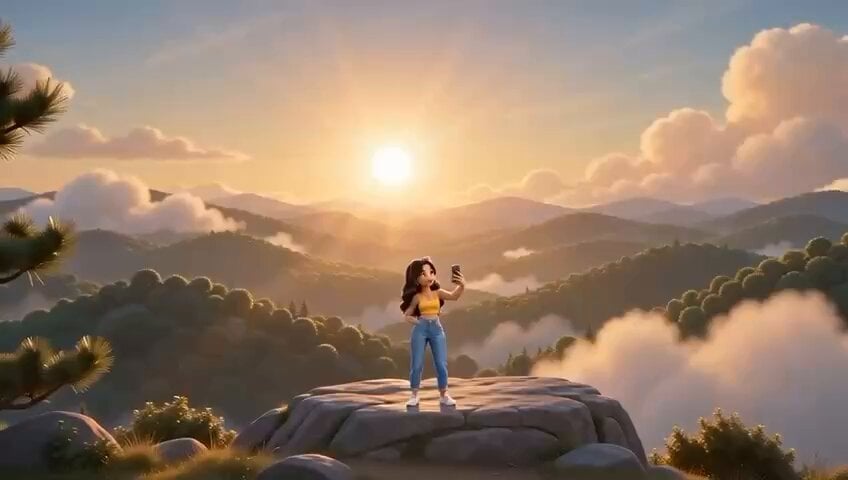
A comedic 3D animation video prompt featuring a girl attempting a selfie at a scenic mountain viewpoint while a mischievous squirrel repeatedly photobombs her shots.
- Prompt included
- Model and format preset
- Free template
The prompt behind this video
Copy the exact prompt behind Animated Squirrel Photobomb Comedy, or open it in the studio and make it yours.
A 4-view character reference sheet of a stylish 20-year-old girl with long wavy black hair, trendy sunglasses pushed up on her head, wearing a yellow crop top and high-waist jeans, holding a smartphone. 3D animated cartoon style, CGI animated feature film quality, NOT photorealistic. Views: FULL BODY FRONT, FULL BODY REAR, FRONT CLOSE-UP, PROFILE CLOSE-UP. Neutral grey background, clean studio lighting, no text or watermarks. High quality, 4K, 16:9 ratio. A 4-view character reference sheet of a fluffy reddish-brown squirrel with a huge bushy tail, big expressive eyes, mischievous grin. 3D animated cartoon style, CGI animated feature film quality, NOT photorealistic. Views: FULL BODY FRONT, FULL BODY REAR, FRONT CLOSE-UP, PROFILE CLOSE-UP. Neutral grey background, clean studio lighting, no text or watermarks. High quality, 4K, 16:9 ratio. A cinematic animated short film with feature-film-quality 3D animation, expressive stylized characters, a scenic golden-hour mountain viewpoint with soft clouds and rolling hills in the background, warm sunset light, fast dynamic cinematic camera cuts with playful zoom-ins, upbeat comedic orchestral score with plucky rhythm, polished CGI animated feature film quality rendering, NOT photorealistic, exaggerated expressive facial animation, kinetic comedic timing. SET LAYOUT: Girl remains fixed center-frame holding her phone up for selfies throughout. Squirrel appears and disappears from a fixed tree branch to her left edge of frame. A stylish 20-year-old girl with long wavy black hair holds up her phone, adjusting her angle, practicing a perfect smile against the scenic mountain backdrop. Girl (to herself, confident): "Okay... perfect lighting..." She snaps the photo. A fluffy reddish-brown squirrel leaps into frame at the last second, pulling a ridiculous cross-eyed face right next to her head. Girl (checking phone, annoyed): "Ugh—again?! She resets, retries her pose with an exaggerated forced smile, clearly getting frustrated. Girl (through gritted teeth): "One good picture. That's all I need." Continue seamlessly from the previous scene. Maintain the exact same characters, clothing, facial features, lighting, mountain environment, and CGI animated feature film quality 3D animation style, NOT photorealistic. SET LAYOUT: Girl remains fixed center-frame. Squirrel's photobombs escalate in speed and silliness, still entering from the same fixed branch area, ending seated calmly on her shoulder for the final shot. She snaps again — this time the squirrel photobombs with an even more exaggerated pose, tongue out, tail puffed dramatically. Girl (exasperated shout): "SERIOUSLY?!" Rapid montage of three quick snap attempts in fast succession, each interrupted by an increasingly ridiculous squirrel face — cross-eyed, mid-jump, cheeks stuffed with an acorn. The girl finally throws her hands up, defeated, sitting down on a rock with a sigh. Girl (muttering): "Fine. You win." The squirrel calmly hops up and settles onto her shoulder, striking a proud little pose. She glances at it, surprised, then can't help but smile genuinely. She holds up the phone one last time — girl and squirrel both grinning naturally at the camera — and snaps the photo. It's clearly the best shot yet. Girl (delighted, laughing): "...Okay, THIS one's perfect." Camera quick zoom into the phone screen showing the adorable photo. Cut to black.
How to use Animated Squirrel Photobomb Comedy in 3 steps
- 1Upload ImagePNG, JPG or paste
Add your photo
Upload the photo the template builds on. The prompt, model and format are already set.
- 2…a portrait of your subject in softgolden-hour light, 85mm…
Personalize
Edit the subject and creative details for your destination.
- 3Generate
Generate
Press Generate — your video is created in PicX Studio, so you can compare it with the original and refine one variable at a time.
More like this
Templates with the same subject, style or setup. Open one to see its prompt.
Animated Comedy Coffee Mugs
Viking in Modern America Comedy - Seedance 2.5

3D Animated Newspaper Delivery Short - Seedance 2.5

3D Animated Cat and Old Man - Seedance
Comedy Coke Bottle Prank Reel — Kling 3.0 O3 Pro

Cartoon Donut Heist Bakery Chase
Dim Sum Chase — Shrimp Dumpling Monster
Animal Garden Party Bar — Comedy Short
Watercolor Storybook Animated Short
Modern Urban Fantasy Comedy Storyboard
Capybara Sticker Cooking Comedy
Immortal Sword Master Comedy Twist
Make it yours
Animated Squirrel Photobomb Comedy works as-is. These are the safest ways to change it without losing the look.
Change one field
Copy a single group, rewrite it, and generate again so you can see what that field is doing.
Keep the frame, change the subject
Hold the composition and light of Animated Squirrel Photobomb Comedy, then swap wardrobe, props or the person for a new take.
| If the result… | Why | Fix |
|---|---|---|
| The result drifts from the preview | Too many fields changed at once. | Reuse Animated Squirrel Photobomb Comedy as-is first, then change one group — subject, light, or setting. |
| The model over-stylizes the scene | The prose prompt leaves finish and camera underspecified. | Add one camera or lighting sentence and stay on Seedance 2.0. |
More Seedance 2.0 templates
Other prompts made for Seedance 2.0.

Comical Martial Arts Punch Scene

Maglev Train Action Sequence

Martial Arts Fight Sequence

Wuxia Protection and Trust Script

Vintage Korean Arcade MiniDV Vlog

Mercedes 190 SL Luxury Ad

Amazon Civilization Discovery

Futuristic South Asian City Transformation

Cozy Luxury Cafe Commercial

Cyber Ronin Nanotech Transformation Video
More video prompts
Fresh picks from across the catalog.
Elegant woman in red fur coat under moonlight
Siren Pose office drama with apocalyptic twist
Realistic Moon Carving Video Prompt

Mutant Horse and Wolf Transformation
Legends on Ice Figure Skating
Long Exposure Video of Contemporary Dancer
Easter Bunnies Falling Through a Portal
Kaiju Train Attack
Skincare Ad Concept Video
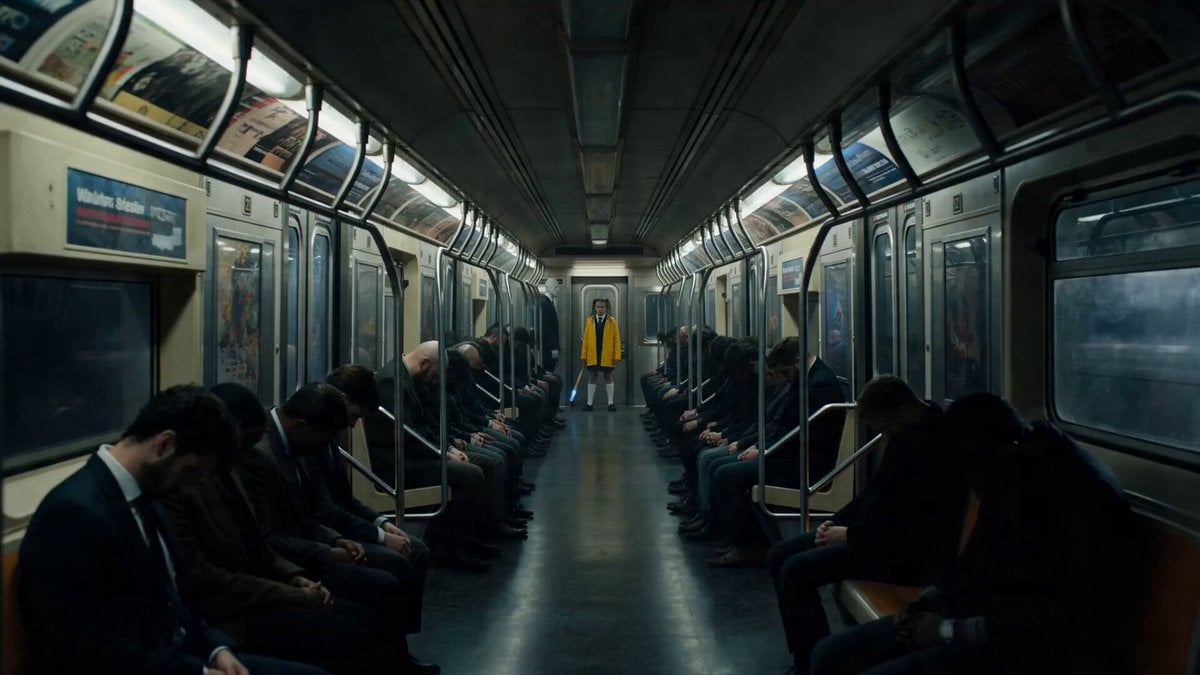
Possessed Train Schoolgirl Action Video
Browse template categories
Animated Squirrel Photobomb Comedy questions
How do I use the Animated Squirrel Photobomb Comedy template?
Add your photo if the template asks for one, edit the prompt if you like — the template's model and format are already selected — and press Generate. Your version opens in PicX Studio.
Can I customize the Animated Squirrel Photobomb Comedy template?
Yes. You can change the subject, setting, lighting, mood, format, and available model controls before creating your video.
Is the Animated Squirrel Photobomb Comedy template free?
Opening and editing this template is free. Generating uses credits, shown on the Generate button when you are signed in.
Which AI model should I use?
Start with Seedance 2.0, which is the model associated with this template. You can compare another compatible model for a different finish.
Looking for something else? Browse all templates.

Your photo, any look
Thousands of ready templates for every top image and video model, from one credit balance.