🎮 9 GTA 6 Photo Prompts: Put Yourself and Your City in GTA 6
9 GTA 6 photo prompts for AI: turn your photo into a GTA character, put GTA 6 in your own city, chase scenes and the PS2-era meme.
 PicX Studio Team4 min read9 prompts
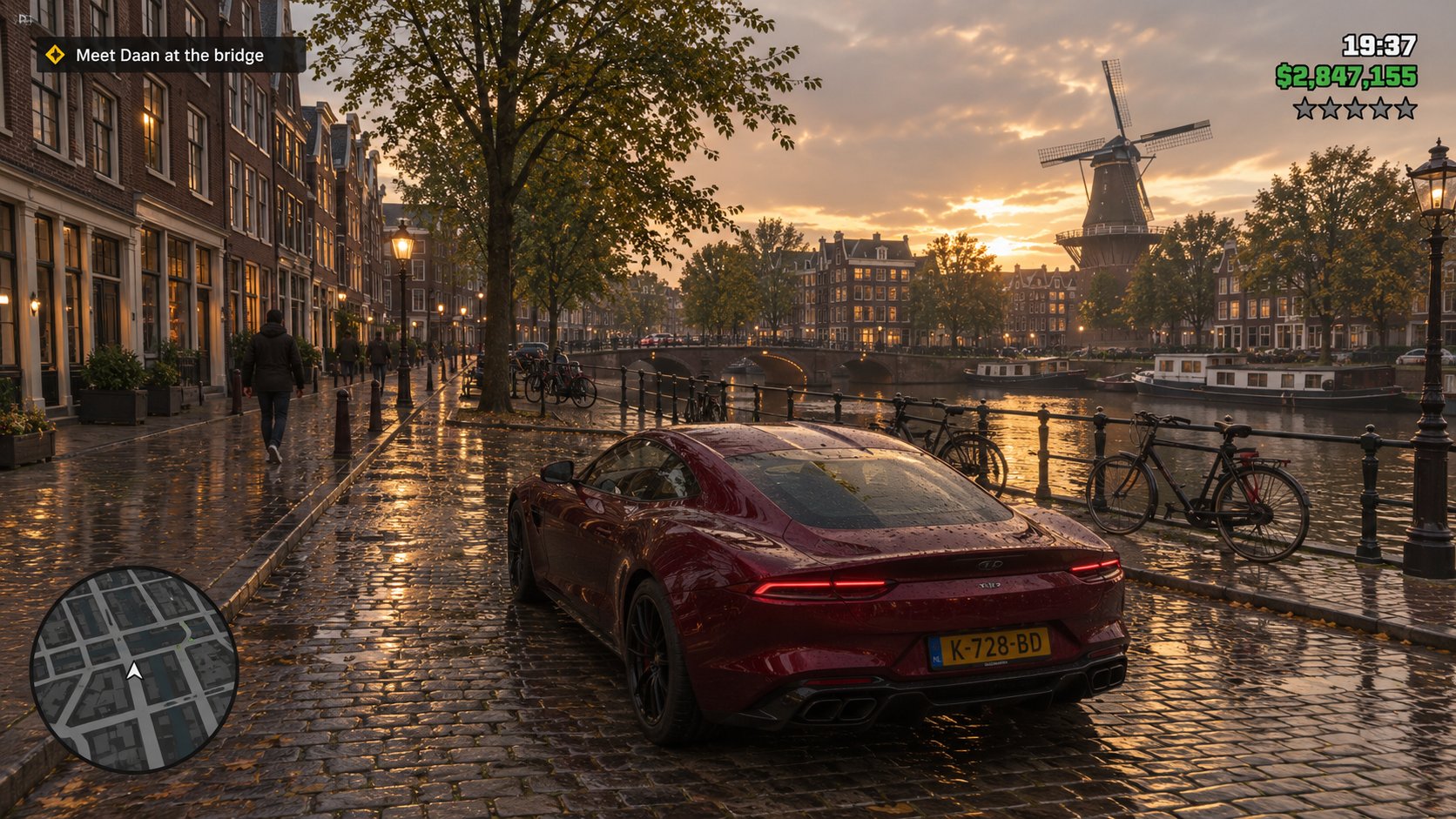
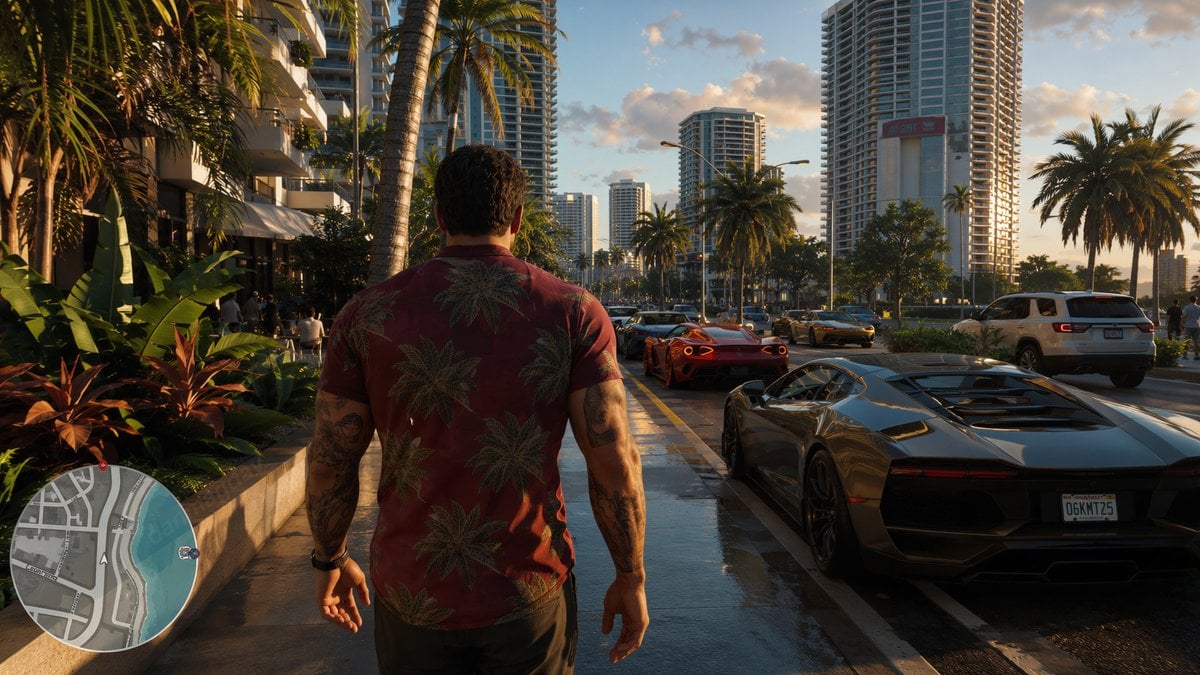
GTA 6 is out, and the most popular thing to do with it in AI image apps isn't fake gameplay: it's putting yourself, or your own city, into GTA 6. These are 9 GTA 6 photo prompts that do exactly that: photo edits that turn you into a loading-screen character, "GTA 6 in my city" screenshots with a full HUD, a police chase, and the PS2-era censored-face meme.
Five prompts link to the PicX template they came from, with its sample. The other four we wrote and tested for this page, and their samples are ours. Copy any prompt into the generator, or open the template and press Use template. For the photo edits, attach a clear photo of yourself before you generate.
Looking for fake in-game screenshots, dialogue memes and video prompts instead? See our 14 GTA 6 AI prompts.
Prompt 1: Turn Your Photo Into a GTA Loading-Screen Character
The classic GTA 6 photo edit: you, as loading-screen art on a Vice City-style beach boulevard. Attach a clear photo of yourself in the studio; our sample was made from a text description of a person, so it shows how the style looks, not a real face.
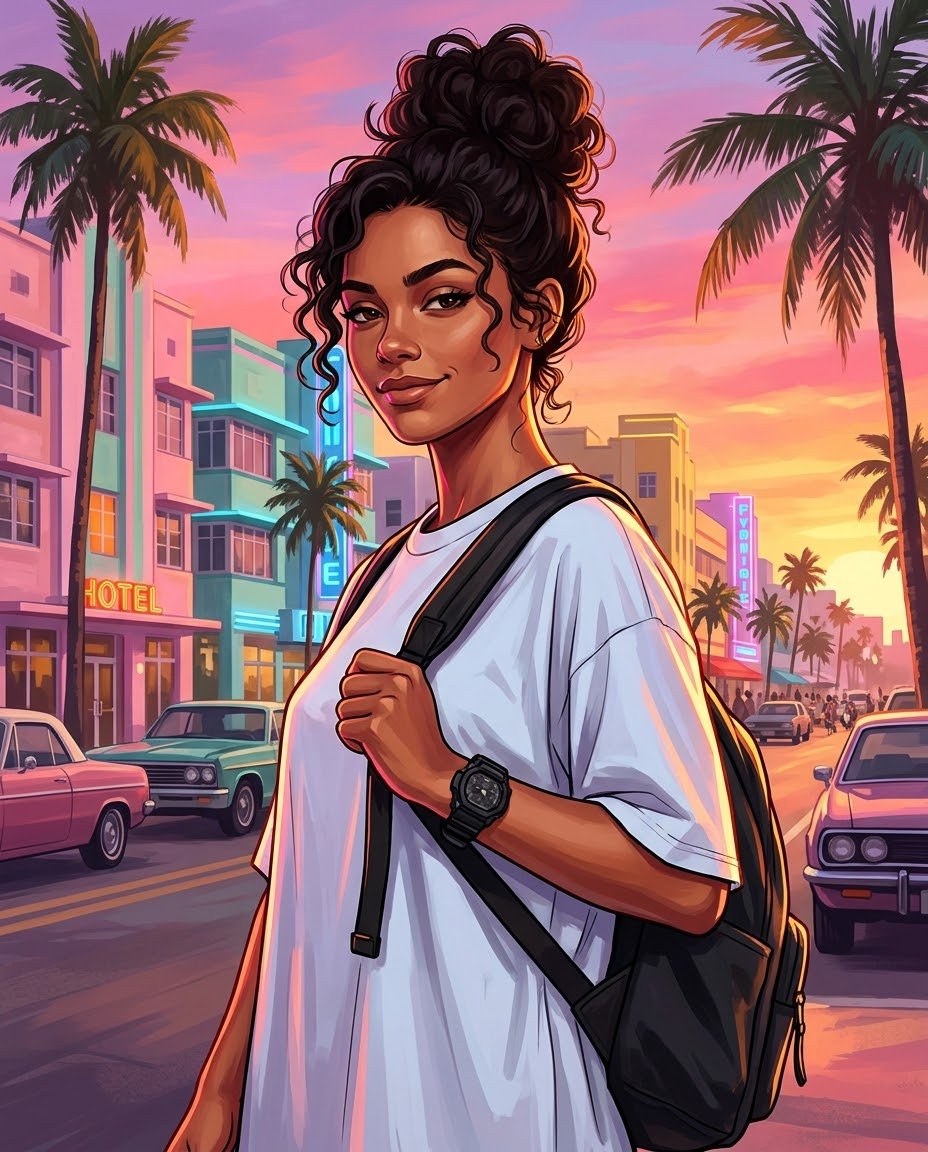
Use the attached photo as the identity reference. Turn the person into a stylized-realism loading-screen character illustration in the style of modern open-world crime game key art. Keep their face, hair, skin tone and build recognizable, and keep their outfit. Place them on a palm-lined beach boulevard at sunset with pastel art-deco hotels and neon signs behind them. Bold clean outlines, polished painterly finish on skin and fabric, high contrast, saturated pink-orange sky, cinematic rim lighting. Portrait composition, from the hips up. No text, no title, no logos, no watermark, no roman numerals.
Prompt 2: Motorcycle Poster From Your Photo
Turns a photo of someone on a bike into cel-shaded open-world key art at sunset. Replace the outfit details in the prompt (the white jacket with the 'P' patch) with what's in your photo.
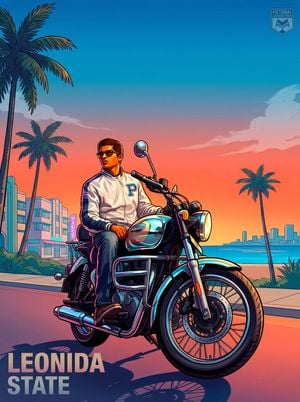
Using the provided reference image, transform the person on the motorcycle into a Grand Theft Auto VI / Vice City inspired illustrated poster. Preserve the rider’s recognizable identity, pose, sunglasses, white jacket with the large “P” patch, jeans, shoes, and the motorcycle as the main subject, but stylize everything as polished game key art with bold outlines, glossy highlights, saturated neon colors, and dramatic cel-shaded rendering.

Change the setting from the forest roadside to a tropical coastal city at sunset: add a wide boulevard, palm trees, pastel art-deco buildings, ocean water, a distant skyline, and a warm pink-orange-to-blue gradient sky with soft clouds. Make the motorcycle look slightly more heroic and pristine with reflective chrome and teal/pink neon rim lighting. Use a low-angle poster composition with the rider and bike large in the foreground, facing slightly right.

Add exactly 2 visible text/logo elements: 1) large block title text in the bottom-left reading LEONIDA STATE; 2) a small semi-transparent badge/logo in the top-right reading FICTIONAL LIFESTYLE STUDIO. Keep the overall mood cinematic, tropical, stylish, and like official open-world crime game promotional artwork. No photorealism, no extra people, no clutter.
Prompt 3: San Andreas Loading-Screen Poster of You
A long structured prompt for a busy San Andreas-style poster with landmarks from your country. Swap the landmarks and the title for your own city to make it personal.
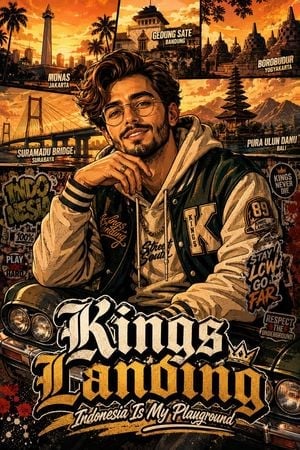
{"style": "Highly detailed GTA San Andreas-inspired cinematic poster illustration with modern urban editorial aesthetics, bold comic-book shading, dramatic lighting, rich contrast, vivid color grading, layered textures, graffiti details, sticker graphics, distressed poster textures, premium typography, and dynamic street-style composition. Ultra-detailed 8K render quality.", "subject": {"description": "Young charismatic man with curly hair, beard, and glasses, portrayed as the central focal point in a modern GTA San Andreas loading-screen inspired artwork.", "pose": "Relaxed yet confident seated pose with expressive natural body language, slightly leaning forward with one hand near the chin, giving a stylish international fashion-model vibe.", "expression": "Confident, charismatic, friendly smile with strong personality and modern urban attitude.", "outfit": {"style": "Modern premium streetwear fashion", "details": ["Layered varsity jacket", "Oversized hoodie", "Graphic typography elements", "Streetwear patches", "Luxury casual accessories", "Chain necklace", "Modern watch"], "colors": ["dark green", "cream white", "black", "gold accents"], "materials": ["wool", "cotton", "leather textures"]}}, "background": {"theme": "Dynamic Indonesian urban atmosphere mixed with GTA San Andreas cinematic environment", "landmarks": [{"name": "Monas", "city": "Jakarta"}, {"name": "Gedung Sate", "city": "Bandung"}, {"name": "Borobudur Temple", "city": "Yogyakarta"}, {"name": "Suramadu Bridge", "city": "Surabaya"}, {"name": "Pura Ulun Danu", "city": "Bali"}], "elements": ["sunset cinematic sky", "urban skyline", "palm trees", "classic lowrider car", "graffiti walls", "street poster textures", "editorial collage overlays", "sticker graphics", "paint splashes", "grunge textures", "comic ink outlines"]}, "typography": {"main_title": "Kings Landing", "subtitle": "Indonesia Is My Playground", "style": "Bold premium urban typography inspired by GTA San Andreas promotional artwork", "details": ["layered title composition", "distressed fonts", "street-style lettering", "graffiti-inspired accents", "sticker typography", "dynamic hierarchy", "modern editorial placement"]}, "lighting": {"style": "Cinematic dramatic sunset lighting", "details": ["high contrast shadows", "warm orange glow", "deep blacks", "golden highlights", "soft atmospheric haze"]}, "composition": {"layout": "Highly engaging non-generic poster layout with layered depth and asymmetrical balance", "camera_angle": "Medium close-up with cinematic perspective", "render_quality": "Ultra detailed 8K", "mood": ["vibrant", "cinematic", "stylish", "premium", "urban", "modern", "energetic"]}, "art_direction": {"inspirations": ["GTA San Andreas loading screens", "modern streetwear campaigns", "urban editorial posters", "comic-book illustration", "luxury urban branding"], "avoid": ["flat composition", "stiff pose", "minimal details", "generic typography", "plain clothing", "empty background"]}}Prompt 4: GTA 6 in Your City: Amsterdam Canal
The 'GTA 6 in my city' trend done properly: a real place, wet streets, golden light and a full HUD with a mission prompt. Change the city, the landmarks and the mission name.
A photorealistic third-person open-world crime game gameplay screenshot set in Amsterdam: a dark red sports car parked on a rain-wet cobblestone street beside a canal, tall narrow brick canal houses, bicycles leaning on railings, a windmill in the distance, overcast golden evening light reflecting on wet stones. Modern AAA console gameplay capture. HUD: a circular grayscale minimap with a small player arrow in the bottom-left corner, a clock reading 19:37 and green money text reading $2,847,155 with five small hollow wanted stars in the top-right corner, a small mission prompt box in the top-left reading "Meet Daan at the bridge". No game title, no logos, no watermark, no roman numerals, no badges. 16:9.
Prompt 5: GTA 6 in a Bangalore Flower Market
Crowded markets make great GTA scenes: lots of color, lots of NPCs. The cursive location name in the corner is the detail that sells it.
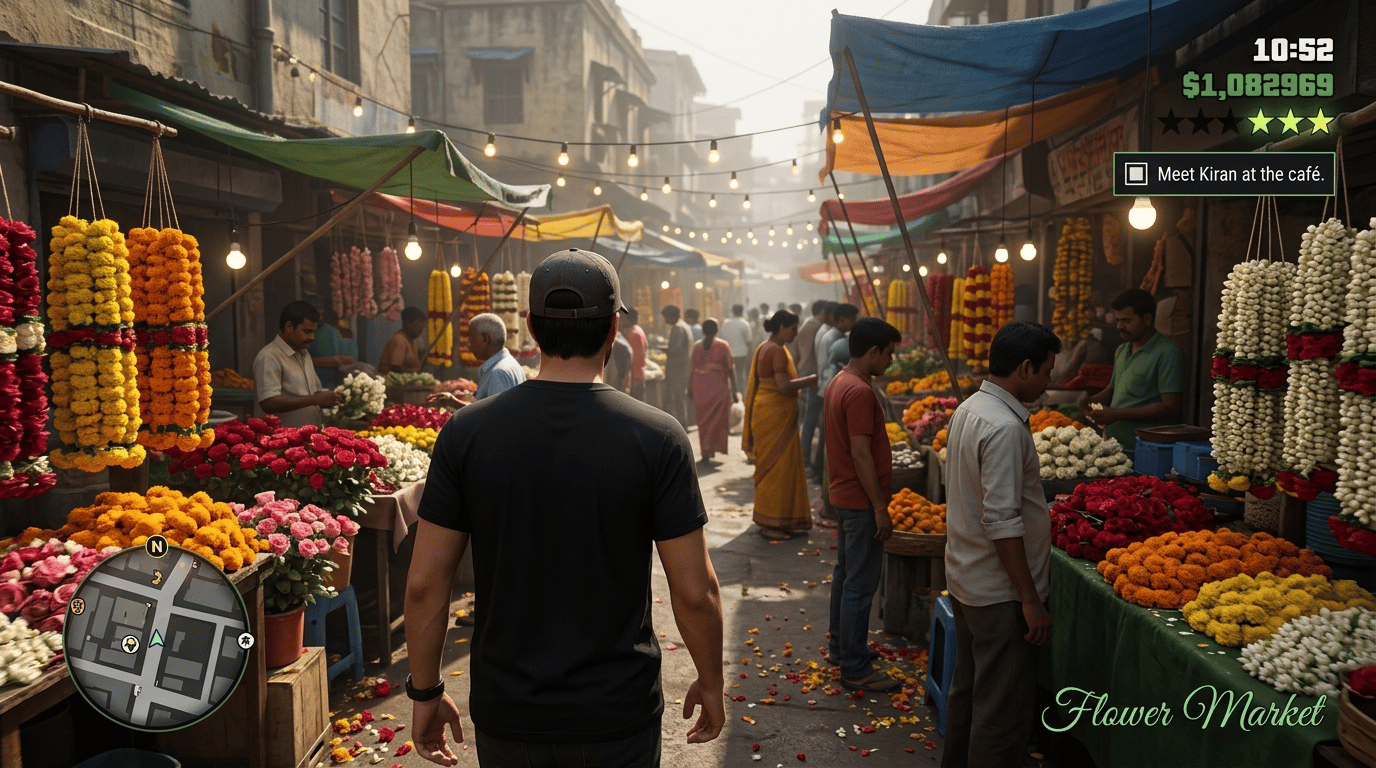
A photorealistic third-person open-world crime game gameplay screenshot set in a crowded flower market in Bangalore, India: the player character, seen from behind, a young man in a black t-shirt and backwards cap, walks between huge heaps of marigolds, roses and jasmine garlands, vendors under tarps, hanging string lights, morning haze. Modern AAA gameplay capture. HUD: circular minimap bottom-left, clock 10:52 and green money text and wanted stars top-right, a small objective box top-right reading "Meet Kiran at the café", an elegant green cursive location name bottom-right reading "Flower Market". No game title, no logos, no watermark, no roman numerals. 16:9.
Prompt 6: Your Hometown, Vice City Style
The original template is a short Chinese prompt that puts a Vice City-style hero on a car roof in Anyang, looking at the Wenfeng Pagoda. This is an English version: name your own town and its landmark.
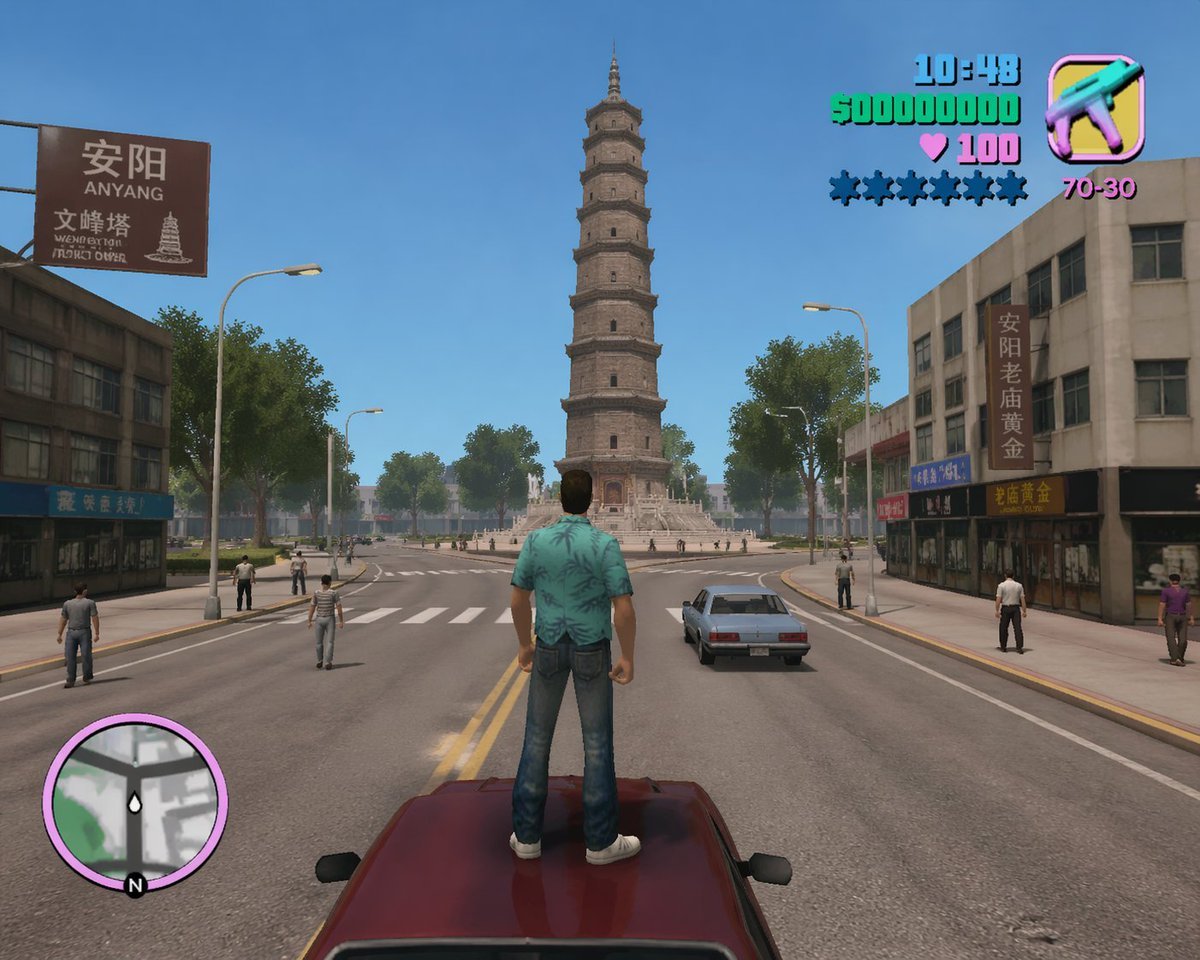
Create a Vice City-style game screenshot, but set in Anyang, Henan, looking from north to south at the Wenfeng Pagoda. The look is clearly a video game, but as realistic as possible. Daytime, pedestrians on the street, and the main character in the middle of the road, standing on top of a car and looking at the pagoda.
Prompt 7: Police Chase on the Bridge
An action shot with a full chase HUD: wanted stars, a control hint and a subtitle line. Good as a thumbnail or the first frame of a short video.
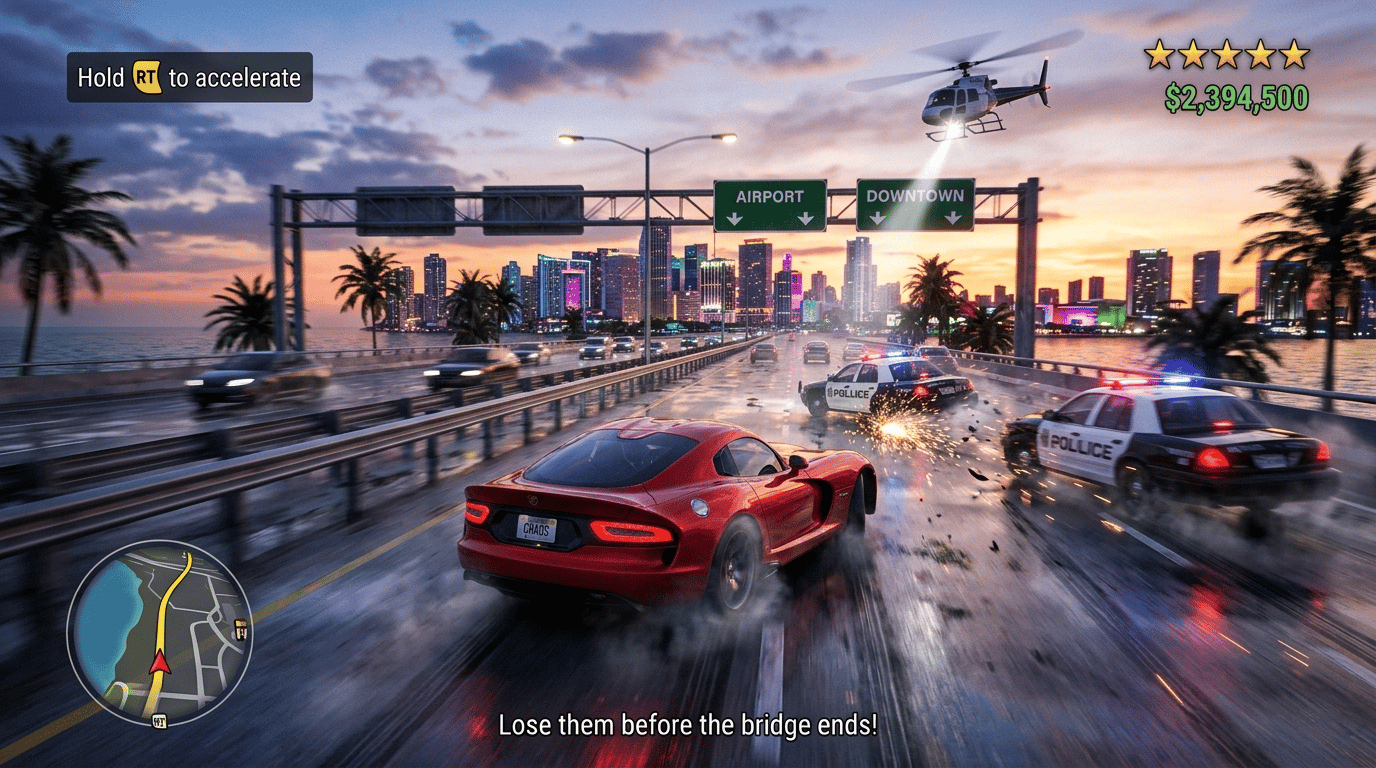
A photorealistic open-world crime game gameplay screenshot of a high-speed police chase at sunset on a wet coastal highway bridge, a red sports car in the center speeding toward a neon tropical city skyline, two police cars spinning out with sparks behind it, a police helicopter with a spotlight overhead, green highway signs reading "Airport" and "Downtown", motion blur. HUD: a control hint box top-left reading "Hold RT to accelerate", five lit wanted stars and green money text $2,394,500 top-right, a circular minimap bottom-left with a route line, a subtitle line bottom-center reading "Lose them before the bridge ends!". No game title, no logos, no watermark, no roman numerals. 16:9.
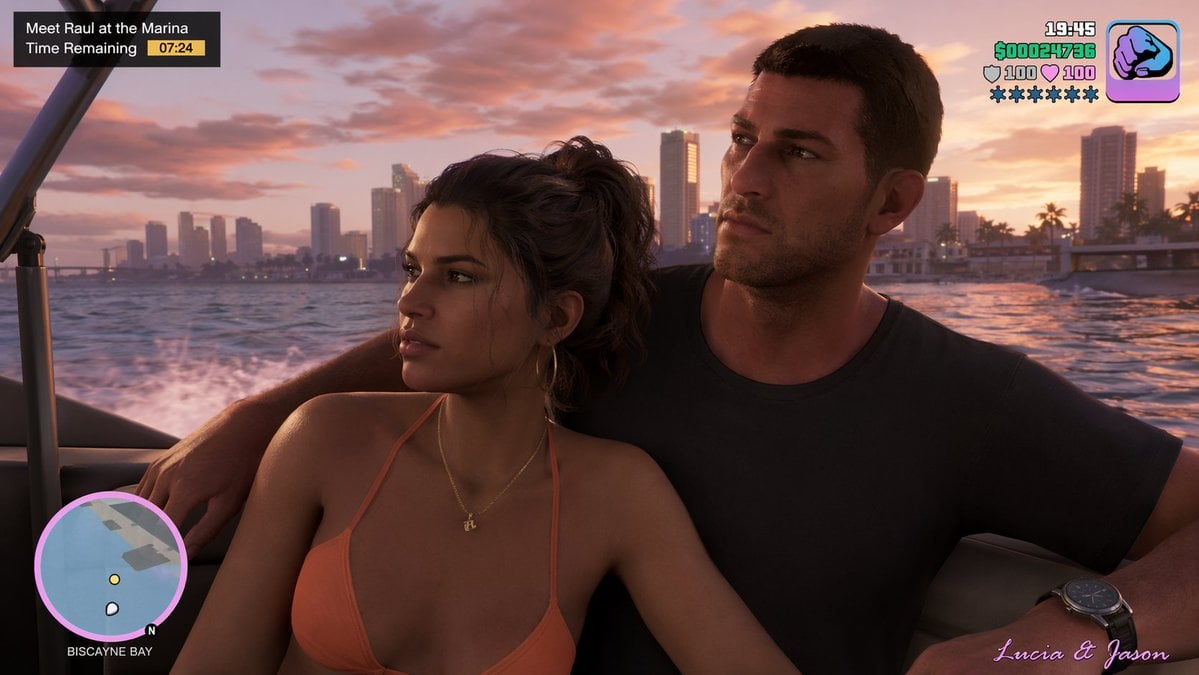
Prompt 8: Screenshot With the Leonida Duo
The shortest prompt here, and it works: one line puts the two leads in a boat at sunset with a HUD. Swap in any characters, or describe yourself and a friend.
Prompt 9: PS2-Era Censored Driver Meme
The low-poly 'censored face' meme: an early-2000s screenshot with a brown block over the face. Change the character and the clothing; the block keeps it anonymous.
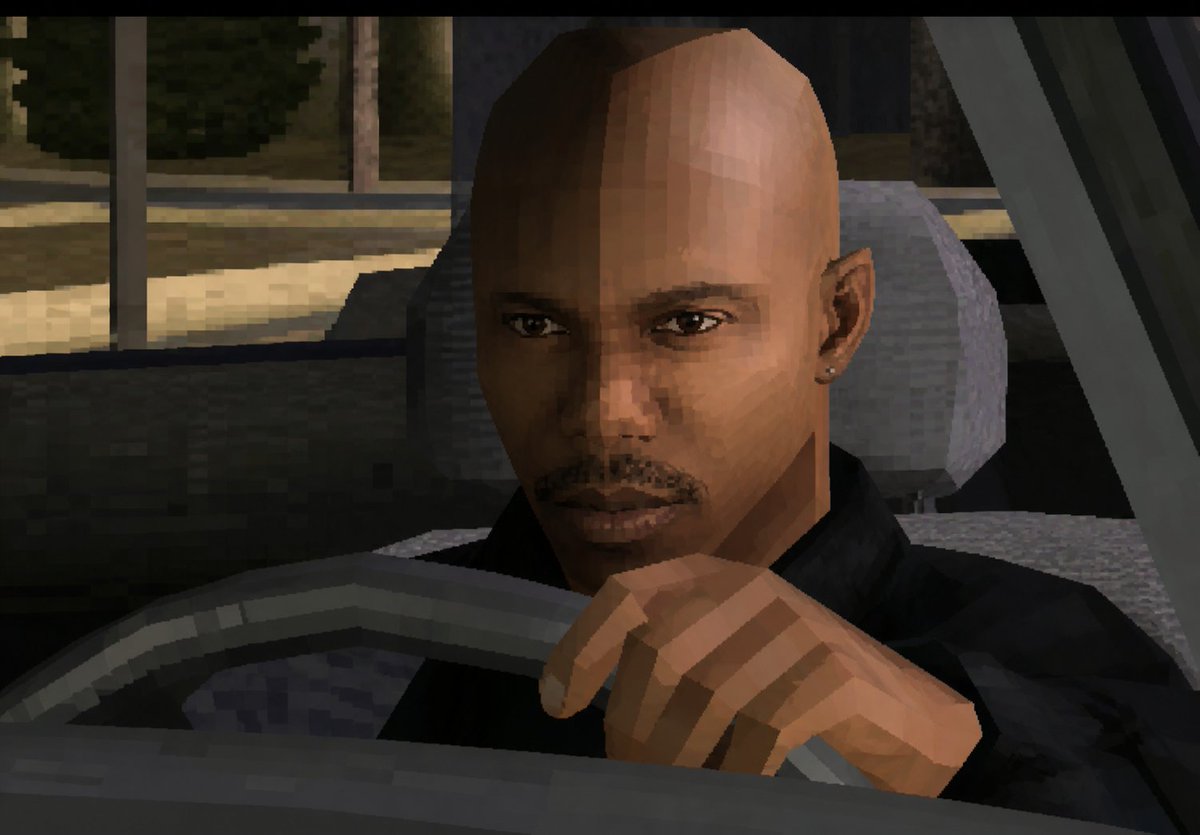
Create a low-resolution, early-2000s 3D video game screenshot in a gritty PlayStation 2 / GTA-style aesthetic, showing a close-up view of a bald male driver seated inside a car at night. The camera is positioned just outside the front-left area of the vehicle, looking through the open side window toward the driver. The driver wears a black jacket and has one visible hand gripping or resting on the steering wheel in the foreground. His head and ear are visible, but the entire face is intentionally covered by a large opaque medium brown rectangular privacy block centered over the face, extending from forehead to chin. The car interior is dark gray and black with a chunky low-poly steering wheel, seat, headrest, door frame, and dashboard shapes. Outside the window, show a dimly lit urban street or parking area with muted trees, pavement, and vertical poles, rendered with blocky textures and heavy pixelation. Use harsh polygonal geometry, jagged edges, flat shaded lighting, muted nighttime colors, visible compression artifacts, and a cinematic screenshot composition with black letterbox bars at the top and bottom.
How to turn your photo into GTA 6
- Pick a clear photo. Face visible, good light, ideally from the waist up. One person works best.
- Open the generator and attach the photo, then paste prompt 1, 2 or 3.
- Choose the model. Nano Banana 2 and Nano Banana Pro keep faces closest to the original. GPT Image 2 is best when the image needs readable text, such as a HUD or a poster title.
- Say what to keep. "Keep my face, hair and outfit" stops the model from inventing a new person.
- Ask for no logos. Add "no title text, no logo, no watermark" if you plan to post it.
Tips for GTA 6 photo prompts
- Name a real place and its landmark. "GTA 6 in Amsterdam" is fine; "a canal street with a windmill in the distance" is better.
- Describe the HUD. A circular minimap bottom-left and wanted stars with a money counter top-right make any photo read as GTA.
- Golden hour and wet streets do the heavy lifting. Light matters more than the word "GTA".
- For a meme, go retro. The PS2-era low-poly look is instantly recognizable and hides faces.
- Using Gemini? These prompts work in any Nano Banana model, which is the image model behind Gemini. In PicX you pick it from the model list.
Want real GTA 6 clips instead?
If you're playing GTA 6 and want your best moments as TikToks or Shorts, the GTA 6 clip maker finds them in your gameplay or stream and cuts vertical clips with captions. The how to clip GTA 6 guide covers the rest.
FAQ
How do I turn my photo into a GTA 6 character?
Attach a clear photo of yourself in the generator, then use a prompt that says to keep your face, hair and outfit and turn you into GTA-style loading-screen art, like prompt 1 above. Nano Banana 2 or Nano Banana Pro keep the face closest to your photo.
What is the GTA 6 photo prompt for Gemini?
Gemini makes images with Google's Nano Banana models, and every prompt on this page works with them. Prompt 1 is the most popular: it turns your photo into a GTA loading-screen character on a Vice City-style beach boulevard.
How do I make GTA 6 in my city?
Use a prompt like "a third-person open-world crime game gameplay screenshot set in" your city, then name a street or landmark, the light and the HUD: a minimap bottom-left and money and wanted stars top-right. Prompts 4, 5 and 6 are examples.
Which AI model is best for GTA 6 photo edits?
Nano Banana 2 and Nano Banana Pro for keeping a real face recognizable. GPT Image 2 for screenshots with readable HUD text, posters with titles and long structured prompts.
Are these GTA 6 photo prompts free?
Opening, copying and editing every prompt is free. Generating an image uses PicX credits, and the cost shows on the Generate button before you run anything.
Can I post my GTA 6 AI photo?
Posting fan art of yourself is common. Leave out Rockstar's logos, don't present it as real GTA 6 footage, and only edit photos of people who agreed to it.