How do I use the Monaco Grand Prix Lifestyle Shot with Reference template?
Choose the primary action to open PicX Studio with the available template settings. Review the model and format, personalize the creative direction, and generate when ready.
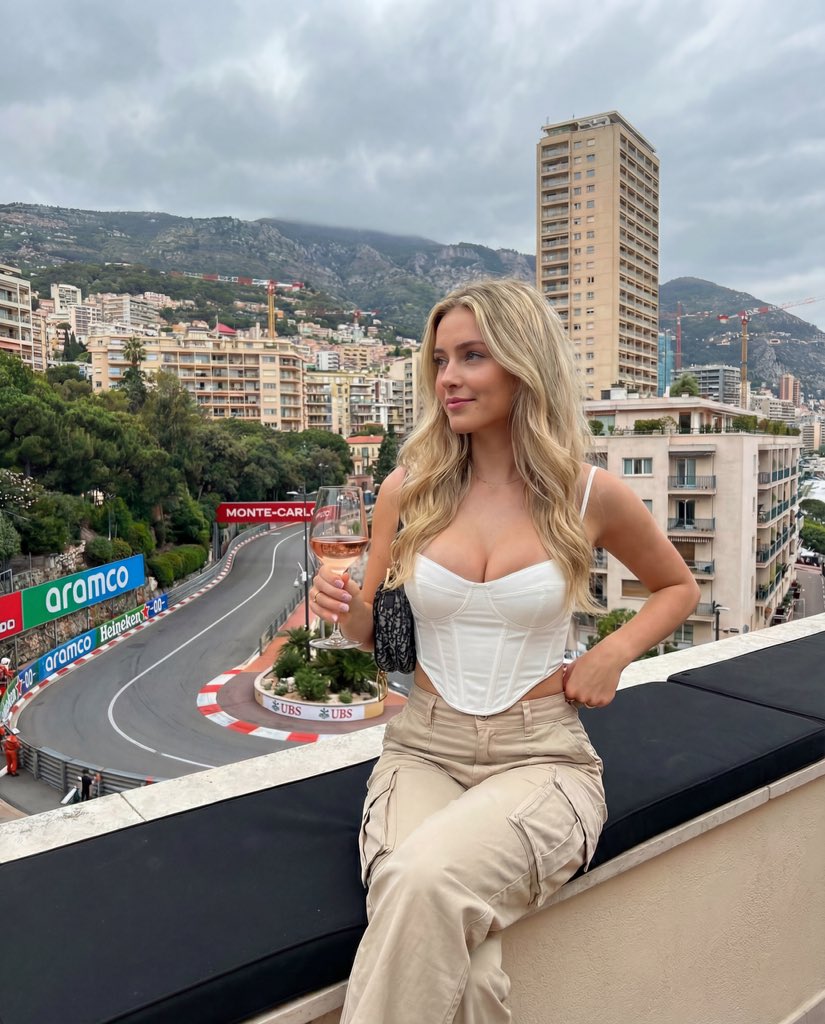
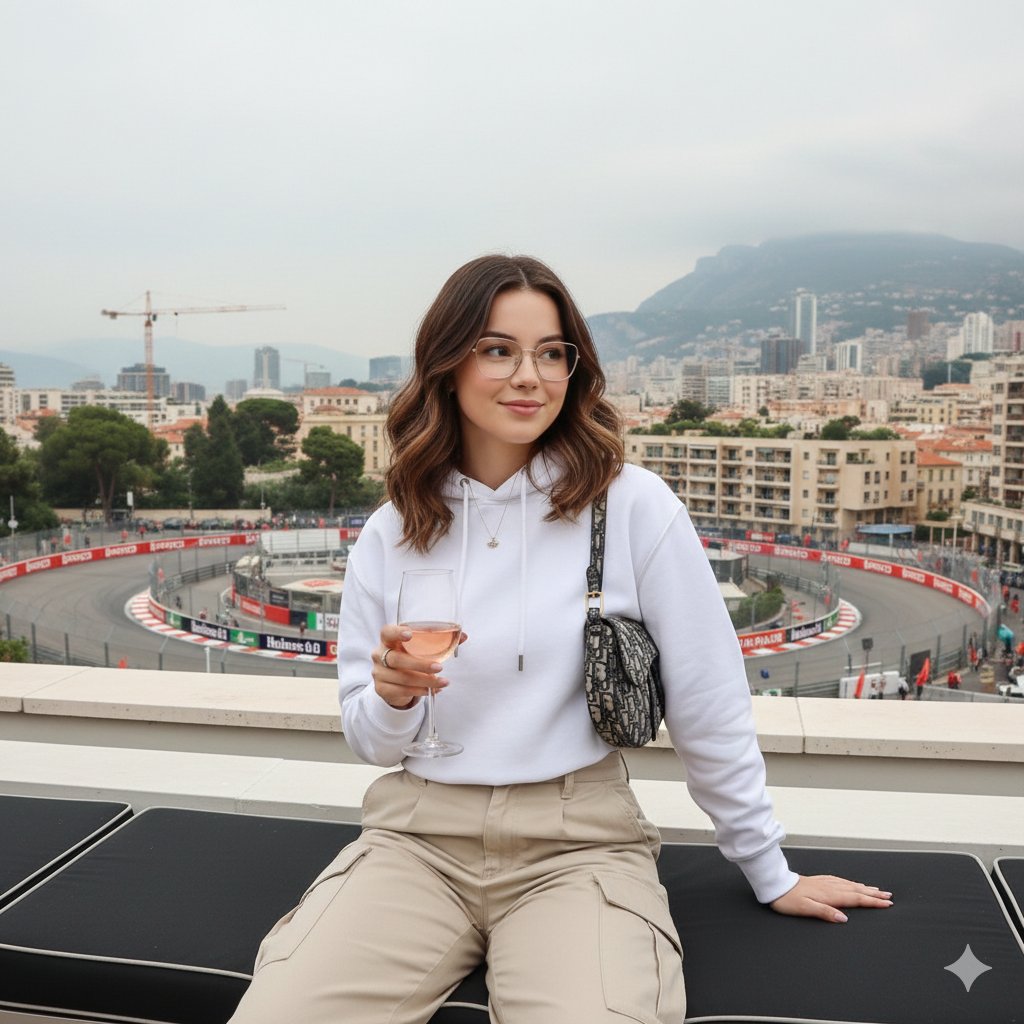
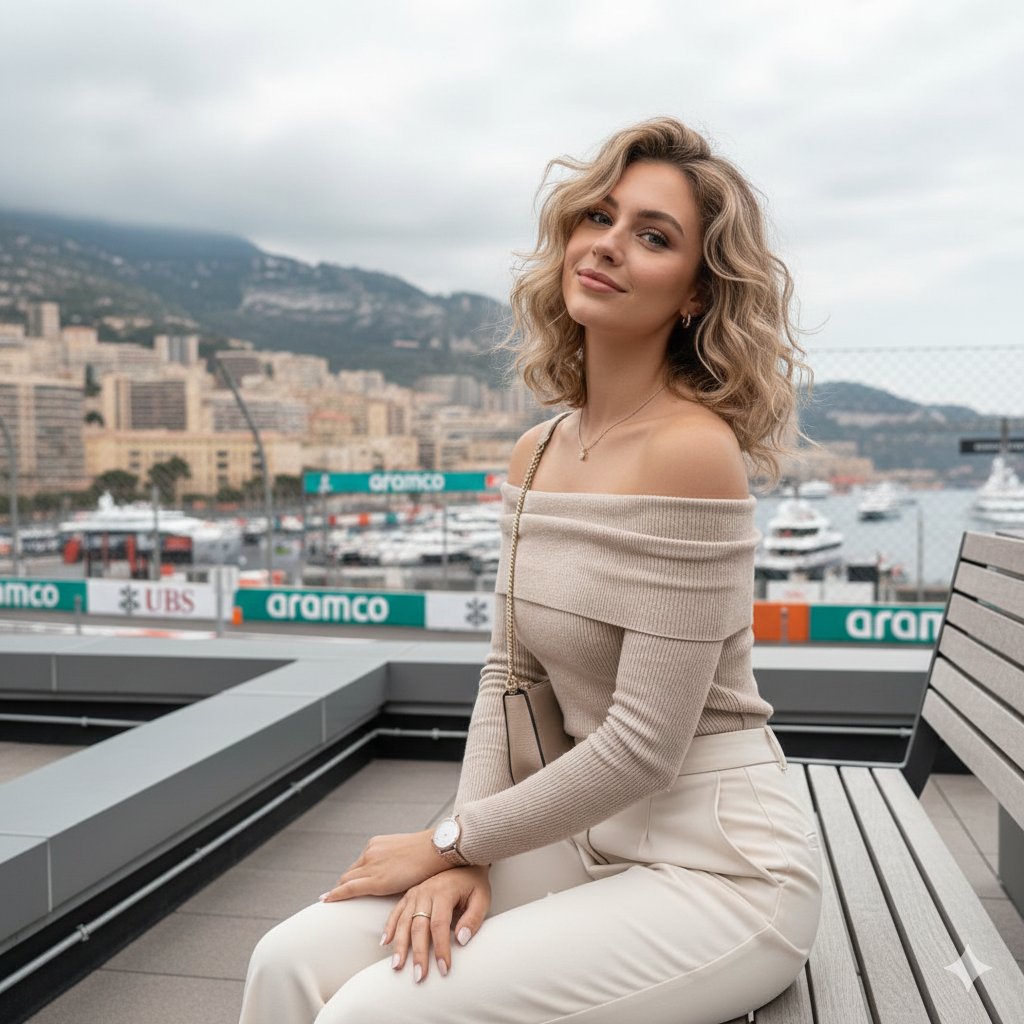
A prompt for generating a realistic, candid lifestyle photograph of a woman sitting on a rooftop terrace overlooking the Monaco Grand Prix racetrack (Fairmont Hairpin). Change the subject, setting, or lighting one variable at a time.

"references uploaded image, wearing a white structured corset-style top with thin spaghetti straps and boning details, high-waisted beige utility cargo pants with large side pockets. She has a small patterned Dior Saddle bag under her right arm, dainty necklace, rings on left hand, painted white nails. She is sitting comfortably on a black cushioned ledge, body angled slightly left, holding a stemmed glass of rosé by the stem with her left hand, right hand resting flat on the ledge. The setting is a rooftop terrace overlooking the Fairmont Hairpin turn of the Monaco Grand Prix in Monte Carlo. Background features a dense hillside with multi-story buildings, hotels, a prominent beige skyscraper, construction cranes, green trees, and distant mountains under a cloudy sky. Racetrack visible below with advertising barriers reading 'aramco, UBS, Heineken 0.0, MONTE-CARLO'. Lighting is natural daylight, overcast afternoon, soft and diffused. Style is candid lifestyle photograph, medium shot, deep depth of field, muted earthy tones, low-medium contrast."
Choose the primary action to open PicX Studio with the available template settings. Review the model and format, personalize the creative direction, and generate when ready.
Yes. You can change the subject, setting, lighting, mood, format, and available model controls before creating your image.
This template is free to open and customize. Generation usage is shown in PicX Studio before you create.
Start with Nano Banana 2, which is the model associated with this template. You can compare another compatible model for a different finish.
Follow a topic to a crawlable collection of related PicX Studio templates.
43,474 public templates available. Verified via the PicX Studio public templates API; refreshed hourly.





![Movement Sheet - Dance Reference (Seedance 2.0) — [STYLE]
Monochrome grayscale illustration, 3D-rendered character, clean instructional reference sheet, white b](https://pbs.twimg.com/media/HGzSvcnboAA_bjD.jpg?name=orig)






![Naive doodle-style subject illustration — A doodle-style {argument name="subject" default="[subject]"}, naive lines, humorous shape exaggeration](https://pbs.twimg.com/media/G6Wl2YxbsAARB2b.jpg)















![Giant Animal in City Scene Prompt (Fox + West Lake) — 请生成一张图片。场景为 [{argument name="城市或地点" default="📍城市/地点"}] ,一只超级巨大、可爱的 [{argument name=…](https://pbs.twimg.com/media/G7-yxuKa0AAkpfU.jpg)