

How do I use the Royal Indian Bridal Tradition Series template?
Choose the primary action to open PicX Studio with the available template settings. Review the model and format, personalize the creative direction, and generate when ready.
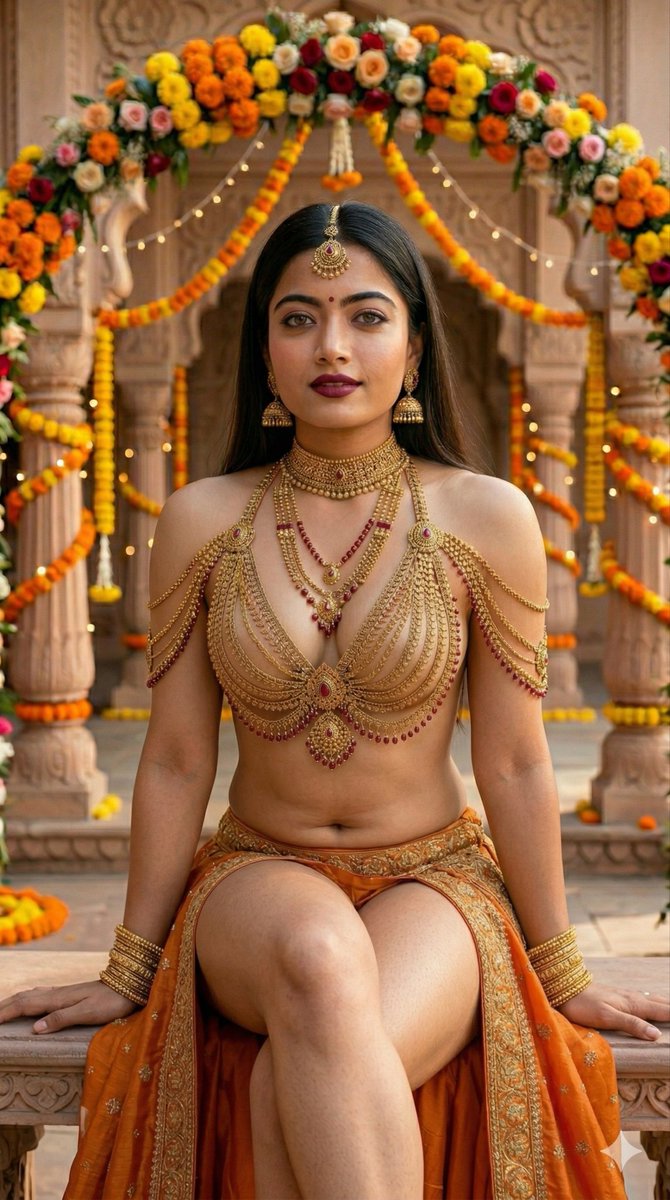
A series of prompts depicting beautiful Indian women in luxurious gold jewelry and traditional orange attire, set within regal heritage courtyards with festive marigold decorations. (free to use) — Free AI image template on PicX Studio.
Beautiful Indian woman in luxurious gold bridal jewelry and orange embroidered drape, sitting on ornate cushions in a royal palace courtyard decorated with marigold flowers and warm fairy lights, soft cinematic lighting, elegant festive mood. Confident Indian woman wearing layered gold body jewelry and orange traditional drape, posing outdoors during a wedding celebration with marigold decorations, natural sunlight, bold fashion editorial style. Indian woman in intricate gold jewelry and orange lehenga-inspired drape, sitting gracefully in a decorated heritage courtyard with floral arches and festive lights, symmetrical composition, regal atmosphere.. Smiling Indian woman in ornate gold body chains and orange embroidered drape, posing in a festive palace setting with marigold garlands and floral décor, warm lighting, glamorous traditional fashion portrait.
Use Royal Indian Bridal Tradition Series to plan an AI image around nano-banana-2 generation. Match the preview's composition first, then personalize the subject, setting, and mood for your own project.
Use the primary action to load the template settings in PicX Studio.
Adjust the subject and creative details for your destination.
Create the image, compare the result with the preview, and refine one variable at a time.
A continuous mix — similar concepts first, woven with same-model prompts and fresh picks from the catalog.
Choose the primary action to open PicX Studio with the available template settings. Review the model and format, personalize the creative direction, and generate when ready.
Yes. You can change the subject, setting, lighting, mood, format, and available model controls before creating your image.
This template is free to open and customize. Generation usage is shown in PicX Studio before you create.
Start with nano-banana-2, which is the model associated with this template. You can compare another compatible model for a different finish.
A continuous mix — similar concepts first, woven with same-model prompts and fresh picks from the catalog.
Follow a topic to a crawlable collection of related PicX Studio templates.
32,032 public templates available. Verified via the PicX Studio public templates API; refreshed hourly.


