Warm Chinese Character Design Poster
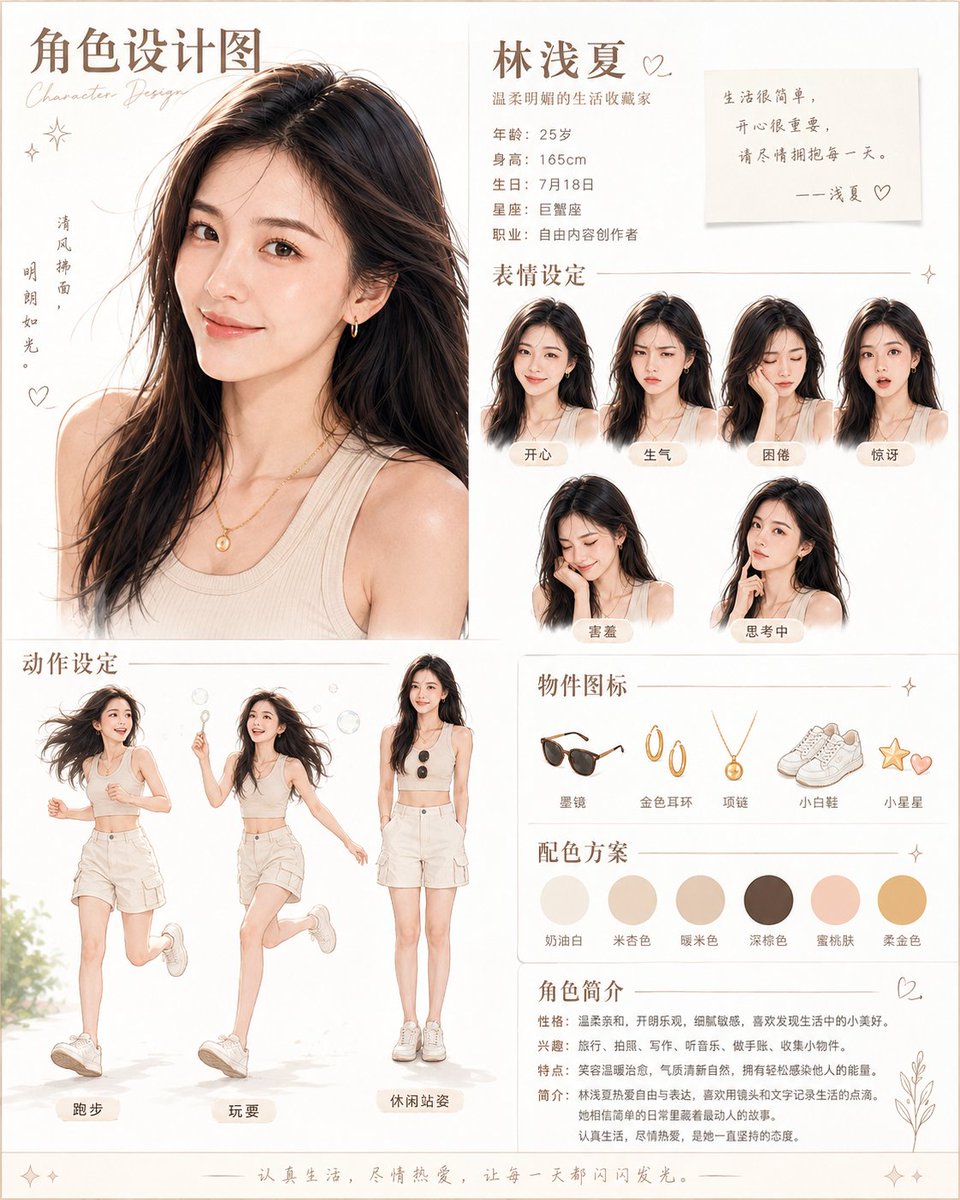
Goal: Create a clean, warm beige Chinese character design poster for {argument name="character name" default="林浅夏"}, a gentle lifestyle blogger, combining a large fashion portrait, expression sheet, pose sheet, item icons, color palette, and biography.
Canvas: Vertical portrait poster, approximately 4:5 ratio, off-white paper background with thin pale beige border, delicate gold-brown line dividers, tiny sparkle and heart doodles, soft editorial magazine layout. Use a warm cream, tan, peach, and coffee color scheme with elegant handwritten accents.
Layout: Split the poster into a large left portrait column and a narrower right information column, with an action-pose section across the lower left and biography/palette sections stacked on the lower right. Keep generous white space and fine hairline separators.
Top left title area: Add the large Chinese headline 「角色设计图」 with a small cursive English subtitle “Character Design”. Beside the portrait, add vertical poetic text 「清风拂面,明朗如光。」 plus small hearts and star doodles.
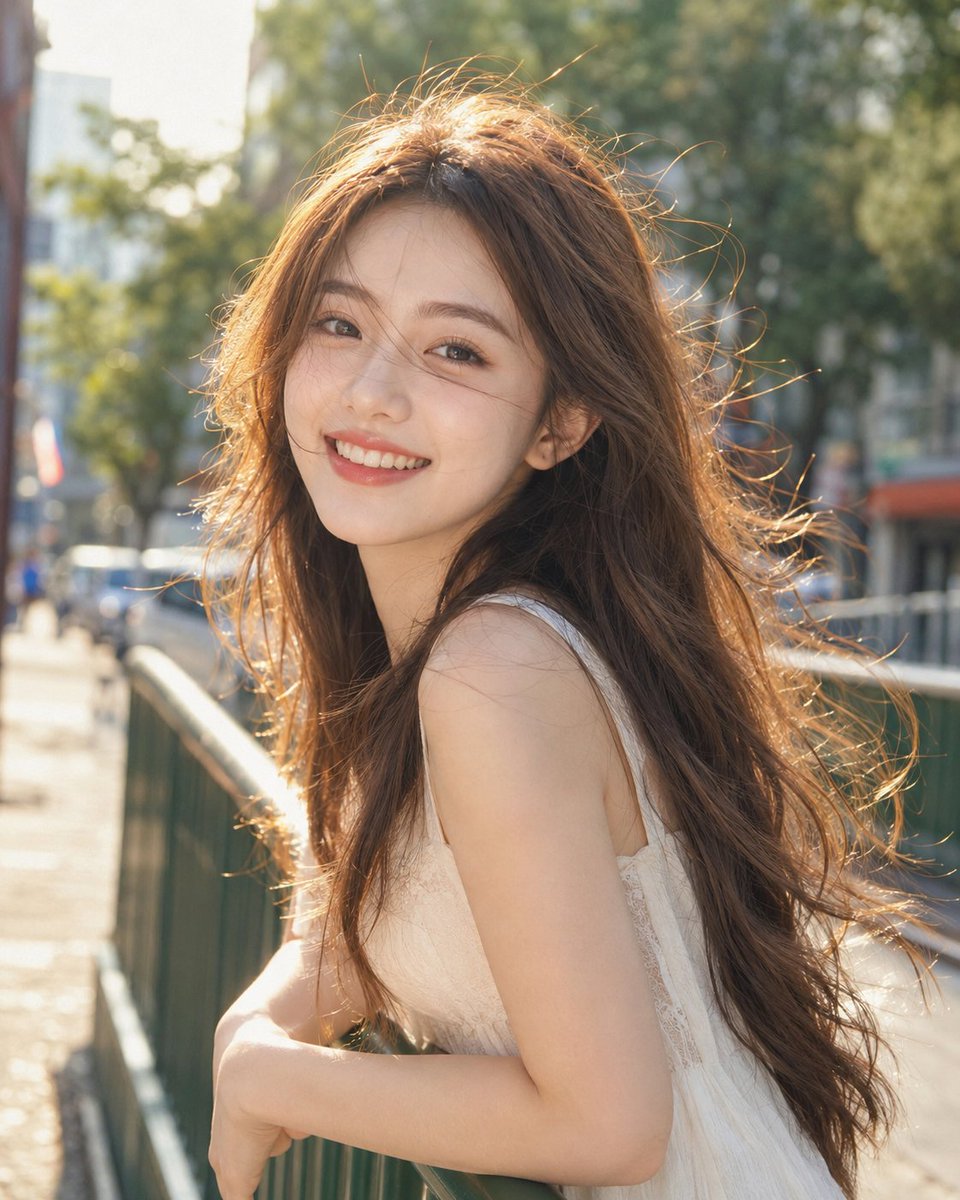
Main portrait: Show one large waist-up portrait of a young East Asian woman, age {argument name="age" default="25"}, with {argument name="hair style" default="long slightly messy dark brown-black wavy hair"}, warm natural skin, minimal makeup, small gold earrings, a delicate gold pendant necklace, and a cream ribbed sleeveless tank top. She faces forward in soft natural light, elegant and calm, with realistic fashion-photo rendering and subtle watercolor softness.
Right top profile block: Place the large name 「林浅夏」 with a small heart. Under it write 「温柔明朗的生活收藏家」. Include exactly 5 profile lines: 「年龄:25岁」, 「身高:165cm」, 「生日:7月18日」, 「星座:巨蟹座」, 「职业:自由内容创作者」. Add a sticky-note quote card reading: 「生活很简单,开心很重要,请尽情拥抱每一天。——浅夏♡」.
Expression section: Add the heading 「表情设定」 and exactly 6 small bust portraits of the same woman arranged in two rows, each with a rounded beige label. The 6 labels must be: 「开心」, 「生气」, 「困倦」, 「惊讶」, 「害羞」, 「思考中」. Make the hair, outfit, and identity consistent while changing only the facial expression and slight head pose.
Action pose section: Add the heading 「动作设定」 and exactly 3 full-body poses of the same woman in a cream crop tank, beige shorts, white sneakers, and loose natural hair. The 3 labeled poses are: 「跑步」 showing her jogging energetically, 「玩耍」 showing her skipping or playing with bubbles, and 「休闲站姿」 showing a relaxed standing pose holding sunglasses. Use light motion, airy summer styling, and small bubble details around the playful pose.
Object icon section: Add the heading 「物件图标」 and exactly 5 small illustrated icons in one row with labels: 「墨镜」 black sunglasses, 「金色耳环」 gold hoop earrings, 「项链」 gold pendant necklace, 「小白鞋」 white sneakers, and 「小星星」 a small star and heart charm.
Color palette section: Add the heading 「配色方案」 and exactly 6 circular swatches with labels: 「奶油白」, 「米杏色」, 「暖米色」, 「深棕色」, 「蜜桃肤」, 「柔金色」. The palette should visually match cream white, beige, warm tan, dark brown, peach skin, and soft gold.
Biography section: Add the heading 「角色简介」 with a small heart and botanical line art. Include concise Chinese profile text with four labeled lines: 「性格:温柔亲和,开朗乐观,细腻敏感,喜欢发现生活中的小美好。」, 「兴趣:旅行、拍照、写作、听音乐、做手账、收集小物件。」, 「特点:笑容温暖治愈,气质清新自然,拥有轻松感染他人的能量。」, 「简介:林浅夏热爱自由与表达,喜欢用镜头和文字记录生活的点滴。她相信简单的日常里藏着最动人的故事。认真生活,尽情热爱,是她一直坚持的态度。」
Footer: Add a thin decorative line and the centered sentence 「认真生活,尽情热爱,让每一天都闪闪发光。」 with small sparkles at both ends.
Visual style: Soft realistic character-sheet poster, elegant Chinese lifestyle magazine aesthetic, warm daylight, delicate beige typography, subtle watercolor/photoreal blend, clean composition, no harsh shadows, no extra characters, no extra labels, no watermark.



















![Minimalist Flat Vector Travel Poster — Premium minimalist flat-vector travel poster for {argument name="city name" default="[CITY_NAME]"}, 3:4 vertical format.](https://cms-assets.youmind.com/media/1787917359711_3ug846_HQX205cbMAA6F6S-300x400.jpg)


























![Whimsical Flat Illustration Generator — “Create a whimsical, playful illustration featuring {argument name="character subject" default="[CHARACTER / SUBJECT]"}](https://pbs.twimg.com/media/HAtIgUqacAA9JQe.jpg)