How do I use the Anime Girl Character Spin and Smile template?
Edit the prompt in the box under the preview — the template's model and format are already selected — and press Generate. Your version appears right on this page.
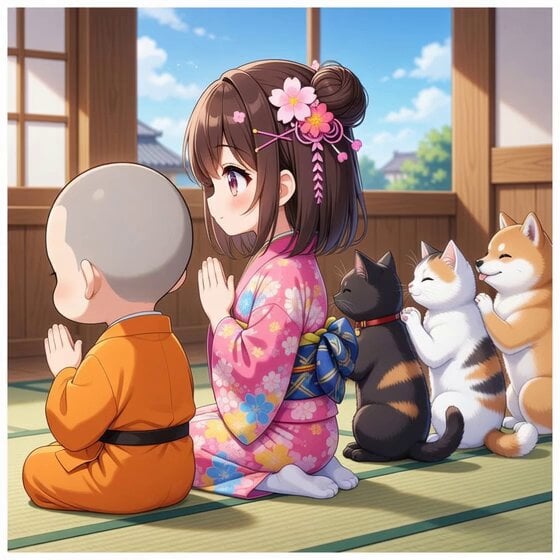
A character animation prompt that guides an anime-style girl to touch her ear, perform a slow 360-degree rotation, and smile at the camera while maintaining fixed style and design elements.
添付画像の女の子がその場で片耳を触って、その場でゆっくり1回だけ回転して、最後にやさしく笑う。耳と丸いしっぽは自然に揺れる。耳は立ったまま。耳を曲げたり下に垂らすのは禁止。添付画像の画風や絵のタッチを100%保持させて。要素の追加・変更禁止。目のデザインも変更禁止。笑い声など、女の子の声は生成しないで。カメラ固定。
添付画像の女の子がその場で片耳を触って、その場でゆっくり1回だけ回転して、最後にやさしく笑う。耳と丸いしっぽは自然に揺れる。耳は立ったまま。耳を曲げたり下に垂らすのは禁止。添付画像の画風や絵のタッチを100%保持させて。要素の追加・変更禁止。目のデザインも変更禁止。笑い声など、女の子の声は生成しないで。カメラ固定。
Edit the prompt in the box under the preview — the template's model and format are already selected — and press Generate. Your version appears right on this page.
Yes. You can change the subject, setting, lighting, mood, format, and available model controls before creating your video.
Opening and editing this template is free. Generating uses credits, shown on the Generate button when you are signed in.
Start with Grok Imagine, which is the model associated with this template. You can compare another compatible model for a different finish.
Follow a topic to a crawlable collection of related PicX Studio templates.