How do I use the Monochromatic Close-Up Photo Description Prompt template?
Choose the primary action to open PicX Studio with the available template settings. Review the model and format, personalize the creative direction, and generate when ready.
A highly structured JSON-based prompt used to describe and generate a close-up, medium shot of a female figure sitting on a bed in a butterfly pose. Change the subject, setting, or lighting one variable at a time.

{ "meta": { "image_quality": "Medium", "image_type": "Photo", "resolution_estimation": "High definition source, likely compressed" }, "global_context": { "scene_description": "A close-up, medium shot of a female figure sitting on a bed in a butterfly-style pose. The subject has arms raised above their head, obscuring the upper face. The aesthetic is monochromatic and soft, dominated by whites, creams, and skin tones. The setting appears to be a bedroom with curtains in the background.", "time_of_day": "Indeterminate (Indoor artificial lighting)", "weather_atmosphere": "Intimate, casual, quiet", "lighting": { "source": "Artificial (Flash)", "direction": "Frontal/Direct", "quality": "Hard flash with distinct drop shadows", "color_temp": "Cool/Neutral" } }, "color_palette": { "dominant_hex_estimates": [ "#EFEFEF", "#D2B49C", "#A9A9A9", "#2C2C2C" ], "accent_colors": [ "Pale Beige (Skin)", "Cool White (Clothing)", "Dark Grey (Shadows)" ], "contrast_level": "Medium" }, "composition": { "camera_angle": "Eye-level", "framing": "Medium-shot (knees to upper head, cropped hands)", "depth_of_field": "Deep (foreground and immediate background relatively sharp)", "focal_point": "Midriff and torso of the subject" }, "objects": [ { "id": "obj_001", "label": "Subject (Person)", "category": "Person", "location": "Center", "prominence": "Foreground", "visual_attributes": { "color": "Fair skin tone", "texture": "Smooth skin, soft hair", "material": "Biological", "state": "Relaxed pose, stretched torso", "dimensions_relative": "Dominates frame" }, "micro_details": [ "Ribcage slightly visible due to stretched arms", "Navel visible", "Blonde wavy hair cascading over shoulders", "Chin tilted upwards, jawline defined", "Upper face obscured by framing and arm position" ], "pose_or_orientation": "Sitting, legs butterflied open, arms raised overhead, head tilted back", "text_content": "null" }, { "id": "obj_002", "label": "Cardigan", "category": "Clothing", "location": "Upper Body", "prominence": "Foreground", "visual_attributes": { "color": "White/Off-white", "texture": "Soft knit", "material": "Cotton or wool blend", "state": "Unbuttoned, open at front", "dimensions_relative": "Covers arms and shoulders" }, "micro_details": [ "Small white buttons on the placket (unfastened)", "Fabric draped loosely over arms", "Slight gathering at the wrist/forearm" ], "pose_or_orientation": "Worn on body", "text_content": "null" }, { "id": "obj_003", "label": "Panties", "category":
Choose the primary action to open PicX Studio with the available template settings. Review the model and format, personalize the creative direction, and generate when ready.
Yes. You can change the subject, setting, lighting, mood, format, and available model controls before creating your image.
This template is free to open and customize. Generation usage is shown in PicX Studio before you create.
Start with Nano Banana 2, which is the model associated with this template. You can compare another compatible model for a different finish.
Follow a topic to a crawlable collection of related PicX Studio templates.
43,474 public templates available. Verified via the PicX Studio public templates API; refreshed hourly.
![Master Blind Embossed Paper Art — White-on-White Monochromatic Luxury Stationery — [Subject] rendered as a blind embossed paper artwork, subtle raised textures](/_next/image?url=https%3A%2F%2Fcdn.picxstudio.com%2Fuploads%2Fblind_embossed_c0a89d76-eea3-4fe3-8d61-1d1683855962.jpg&w=828&q=100)

![A tight close-up commercial product photo of a premium labeled — A tight close-up commercial product photo of a premium [PRODUCT TYPE] labeled “[BRAND NAME]”. T](https://images.meigen.ai/tweets/2010210489813680211/0.jpg)


![Product description and its placement, minimalist product photography — Product description and its placement], minimalist product photography, clean warm studi](https://images.meigen.ai/tweets/2029211910621806728/0.jpg)

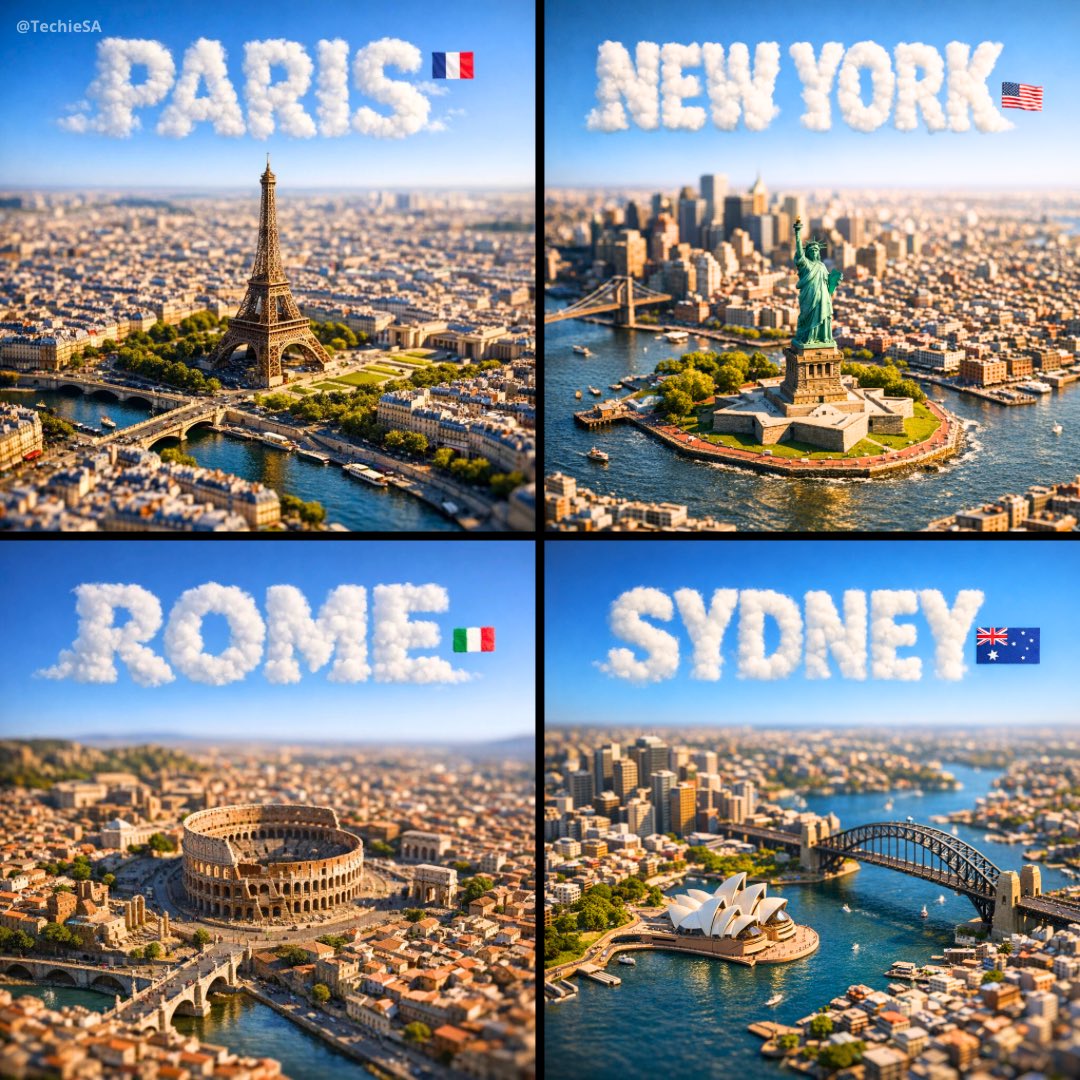
![Extreme close-up macro of miniature city diorama on a solid base, held — Extreme close-up macro of miniature city diorama [CITY, COUNTRY] on a solid base, held](https://images.meigen.ai/tweets/2007777809712976297/0.jpg)
![A surreal, hyper-realistic close-up scene of a miniature driving along — A surreal, hyper-realistic close-up scene of a miniature [CAR] driving along a winding](https://images.meigen.ai/tweets/2018311275210523012/0.jpg)
![Naive doodle-style subject illustration — A doodle-style {argument name="subject" default="[subject]"}, naive lines, humorous shape exaggeration](https://pbs.twimg.com/media/G6Wl2YxbsAARB2b.jpg)













![Deep Focus Fitness Mirror Selfie Prompt — Fitness_Blonde_BeigeSet_Flux_V4.2 · Flux.1 [dev] / Nano Banana Pro · 4.2.0 (Everything in Focus - f/11) · 2025-12-24T0](https://pbs.twimg.com/media/G87wzhdX0AASPfR.jpg)



![Clean flat slide design style guide for NotebookLM — ブランドカラー:[{argument name="ブランドカラー" default="#06c7b0"}]
シンプルかつ清潔感のあるフラットデザイン。
均一な黒のアウトライン線で描かれた人物やアイコンを配置し、 パ](https://pbs.twimg.com/media/G7MnRUUasAAVzDG.jpg)