How do I use the Sydney Sweeney Poolside 2x2 Grid Collage Prompt template?
Choose the primary action to open PicX Studio with the available template settings. Review the model and format, personalize the creative direction, and generate when ready.
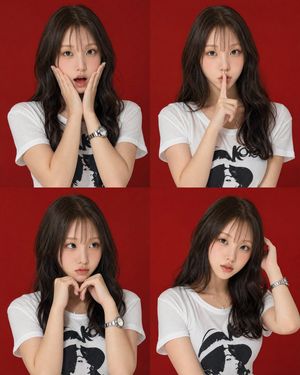
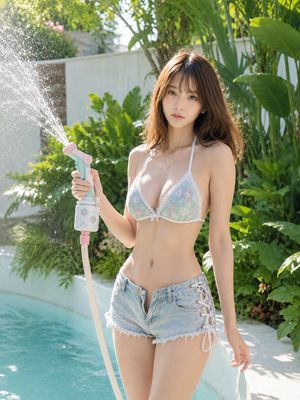
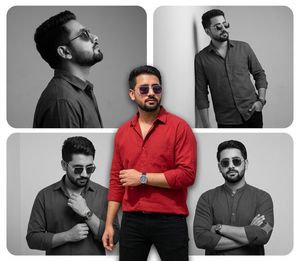
A detailed JSON prompt for generating a 2x2 grid collage of Sydney Sweeney in a poolside setting, simulating lifestyle/paparazzi photography. The prompt specifies physical details (wet hair, tan lines), wardrobe (matte black micro-triangle bikini, white cropped tank top), and breaks down the action and background elements for each of the four quadrants (e.g., striding, kneeling, using phone, gripping pool edge). (free to use) — Free AI image template on PicX Studio.
"image_identity": { "subject": "{argument name="subject name" default="Sydney Sweeney"}", "image_type": "Lifestyle/Paparazzi Photography", "composition": "2x2 Grid Collage", "total_perspectives": 4 }, "physical_characteristics": { "hair_analysis": { "texture": "Wet and clumped", "color_depth": "Dark blonde roots with lighter highlights", "style": "Back-brushed in frames 1 and 4, side-parted in frames 2 and 3" }, "body_language": { "mood": "Relaxed and casual", "physique": "Athletic and toned", "skin_details": "Subtle tan lines, natural skin texture" } }, "wardrobe_specification": { "bikini_top": { "color": "Matte Black", "design": "Micro-triangle silhouette", "fastening": "Double-string tie at the back" }, "bikini_bottom": { "color": "Matte Black", "cut": "High-cut leg openings, high-rise waist", "coverage": "Moderate" }, "layering": { "item": "White cropped tank top", "material": "Lightweight cotton/sheer", "fit": "Loose/Boxy" } }, "exhaustive_quadrant_breakdown": { "quadrant_1_top_left": { "action": "Dynamic motion (striding forward)", "arms": "Slightly swung back", "facial_expression": "Neutral/Candid", "background_elements": "Series of sun loungers in perspective" }, "quadrant_2_top_right": { "action": "Static (kneeling)", "surface": "White upholstered foam mattress", "depth": "Blurry background showing tropical trees", "profile_view": "Right side of the face visible" }, "quadrant_3_bottom_left": { "action": "Digital interaction", "device": "Slate-colored smartphone", "grip": "Two-handed operation", "architectural_detail": "Vertical door frames with glass panes" }, "quadrant_4_bottom_right": { "action": "Resting/Observing", "hand_position": "Gripping the pool edge/railing", "water_interaction": "Partial view of pool surface", "anatomical_focus": "Upper back and shoulder blade definition" } }, "environmental_architecture": { "pillars": "Square-cut natural timber beams", "flooring": "Light beige travertine or stone tiles", "furniture": "Teak wood lounge bases with thick white cushions", "lighting_conditions": "Diffused sunlight, likely late morning (approx 10:30 AM)" }, "color_hex_codes": { "primary_black": "#1A1A1A", "primary_white": "#F5F5F5", "wood_tone": "#8B5A2B", "pool_blue": "#4682B4" } }
Use Sydney Sweeney Poolside 2x2 Grid Collage Prompt to plan an AI image around nano-banana-2 generation. Match the preview's composition first, then personalize the subject, setting, and mood for your own project.
Use the primary action to load the template settings in PicX Studio.
Adjust the subject and creative details for your destination.
Create the image, compare the result with the preview, and refine one variable at a time.
A continuous mix — similar concepts first, woven with same-model prompts and fresh picks from the catalog.
Choose the primary action to open PicX Studio with the available template settings. Review the model and format, personalize the creative direction, and generate when ready.
Yes. You can change the subject, setting, lighting, mood, format, and available model controls before creating your image.
This template is free to open and customize. Generation usage is shown in PicX Studio before you create.
Start with nano-banana-2, which is the model associated with this template. You can compare another compatible model for a different finish.
Follow a topic to a crawlable collection of related PicX Studio templates.
39,155 public templates available. Verified via the PicX Studio public templates API; refreshed hourly.
A continuous mix — similar concepts first, woven with same-model prompts and fresh picks from the catalog.