How do I use the Cinematic Urban Night Portrait Prompt template?
Choose the primary action to open PicX Studio with the available template settings. Review the model and format, personalize the creative direction, and generate when ready.
A detailed prompt for generating a cinematic, high-fashion urban night portrait of a tattooed woman on a rain-soaked balcony. Change the subject, setting, or lighting one variable at a time.

{ "prompt": "A cinematic urban night portrait of a tattooed woman sitting on a rain-soaked balcony floor, neon city lights reflecting on wet concrete. She wears a camouflage sleeveless bodysuit, layered silver chains, and furry boots, with arm warmers. Her blonde hair is loose and softly styled, makeup subtle but defined. Detailed tattoos cover her arms, legs, and neck. The atmosphere is moody and sensual, with cool blue ambient tones contrasted by warm {argument name="neon color" default="red"} neon glow from a sign beside her. Shallow depth of field, soft bokeh city lights in the background, realistic skin texture, high fashion editorial style, cyberpunk-inspired urban aesthetic.", "style": [ "photorealistic", "cinematic lighting", "urban night aesthetic", "neon glow", "editorial fashion" ], "camera": { "angle": "low seated angle", "lens": "50mm", "aperture": "f/1.8", "depth_of_field": "shallow" }, "lighting": { "primary": "soft ambient city light", "accent": "red neon side lighting", "mood": "moody, sensual, cinematic" }, "environment": "modern city balcony during light rain at night", "quality": "ultra high detail, 4k, sharp focus" }
Choose the primary action to open PicX Studio with the available template settings. Review the model and format, personalize the creative direction, and generate when ready.
Yes. You can change the subject, setting, lighting, mood, format, and available model controls before creating your image.
This template is free to open and customize. Generation usage is shown in PicX Studio before you create.
Start with Nano Banana 2, which is the model associated with this template. You can compare another compatible model for a different finish.
Follow a topic to a crawlable collection of related PicX Studio templates.
43,474 public templates available. Verified via the PicX Studio public templates API; refreshed hourly.








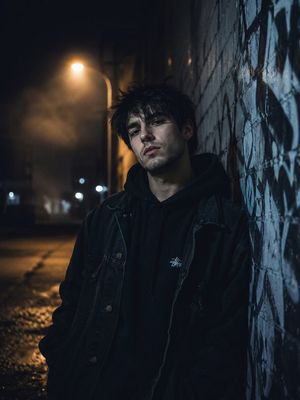

![69-untitled — FORMAT: 15s / 145 BPM / 14 SHOTS
SUBJECT: @[image1]
WARDROBE: Clean modern outfit
ENVIRONMENT: Street / indoor transitions
MOOD: Discovery → contr](/_next/image?url=https%3A%2F%2Fcdn.picxstudio.com%2Fuploads%2Fpost69_img0_d45faecf-38c3-4bcb-81a4-f6eb1cf42bb2.jpg&w=828&q=100)

![118-google-nano-banana-pro-skincare-product- — A professional skincare shot of a [product container] with [cap/lid], labeled [brand, product, descriptor, volume](/_next/image?url=https%3A%2F%2Fcdn.picxstudio.com%2Fuploads%2Fpost118_img0_332898b8-29ea-42a9-87ab-9ed746a3f944.jpg&w=828&q=100)










![Naive doodle-style subject illustration — A doodle-style {argument name="subject" default="[subject]"}, naive lines, humorous shape exaggeration](https://pbs.twimg.com/media/G6Wl2YxbsAARB2b.jpg)