
IMAGEIdeogram · from 35 credits / image
The type-first image model
Ideogram V4 — AI Image Generator
Text in the image. Prompt-faithful edits. 35 credits flat.
Ideogram V4, also searched as Ideogram 4.0, is the model to pick when the words in the picture matter: posters, covers, labels and social graphics. It also edits an existing image while staying close to it.
- 1K–4K
Design with real words
Typography that reads
Ideogram is known for putting legible text into images. Quote the headline, name the type style and say where it sits, and V4 lays it out as part of the design instead of as an afterthought. It is a practical AI typography generator for posters, title cards and logo-style lettering.
Edits that stay faithful
Upload one image and describe the change. An edit strength slider, from 0.1 to 1, sets how far the result may move from your original. Keep it low to restyle while holding the layout, raise it for a bigger rework.
Turbo, Balanced or Quality
Pick the rendering speed per image. Turbo for quick layout checks, Balanced by default, Quality for finer detail on the final. The price stays 35 credits either way, so the choice is only about time.
Ideogram V4
Text in the image. Prompt-faithful edits. 35 credits flat.
Where text carries the image
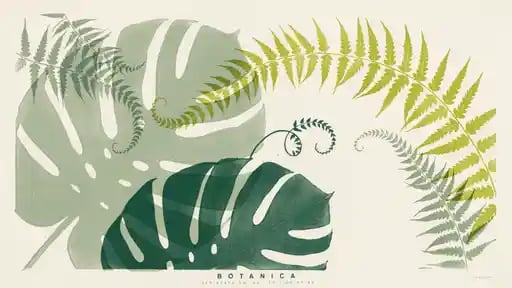
Posters and flyers. Event posters, gig flyers and sale banners with the headline rendered into the art.
Social graphics. Quote cards, announcement tiles and carousel covers where the copy is the point.
Covers and title art. Book covers, album art, YouTube thumbnails and title cards with stylized lettering.
Restyling an existing design. Take a draft or a photo and move it into a new style while keeping its layout.
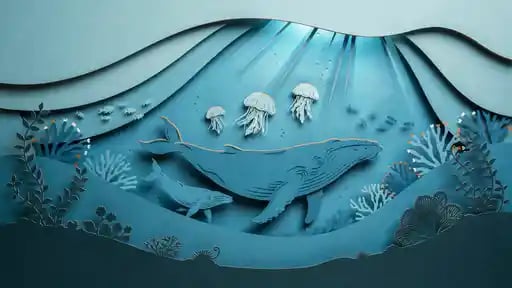
Illustration and art prints. Paper-cut, gouache, oil and anime looks for wall art and editorial spots.
Why pick Ideogram V4
- TextTypographyLegible headlines, labels and lettering inside the image.
- 35Credits per imageOne flat price at every speed and aspect ratio.
- 0.1–1Edit strengthControl how far an edit moves from your reference.
- 3SpeedsTurbo, Balanced and Quality rendering.
- MagicMagic promptExpand a short prompt, or switch it off to use your words exactly.
- SeedRepeatable runsSame seed and prompt give a similar image.
What Ideogram V4 costs
Billed per image, at the resolution you pick. The same prices the generator shows before you run it.
- 1K–4K35credits / imageOn Starter≈ 102 images / mo
Every model on every planCredits never expireSee plans
Pay for Ideogram V4 with crypto
Buy credits with Bitcoin, USDT, USDC, ETH, Solana and more — no card, nothing auto-renews, packs from $5, and 15% extra credits on crypto payments.
Ideogram V4 or another model
Text-friendly image models on PicX and where each fits. Credit costs are in the pricing table below.
How to use Ideogram V4 in 3 steps
- 1
Start from text or one image
Write a prompt, or upload one image to edit.
- 2
Quote the words
Put every word you want in quotes and say where it goes and how it looks.
- 3
Set speed and generate
Turbo to test layouts, Quality for the final. Adjust edit strength for edits.
Ideogram V4 prompts to copy
Real prompts and what they made. Copy one, or open it in the generator with the model already picked.
Carved lettering
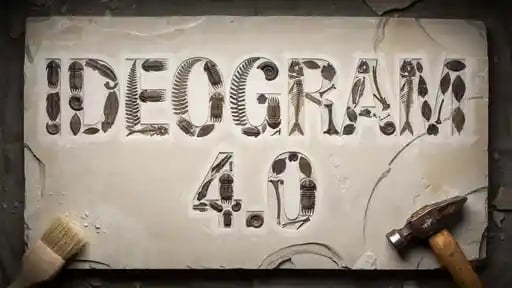
The words "IDEOGRAM 4.0" carved deep into a slab of white stone, letters filled with fossil-like fern textures, a hammer and a brush resting at the edges, dramatic side light, top-down product shot
Poster layout
A minimalist botanical poster on cream paper, overlapping monstera and fern leaves in sage, forest and lime green filling the upper two thirds, the word "BOTANICA" in small spaced capitals at the bottom center, lots of negative space
Retro synthwave
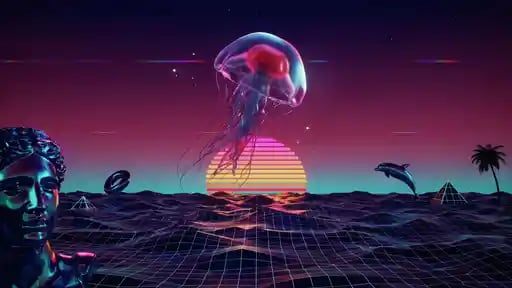
Synthwave scene with a glowing pink jellyfish floating over a striped retro sunset, neon grid ocean, a marble statue head on the left, dolphins and palm silhouettes, magenta and teal palette, 16:9
Paper-cut illustration
Layered paper-cut diorama of an underwater scene, a whale gliding under wavy paper layers, small jellyfish and coral, soft turquoise palette, gentle depth shadows between layers
Templates to start from
Browse all templates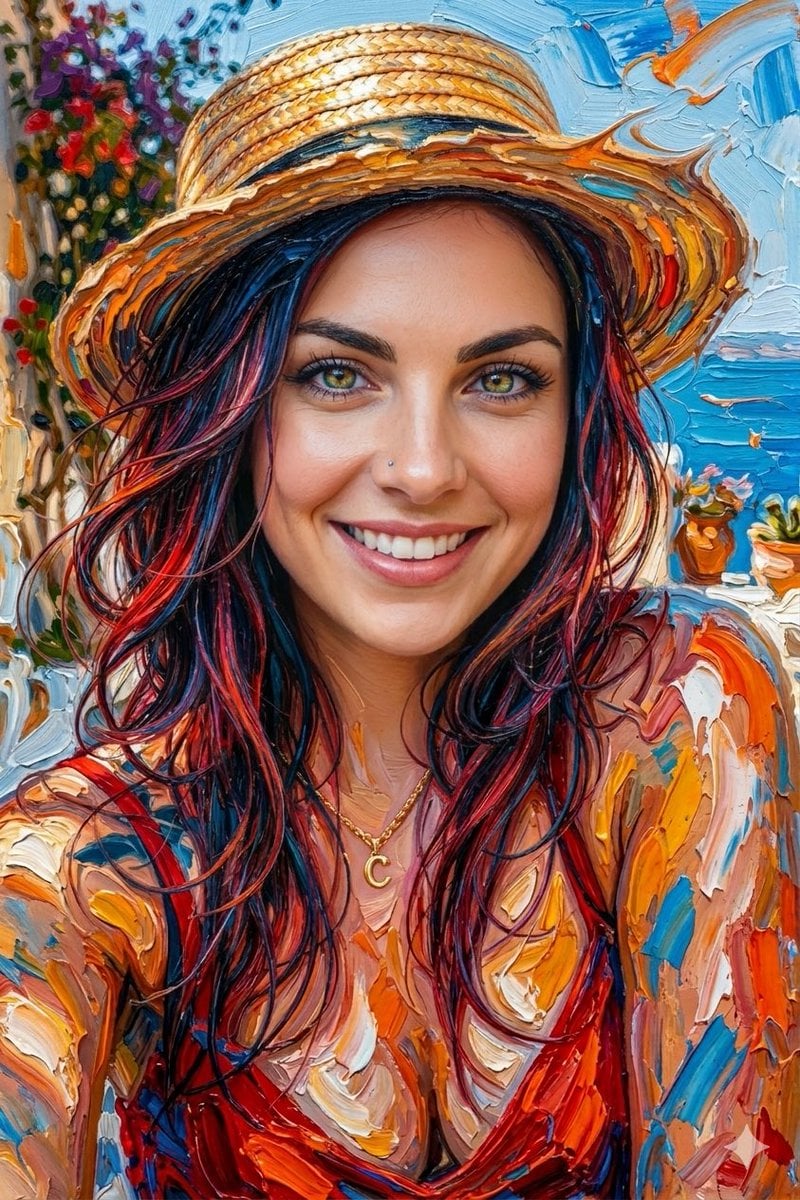







Ideogram V4 questions
What is Ideogram V4?
Ideogram V4 is an Ideogram-powered AI image model in PicX Studio for polished text-to-image creation and prompt-faithful image editing.
What can I create with Ideogram V4?
Use it for typography-led posters, branded social graphics, product concepts, campaign assets, editorial visuals, image edits, and design explorations.
Can I use a reference image?
Yes. Upload one image to edit or restyle it. Use the edit strength slider to set how closely the result follows your original.
How do I get better results?
Start with a clear subject, then add the setting, framing, lighting, palette, and style. Refine one important choice per variation.
Does Ideogram V4 support high-resolution output?
Ideogram V4 on PicX outputs about 1 megapixel, such as 1024 by 1024 for a square. For larger files, upscale the result or use a model with a 4K tier.
Is Ideogram V4 the same as Ideogram 4.0?
Yes. People search for it as Ideogram 4, Ideogram 4.0 and Ideogram V4. On PicX Studio it appears as Ideogram V4.
How much does Ideogram V4 cost?
35 credits per image, at any speed and aspect ratio. Your first image on PicX Studio is free after sign-up, no card needed.
What does Magic prompt do?
It expands a short prompt with extra detail before generating. Turn it off to use your words exactly, which helps when the text in the image must match.
Is Ideogram good at text in images?
Text rendering is Ideogram's main strength. Quote the exact words, keep them short and describe the placement and style. Proofread before publishing.
How do I write Ideogram 4.0 prompts?
Start with the format: poster, book cover, sticker, social tile. Then the main visual, then the text. Put every word that should appear in double quotes and keep it short; a headline of two to six words renders more reliably than a paragraph. Describe the type, not a font name: "bold condensed sans serif", "hand-painted brush script", "carved serif capitals". Add placement ("centered at the bottom") and space ("lots of negative space above"). Finish with palette and medium.
How do I use Ideogram as an AI typography generator?
For type-led work, let the words lead the prompt. Describe the lettering's material and style first, such as neon tubes, chrome, carved stone, embroidery or cut paper, then the background. Ideogram V4 handles single words and short phrases best; for longer copy, split it into a headline and a short subline and quote both. Turn Magic prompt off when you want your exact wording kept, and on when you want the model to fill in a short idea. Always proofread the result before it goes out.
How does Ideogram 4 image edit work?
Upload one image and describe what you want. The edit strength slider runs from 0.1 to 1 and starts at 0.8. Lower values keep the composition, colors and shapes close to the original and change the surface: a new style, a new palette, a new medium. Higher values let the model rework more of the frame. For a restyle, try 0.4 to 0.6. For replacing the background or the subject, go higher. The edit keeps the aspect ratio of your image or one you choose.
What do the Ideogram V4 speed and seed settings do?
Turbo renders fastest and is good for checking layout and text placement. Balanced is the default. Quality takes longer and adds finer detail. All three cost 35 credits. Magic prompt expands a short prompt with extra detail; switch it off to use your words exactly, which matters when the text has to be precise. A fixed seed with the same prompt gives a similar image, so you can change one setting and compare.
What size and aspect ratios does Ideogram V4 support?
Ideogram V4 on PicX outputs images around 1 megapixel, for example 1024 by 1024 for a square. Aspect ratios are 1:1, 4:3, 3:4, 3:2, 2:3, 16:9, 9:16 and 21:9. That size suits social posts, thumbnails, web banners and drafts for print. For a large print file, upscale the result with a PicX tool, or generate the scene on a model with a 4K tier, such as Seedream 4.5 or GPT Image 2.
How does Ideogram V4 compare to other text models?
GPT Image 2 also renders text well, reaches 4K and edits with up to 16 images, but has no speed setting. Seedream 5 Pro renders text in 14 languages from a prompt only. Recraft V4.1 is text-to-image for design concepts and costs 18 credits. Choose Ideogram V4 when the lettering is the design, when you want control over how far an edit drifts from the original, or when you want Turbo speed for quick layout rounds.

Put your words in the picture
Typography-led images and faithful edits with Ideogram V4, 35 credits each. Your first image is free.