Dramatic Studio Portrait
Sample Prompt
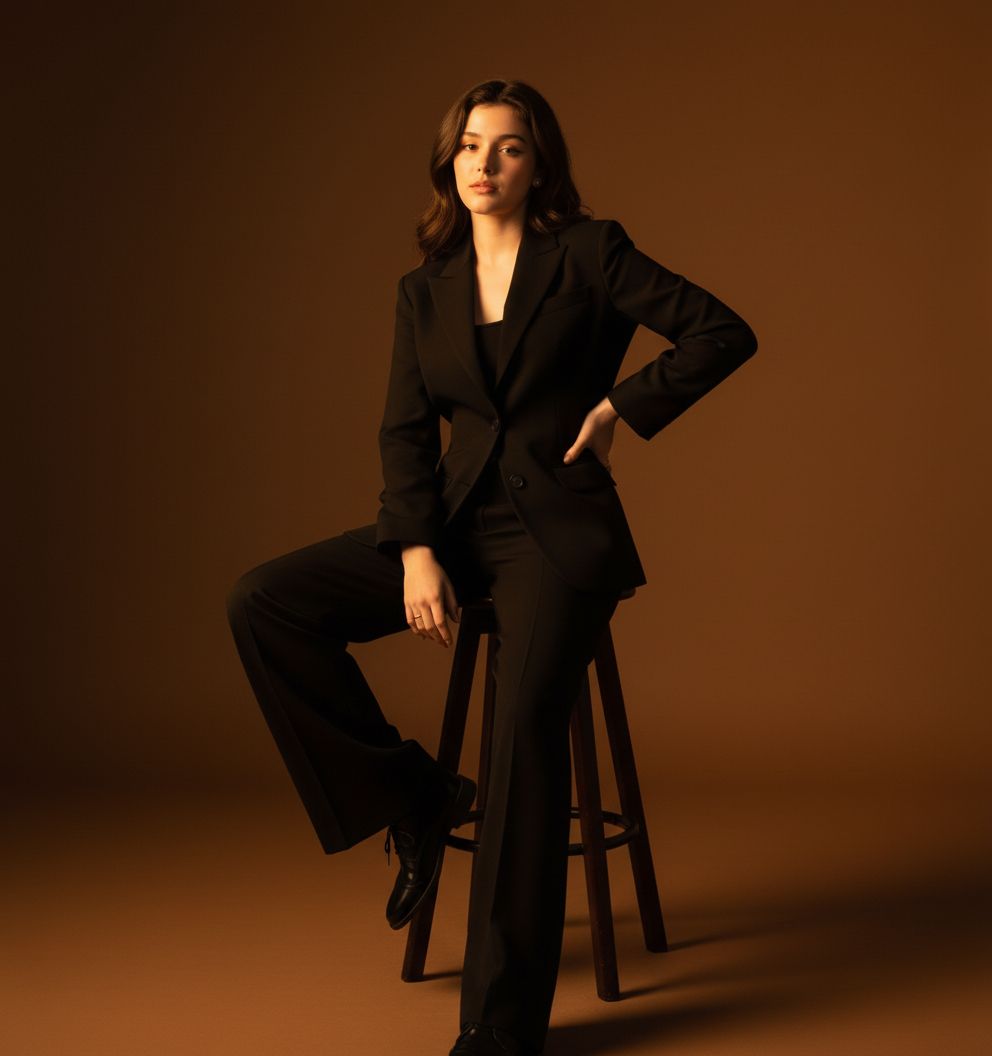
A dramatic studio editorial portrait of the person in the reference photo, seated elegantly on a minimalist stool in a warm spotlight. Sleek all-black tailored suit, wide-leg trousers, polished shoes — luxury minimalism. Leaning slightly back, one hand on hip, legs extended for elongated lines. Warm golden key light from front-left, sculptural shadows, amber-bronze gradient background for cinematic mood. Calm but intense gaze, subtle confidence. Natural skin texture preserved, rich blacks, warm highlights, refined Korean high-fashion magazine aesthetic.
Use This Template
Click to start creating with this template
About Dramatic Studio Portrait
A dramatic studio editorial portrait of the person in the reference photo, seated elegantly on a minimalist stool in a warm spotlight. Sleek all-black tailored suit, wide-leg trousers, polished shoes — luxury minimalism. Leaning slightly back, one hand on hip, legs extended for elongated lines. Warm golden key light from front-left, sculptural shadows, amber-bronze gradient background for cinematic mood. Calm but intense gaze, subtle confidence. Natural skin texture preserved, rich blacks, warm highlights, refined Korean high-fashion magazine aesthetic. Features: 100% free. PicXStudio's AI-powered template for instant image generation.
This AI image template is designed to help you create professional Dramatic Studio Portrait images quickly. Simply use the provided prompt as a starting point, customize it to your needs, and generate stunning AI images in seconds.