How do I use the Cinematic Post-Apocalyptic Survival Sequence template?
Edit the prompt in the box under the preview — the template's model and format are already selected — and press Generate. Your version appears right on this page.
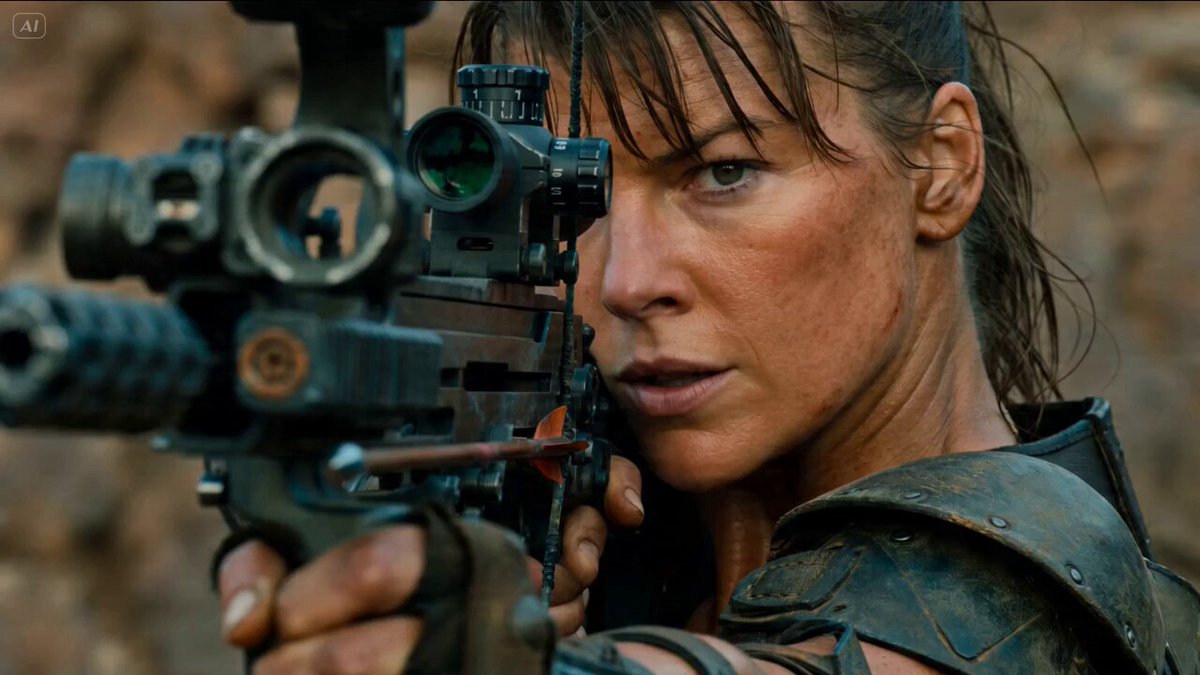
A highly detailed, multi-shot prompt designed for Seedance 2.0, structuring a cinematic sequence about a woman aiming a bow in a gritty post-apocalyptic setting.
"[CINEMATIC SETUP] Genre & Mood: Gritty Post-Apocalyptic Survival. Tense, visceral, and hyper-realistic. Film Stock & Lens: Shot on 35mm anamorphic lens, f/2.8 for shallow depth of field. Teal-orange desaturated color grade with earthy, dusty undertones. Lighting & Atmosphere: Dramatic volumetric Golden Hour light with heavy dust motes and heat haze. Character Description: An athletic woman in her late 20s, wearing weathered tactical leather armor and dirt-smudged skin. Her hair is wind-blown and messy; her expression is one of intense, lethal focus. Audio Style: Immersive spatial sound design. Detailed SFX of bowstring tension, rhythmic heavy breathing, wind howling through the canyon, and a high-velocity "thwack" on impact. [TIMELINE SECOND BY SECOND] 0-3s: [Extreme Close-up (ECU)] High-angle shot of the woman's face as she aims a mechanical compound bow. The bowstring is pulled taut against her cheek. Movie-level realistic facial features, no deformation, stable throughout. 3-4s: [Macro Cut] Extreme close-up of her iris. The pupil dilates sharply as she locks onto her target. Realistic light reflections in the eye. 4-8s: [Over-the-shoulder (OTS) Shot] The camera sits behind her shoulder on a jagged cliff edge. In the valley below, a herd of mutated, post-apocalyptic Cape Buffalo with thickened grey hide and jagged horns graze peacefully. Smooth camera push-in. 8-10s: [The Release & POV] She releases the arrow. Fast Tracking POV shot following the arrowhead at maximum velocity. Intense motion blur on the passing rocky environment as the arrow slices the air. 10-15s: [Impact & Wide Shot] The arrow strikes the lead beast in the flank with realistic physics. The animal collapses heavily into the dust. The rest of the herd panics and scatters in a chaotic wide shot. Sound fade to the howl of the wind. [STYLE & QUALITY BOOSTERS] Photorealistic 8K, ultra-detailed textures (skin pores, rusted metal, animal fur), cinematic lighting, perfect motion blur, high dynamic range, no artifacts, coherent multi-subject motion."
"[CINEMATIC SETUP] Genre & Mood: Gritty Post-Apocalyptic Survival. Tense, visceral, and hyper-realistic. Film Stock & Lens: Shot on 35mm anamorphic lens, f/2.8 for shallow depth of field. Teal-orange desaturated color grade with earthy, dusty undertones. Lighting & Atmosphere: Dramatic volumetric Golden Hour light with heavy dust motes and heat haze. Character Description: An athletic woman in her late 20s, wearing weathered tactical leather armor and dirt-smudged skin. Her hair is wind-blown and messy; her expression is one of intense, lethal focus. Audio Style: Immersive spatial sound design. Detailed SFX of bowstring tension, rhythmic heavy breathing, wind howling through the canyon, and a high-velocity "thwack" on impact. [TIMELINE SECOND BY SECOND] 0-3s: [Extreme Close-up (ECU)] High-angle shot of the woman's face as she aims a mechanical compound bow. The bowstring is pulled taut against her cheek. Movie-level realistic facial features, no deformation, stable throughout. 3-4s: [Macro Cut] Extreme close-up of her iris. The pupil dilates sharply as she locks onto her target. Realistic light reflections in the eye. 4-8s: [Over-the-shoulder (OTS) Shot] The camera sits behind her shoulder on a jagged cliff edge. In the valley below, a herd of mutated, post-apocalyptic Cape Buffalo with thickened grey hide and jagged horns graze peacefully. Smooth camera push-in. 8-10s: [The Release & POV] She releases the arrow. Fast Tracking POV shot following the arrowhead at maximum velocity. Intense motion blur on the passing rocky environment as the arrow slices the air. 10-15s: [Impact & Wide Shot] The arrow strikes the lead beast in the flank with realistic physics. The animal collapses heavily into the dust. The rest of the herd panics and scatters in a chaotic wide shot. Sound fade to the howl of the wind. [STYLE & QUALITY BOOSTERS] Photorealistic 8K, ultra-detailed textures (skin pores, rusted metal, animal fur), cinematic lighting, perfect motion blur, high dynamic range, no artifacts, coherent multi-subject motion."
Edit the prompt in the box under the preview — the template's model and format are already selected — and press Generate. Your version appears right on this page.
Yes. You can change the subject, setting, lighting, mood, format, and available model controls before creating your video.
Opening and editing this template is free. Generating uses credits, shown on the Generate button when you are signed in.
Start with Seedance 2.0, which is the model associated with this template. You can compare another compatible model for a different finish.
Follow a topic to a crawlable collection of related PicX Studio templates.