How do I use the Seedance 2.0 prompt for a Wuxia fantasy battle scene template?
Edit the prompt in the box under the preview — the template's model and format are already selected — and press Generate. Your version appears right on this page.
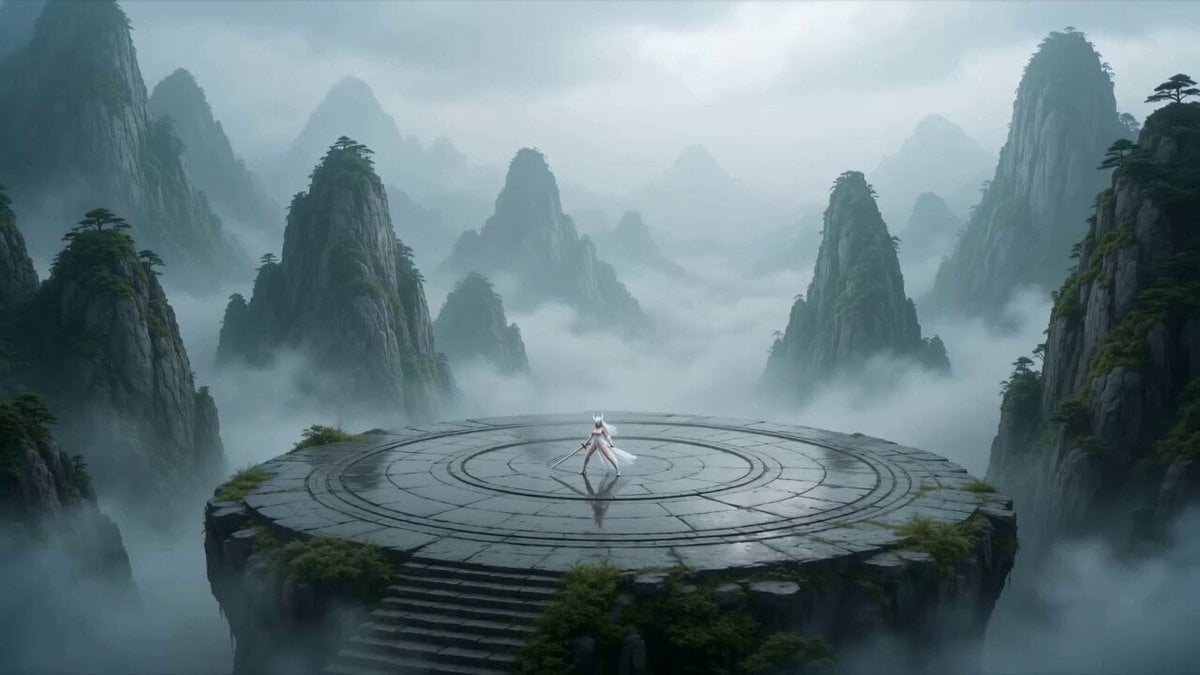
A detailed, multi-shot Seedance 2.0 video generation prompt for a Wuxia (martial arts fantasy) scene, depicting a fairy casting a powerful sword spell (like 'Ten Thousand Swords Returning to the Origin'), specifying…
The fairy's appearance references [@Image 1] 1. Shot 1 (0-3s): Medium shot + upward angle, the fairy hovers in midair, robes fluttering, her hands beginning to rapidly form mystic seals, chanting: "Heaven and earth, boundless—" The background is an overcast sky, rows of black-clad enemies standing at grim attention in the distance, the camera slowly rising from in front of the enemy ranks up to the fairy. 2. Shot 2 (3-6s): Close-up + orbit, the fairy's seal-forming gestures accelerate, her fingertips glowing purple, continuing to chant: "Heaven and earth, lend me your power!" Countless sword-shadows suddenly appear in the sky, rotating slowly at first, the camera orbiting the fairy to capture the changing hand seals, the swords gradually accelerating with the incantation. 3. Shot 3 (6-10s): Wide shot + diving camera move, purple lightning tears through the clouds at the center of the sword swarm, thunder booming, the rotation speed breaking all limits and forming a vortex of light. The fairy swings her arm sharply downward, and the sword swarm pours down like a swarm of purple dragons, the camera diving to follow the swords, light and shadow tracing the blades' trajectories. 4. Shot 4 (10-15s): Wide-angle panorama, the black-clad enemies raise a massive black light shield to defend themselves, the swords striking the shield and triggering a chain of explosions, firelight and purple light intertwining, fierce wind sweeping up dust across the battlefield; the instant the shield shatters, the camera pulls back to reveal the explosive light-and-shadow effects filling the sky and earth.
The fairy's appearance references [@Image 1] 1. Shot 1 (0-3s): Medium shot + upward angle, the fairy hovers in midair, robes fluttering, her hands beginning to rapidly form mystic seals, chanting: "Heaven and earth, boundless—" The background is an overcast sky, rows of black-clad enemies standing at grim attention in the distance, the camera slowly rising from in front of the enemy ranks up to the fairy. 2. Shot 2 (3-6s): Close-up + orbit, the fairy's seal-forming gestures accelerate, her fingertips glowing purple, continuing to chant: "Heaven and earth, lend me your power!" Countless sword-shadows suddenly appear in the sky, rotating slowly at first, the camera orbiting the fairy to capture the changing hand seals, the swords gradually accelerating with the incantation. 3. Shot 3 (6-10s): Wide shot + diving camera move, purple lightning tears through the clouds at the center of the sword swarm, thunder booming, the rotation speed breaking all limits and forming a vortex of light. The fairy swings her arm sharply downward, and the sword swarm pours down like a swarm of purple dragons, the camera diving to follow the swords, light and shadow tracing the blades' trajectories. 4. Shot 4 (10-15s): Wide-angle panorama, the black-clad enemies raise a massive black light shield to defend themselves, the swords striking the shield and triggering a chain of explosions, firelight and purple light intertwining, fierce wind sweeping up dust across the battlefield; the instant the shield shatters, the camera pulls back to reveal the explosive light-and-shadow effects filling the sky and earth.
Edit the prompt in the box under the preview — the template's model and format are already selected — and press Generate. Your version appears right on this page.
Yes. You can change the subject, setting, lighting, mood, format, and available model controls before creating your video.
Opening and editing this template is free. Generating uses credits, shown on the Generate button when you are signed in.
Start with Seedance 2.0, which is the model associated with this template. You can compare another compatible model for a different finish.
Follow a topic to a crawlable collection of related PicX Studio templates.