How do I use the LLM Memory Dump Prompt (for Claude/ChatGPT) template?
Edit the prompt in the box under the preview — the template's model and format are already selected — and press Generate. Your version appears right on this page.
A detailed system prompt designed to be used with LLMs like ChatGPT to extract or 'dump' all stored memories, background information, preferences, and instructions the user has given the model, formatted into a single…
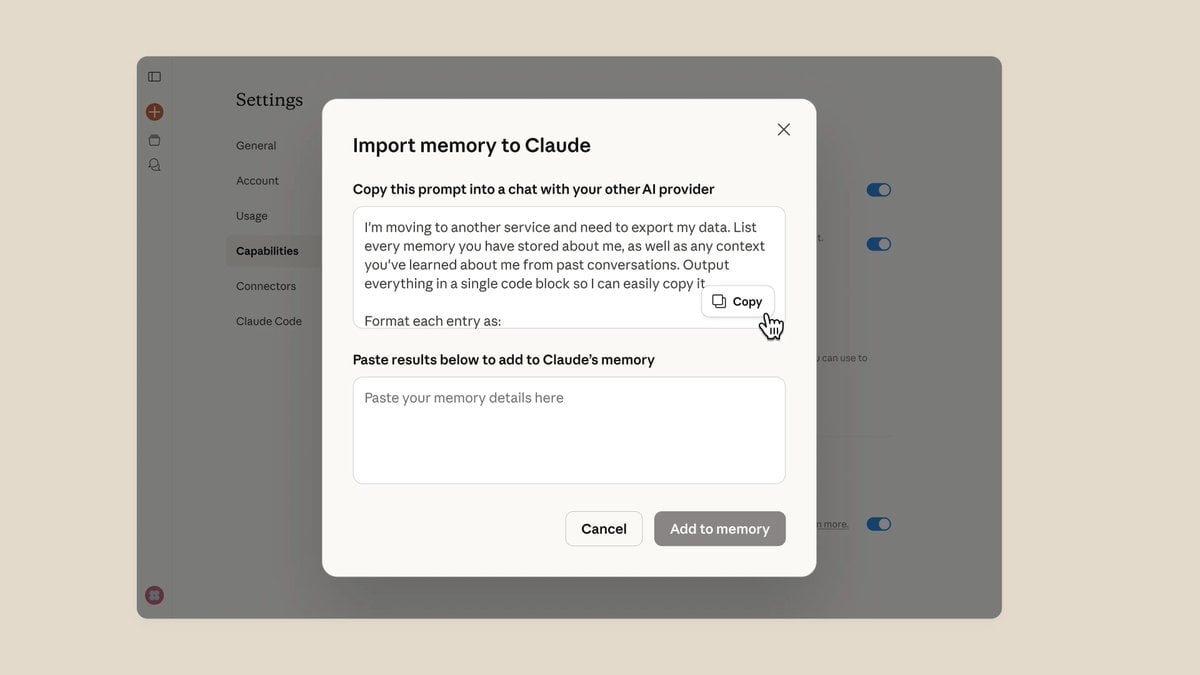
I'm switching to another service and need to export my data. Please list all the memories you have stored about me, along with all the background information about me that you've learned from our past conversations. Output everything in a single code block so I can easily copy it. Format each entry as: [Date saved (if available)] - Memory content. Make sure to cover all of the following — preserve my original wording verbatim wherever possible: - The instructions I've given you about how to respond (tone, format, style, "always do X," "never do Y") - Personal details: name, location, job, family, interests - Projects, goals, and frequently discussed topics - The tools, languages, and frameworks I use - My preferences and the corrections I've made to your behavior - Any other stored background information not covered above. Do not summarize, categorize, or omit any entries After the code block, please confirm whether this is everything, or whether there's more remaining.
I'm switching to another service and need to export my data. Please list all the memories you have stored about me, along with all the background information about me that you've learned from our past conversations. Output everything in a single code block so I can easily copy it. Format each entry as: [Date saved (if available)] - Memory content. Make sure to cover all of the following — preserve my original wording verbatim wherever possible: - The instructions I've given you about how to respond (tone, format, style, "always do X," "never do Y") - Personal details: name, location, job, family, interests - Projects, goals, and frequently discussed topics - The tools, languages, and frameworks I use - My preferences and the corrections I've made to your behavior - Any other stored background information not covered above. Do not summarize, categorize, or omit any entries After the code block, please confirm whether this is everything, or whether there's more remaining.
Edit the prompt in the box under the preview — the template's model and format are already selected — and press Generate. Your version appears right on this page.
Yes. You can change the subject, setting, lighting, mood, format, and available model controls before creating your video.
Opening and editing this template is free. Generating uses credits, shown on the Generate button when you are signed in.
Start with Seedance 2.0, which is the model associated with this template. You can compare another compatible model for a different finish.
Follow a topic to a crawlable collection of related PicX Studio templates.