How do I use the Robot and Girl at Sunset template?
Edit the prompt in the box under the preview — the template's model and format are already selected — and press Generate. Your version appears right on this page.
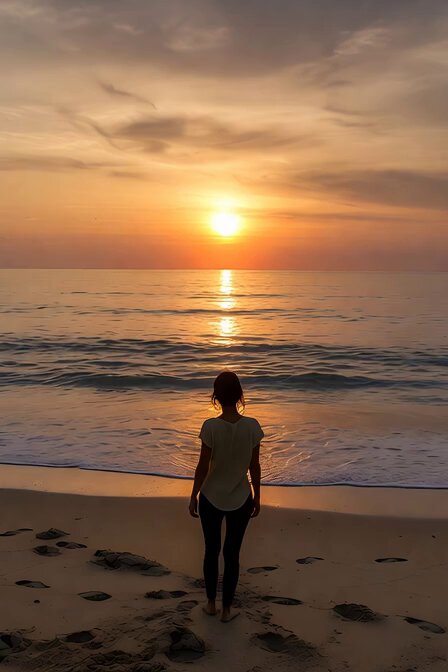
A highly cinematic prompt for a futuristic robot and a girl sitting on water during sunset with subtle movements.
A highly cinematic, ultra-realistic scene of a futuristic humanoid robot sitting beside a young girl on a reflective water surface at sunset. The robot has detailed metallic armor with glowing accents, showing slight mechanical movements like subtle head turns and finger adjustments. The girl sits calmly with her knees close, wearing a blue outfit, gently swaying and blinking naturally. The environment features a dreamy sky with soft clouds, blending warm orange sunset tones with cool blue hues. The reflective surface mirrors both characters with slight ripples moving slowly across the water. A gentle breeze moves the girl’s hair softly. Camera starts with a wide shot and slowly pushes in for a close-up, with smooth cinematic motion. Lighting is soft, volumetric, and slightly glowing, creating a peaceful yet futuristic mood. Add subtle particles in the air and light reflections on the robot’s body for realism. Style Keywords: cinematic, ultra-realistic, 4K, soft lighting, futuristic, emotional, reflective water, slow motion, depth of field, volumetric light, dreamlike atmosphere
A highly cinematic, ultra-realistic scene of a futuristic humanoid robot sitting beside a young girl on a reflective water surface at sunset. The robot has detailed metallic armor with glowing accents, showing slight mechanical movements like subtle head turns and finger adjustments. The girl sits calmly with her knees close, wearing a blue outfit, gently swaying and blinking naturally. The environment features a dreamy sky with soft clouds, blending warm orange sunset tones with cool blue hues. The reflective surface mirrors both characters with slight ripples moving slowly across the water. A gentle breeze moves the girl’s hair softly. Camera starts with a wide shot and slowly pushes in for a close-up, with smooth cinematic motion. Lighting is soft, volumetric, and slightly glowing, creating a peaceful yet futuristic mood. Add subtle particles in the air and light reflections on the robot’s body for realism. Style Keywords: cinematic, ultra-realistic, 4K, soft lighting, futuristic, emotional, reflective water, slow motion, depth of field, volumetric light, dreamlike atmosphere
Edit the prompt in the box under the preview — the template's model and format are already selected — and press Generate. Your version appears right on this page.
Yes. You can change the subject, setting, lighting, mood, format, and available model controls before creating your video.
Opening and editing this template is free. Generating uses credits, shown on the Generate button when you are signed in.
Start with Grok Imagine, which is the model associated with this template. You can compare another compatible model for a different finish.
Follow a topic to a crawlable collection of related PicX Studio templates.