How do I use the Surreal Macro Fashion Atelier template?
Choose the primary action to open PicX Studio with the available template settings. Review the model and format, personalize the creative direction, and generate when ready.
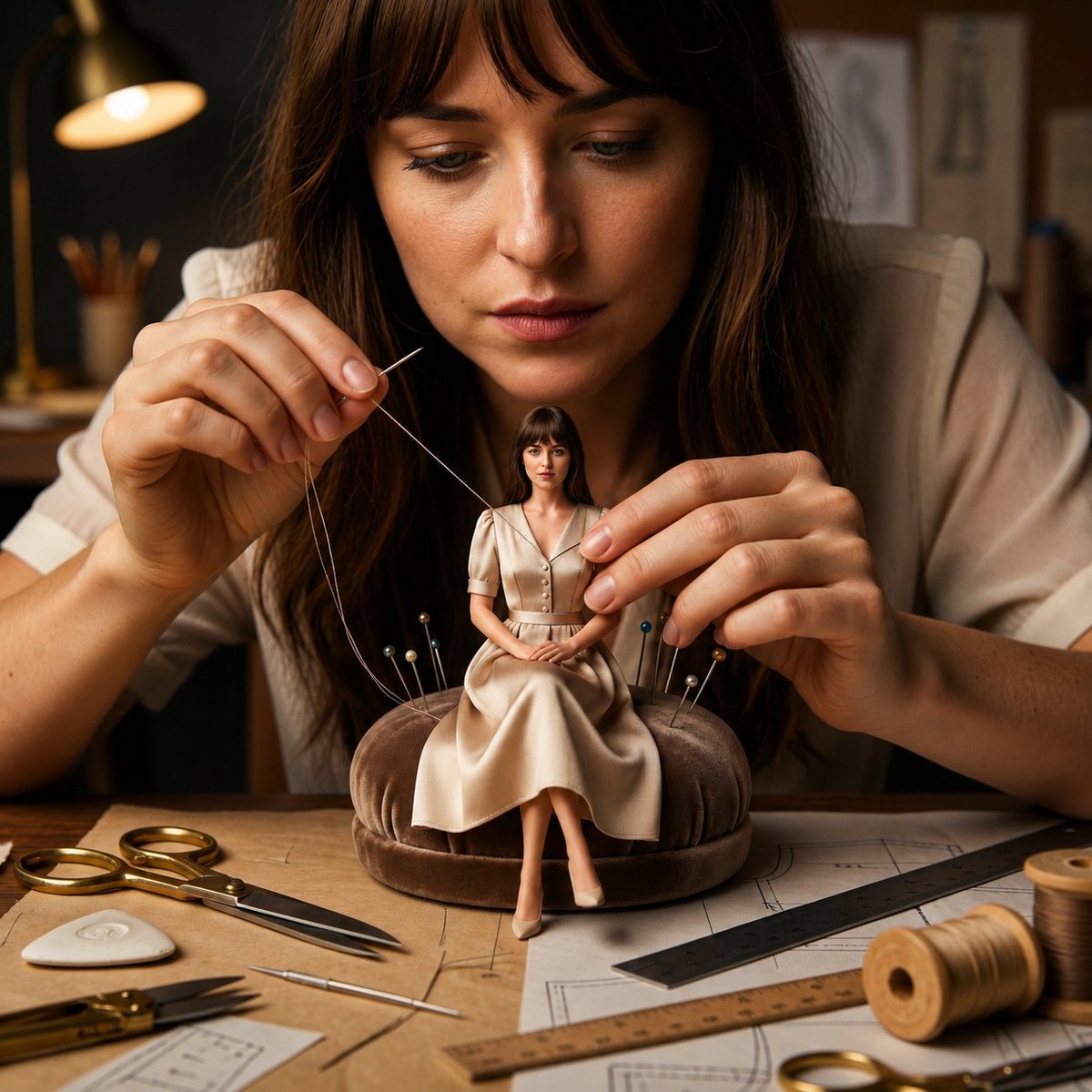
A surreal macro fashion prompt showing a seamstress hand-sewing a miniature version of herself on a velvet pin cushion. (free to use) — Free AI image template on PicX Studio.
A cinematic macro fashion atelier where a skilled {argument name="subject" default="young seamstress"} is delicately hand-sewing a {argument name="item" default="miniature couture dress"} worn by a tiny, perfectly identical version of herself seated gracefully on a {argument name="setting" default="plush velvet pin cushion"}. The life-sized woman and the miniature share the exact same face, hairstyle, facial expression, and elegant cream dress, creating a seamless surreal scale illusion. She carefully guides a fine sewing needle through the tiny garment while gently pulling a silk thread taut with her other hand. The miniature dress features impeccably scaled buttons, crisp seams, realistic pleats, natural fabric weight, and luxurious textile folds. The workbench is filled with golden tailor's scissors, precision tweezers, chalk, rulers, sewing patterns, thread spools, and colorful pins embedded in the cushion. Warm cinematic studio lighting highlights realistic skin pores, fabric weave, thread fibers, polished metal reflections, and soft shadows. Ultra-shallow macro depth of field, luxury fashion editorial photography, handcrafted couture atmosphere, impossible miniature realism, premium photorealistic textures, symmetrical composition, ultra-detailed, hyper-realistic, 8K, no text, no CGI, no cartoon, no fantasy, realistic proportions, square 1:1.
Use Surreal Macro Fashion Atelier to plan an AI image around nano-banana-2 generation. Match the preview's composition first, then personalize the subject, setting, and mood for your own project.
Use the primary action to load the template settings in PicX Studio.
Adjust the subject and creative details for your destination.
Create the image, compare the result with the preview, and refine one variable at a time.
A continuous mix — similar concepts first, woven with same-model prompts and fresh picks from the catalog.
Choose the primary action to open PicX Studio with the available template settings. Review the model and format, personalize the creative direction, and generate when ready.
Yes. You can change the subject, setting, lighting, mood, format, and available model controls before creating your image.
This template is free to open and customize. Generation usage is shown in PicX Studio before you create.
Start with nano-banana-2, which is the model associated with this template. You can compare another compatible model for a different finish.
A continuous mix — similar concepts first, woven with same-model prompts and fresh picks from the catalog.
Follow a topic to a crawlable collection of related PicX Studio templates.
32,032 public templates available. Verified via the PicX Studio public templates API; refreshed hourly.