How do I use the Golden Hour Sunflower Portrait template?
Choose the primary action to open PicX Studio with the available template settings. Review the model and format, personalize the creative direction, and generate when ready.
A cinematic portrait prompt for a woman in a sunflower field during golden hour, emphasizing soft backlit lighting and natural expressions. Change the subject, setting, or lighting one variable at a time.
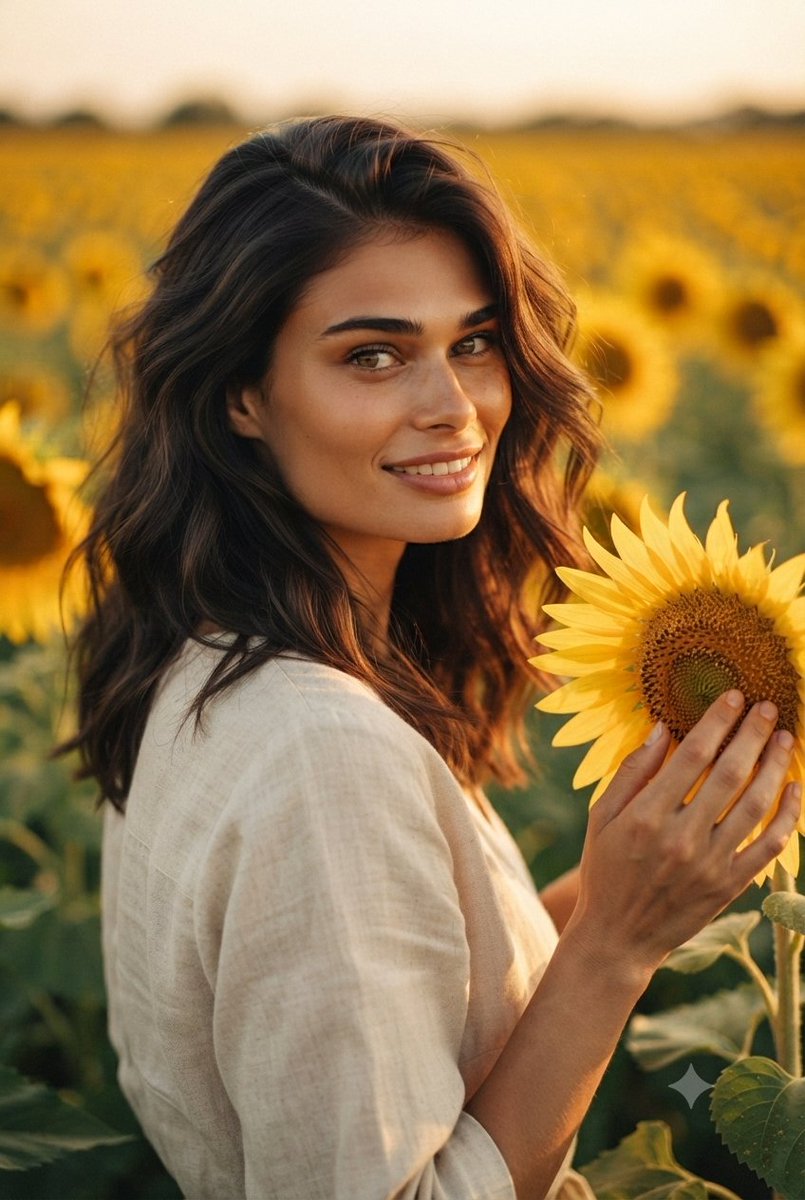
Create a portrait capturing a woman with {argument name="hair style" default="long, wavy dark hair"}, wearing {argument name="clothing" default="a light-colored, casual linen-style top"}, standing in the middle of a {argument name="location" default="vibrant field of sunflowers"} during the golden hour. The subject should be looking directly at the camera with a warm, gentle smile, holding a sunflower near her face with a soft, natural expression. Complement this with an intimate, focused mood where the subject is shown with a softer gaze, looking down at a sunflower she is tenderly touching with her hands. The overall aesthetic should feature soft, warm, backlit lighting that highlights the texture of the sunflowers and creates a serene, cinematic atmosphere, maintaining a consistent style and character across both compositions.
Choose the primary action to open PicX Studio with the available template settings. Review the model and format, personalize the creative direction, and generate when ready.
Yes. You can change the subject, setting, lighting, mood, format, and available model controls before creating your image.
This template is free to open and customize. Generation usage is shown in PicX Studio before you create.
Start with Nano Banana 2, which is the model associated with this template. You can compare another compatible model for a different finish.
Follow a topic to a crawlable collection of related PicX Studio templates.
43,474 public templates available. Verified via the PicX Studio public templates API; refreshed hourly.





















![Naive doodle-style subject illustration — A doodle-style {argument name="subject" default="[subject]"}, naive lines, humorous shape exaggeration](https://pbs.twimg.com/media/G6Wl2YxbsAARB2b.jpg)





















![Image-to-SD Papercraft Conversion Prompt — [AI指示: 画像→SDペーパークラフト変換]
[入力画像] を分析する。
抽出: [入力画像]から人物/キャラクターの顔の特徴、髪型、髪色、服装、アクセサリー、ポーズを読み取る。
SD化: 2〜3頭身のSDキャラクター(スーパー](https://pbs.twimg.com/media/G_qGcxOa0AANRly.jpg)