How do I use the Cinematic Hip-Hop Beach Music Video template?
Edit the prompt in the box under the preview — the template's model and format are already selected — and press Generate. Your version appears right on this page.
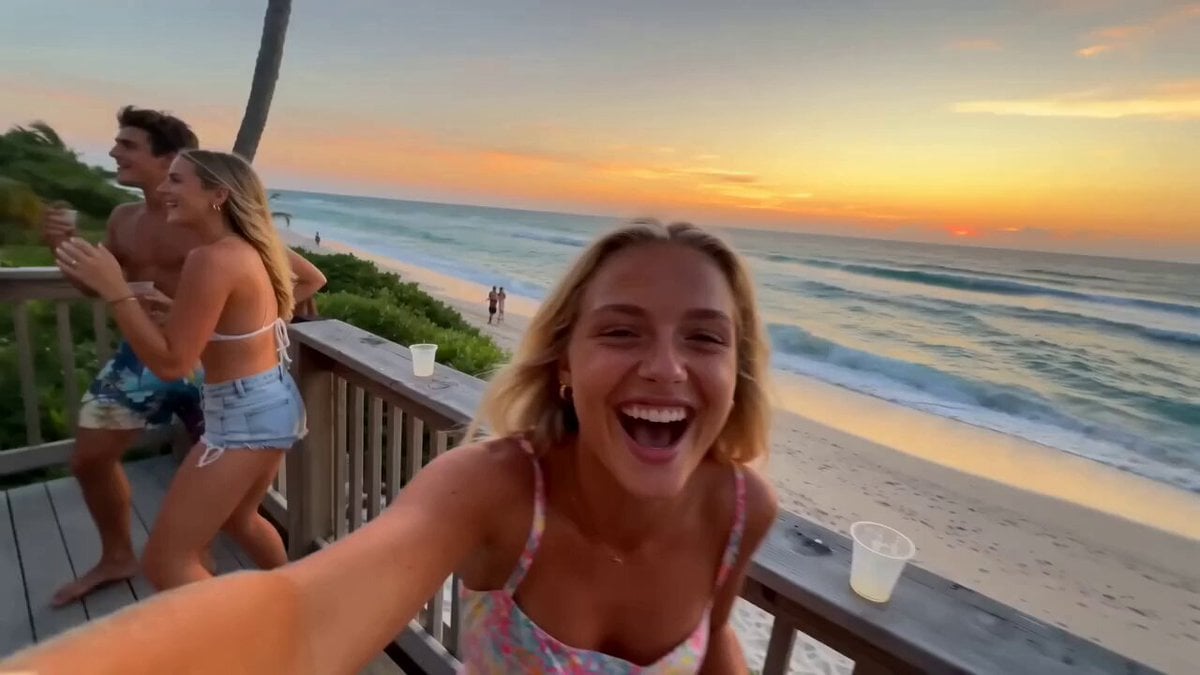
A comprehensive cinematic video prompt for a multi-language hip-hop performance on a beach, featuring specific camera cues, lighting details, and lip-sync instructions.
电影级hip-hop/说唱音乐视频,真实照片级质感,高端诚性,海边场景。以 @图像1构建画面:一支乐队在金色沙滩、海浪拍岸的岸边表演-一名主唱手握麦克风、麦架立于湿 沙上激情演唱,一名吉他手立于画面左侧,一名吉他手立于画面右侧,一名鼓手坐在后方的架子鼓后敲击;辽阔的海岸线在身后展开,滚滚海浪层层涌来,巨大而温暖的黄金时刻夕阳斜掠过沙 滩、在水面上鄰鄰闪耀,空气中漂浮着海雾与咸湿水汽。红色运动月服的主唱对着镜头充满节奏感地RAP演唱--口型与下颌随每一个字精准对位,头随节拍用力点动,带动整段flow。乐手们随 节奏摇摆律动,身后海浪层层拍岸。这是一首明快带劲的说唱曲--语速快、自信、节拍强劲。踩着节拍硬切(HARDCUT),每次切换双重反差(景别与镜头类型同时改变)。歌词(主唱依次演 唱以下每种语言的「你好」,精准对口型):英语:"Hello"中文:"你好"日语:"こんにちは"韩语:"안녕하세요"葡萄牙语:"Ola"泰语:"สวัสดี"西班牙语:"Hola"阿拉伯语:" مرحب"镜头1[0:0 0-0:03]-低角度大远景定场,斯坦尼康在黄金夕照与海雾中缓缓推进,海浪在乐队身后翻涌。歌词第1句(英语「Hello」)。硬切。镜头2[0:03-0:05]--红运动服主唱对镜头RAP的特 写,手持甩镜切入,身后海面虚焦鄰粼波光。歌词第2句(中文「你你好」)。硬切。镜头3[0:05-0:08]--微距插入镜头,固定机位,吉他手的手指在弦上快速拨动,沙粒与咸湿水雾从画面前掠 过。歌词第3句(日语「こんにちは」)。硬切。镜头4 [0:08-0:10]--对某位乐手的3/4侧中景,缓慢潜行环绕,乐器金属件与湿润高光映着海面低斜的夕阳。歌词第4句(韩语「안녕하세 요」)。硬切。镜头5[0:10-0:13]--岸边一名乐手,快速横移轨道掠过他,他转向镜头,身后一道浪花破碎。歌词第5句(葡萄牙语「Ola」)。硬切。镜头 6[0:15]--水边的鼓手,手持 快速上摇,海风与水花吹动他的头发,他随节拍律动敲击。歌词第6句(泰语「สาัสด」)。硬切。镜头7[0:15-0:18]--对红运动服主啊flow正酣时的紧凑猛推,富攻击性的手持,身后暮色海面 衬着乐队剪影。歌词第7句(西班牙语「Hola」)。硬切。镜头8[0:18-0:20]--全乐队英雄式大远景,富攻击性的手持推进,主唱与乐手踩着节拍向镜头迈步,海浪拍碎、金色夕光在整支乐队 身后炸开光晕。歌词第8句(阿拉伯语「 مرحبا)。白平衡4000K,青橙(teal-and-amber)调色,35mm,浅景深,胶片颗粒,弥漫的为海雾,黄金时刻光晕。质感扎实、高级、高端。节奏感说 唱表演,精准对口型,头随节拍点动。无字幕、无文字叠加、无叠化转场、无重复人物,仅用硬切。总时长20秒。
电影级hip-hop/说唱音乐视频,真实照片级质感,高端诚性,海边场景。以 @图像1构建画面:一支乐队在金色沙滩、海浪拍岸的岸边表演-一名主唱手握麦克风、麦架立于湿 沙上激情演唱,一名吉他手立于画面左侧,一名吉他手立于画面右侧,一名鼓手坐在后方的架子鼓后敲击;辽阔的海岸线在身后展开,滚滚海浪层层涌来,巨大而温暖的黄金时刻夕阳斜掠过沙 滩、在水面上鄰鄰闪耀,空气中漂浮着海雾与咸湿水汽。红色运动月服的主唱对着镜头充满节奏感地RAP演唱--口型与下颌随每一个字精准对位,头随节拍用力点动,带动整段flow。乐手们随 节奏摇摆律动,身后海浪层层拍岸。这是一首明快带劲的说唱曲--语速快、自信、节拍强劲。踩着节拍硬切(HARDCUT),每次切换双重反差(景别与镜头类型同时改变)。歌词(主唱依次演 唱以下每种语言的「你好」,精准对口型):英语:"Hello"中文:"你好"日语:"こんにちは"韩语:"안녕하세요"葡萄牙语:"Ola"泰语:"สวัสดี"西班牙语:"Hola"阿拉伯语:" مرحب"镜头1[0:0 0-0:03]-低角度大远景定场,斯坦尼康在黄金夕照与海雾中缓缓推进,海浪在乐队身后翻涌。歌词第1句(英语「Hello」)。硬切。镜头2[0:03-0:05]--红运动服主唱对镜头RAP的特 写,手持甩镜切入,身后海面虚焦鄰粼波光。歌词第2句(中文「你你好」)。硬切。镜头3[0:05-0:08]--微距插入镜头,固定机位,吉他手的手指在弦上快速拨动,沙粒与咸湿水雾从画面前掠 过。歌词第3句(日语「こんにちは」)。硬切。镜头4 [0:08-0:10]--对某位乐手的3/4侧中景,缓慢潜行环绕,乐器金属件与湿润高光映着海面低斜的夕阳。歌词第4句(韩语「안녕하세 요」)。硬切。镜头5[0:10-0:13]--岸边一名乐手,快速横移轨道掠过他,他转向镜头,身后一道浪花破碎。歌词第5句(葡萄牙语「Ola」)。硬切。镜头 6[0:15]--水边的鼓手,手持 快速上摇,海风与水花吹动他的头发,他随节拍律动敲击。歌词第6句(泰语「สาัสด」)。硬切。镜头7[0:15-0:18]--对红运动服主啊flow正酣时的紧凑猛推,富攻击性的手持,身后暮色海面 衬着乐队剪影。歌词第7句(西班牙语「Hola」)。硬切。镜头8[0:18-0:20]--全乐队英雄式大远景,富攻击性的手持推进,主唱与乐手踩着节拍向镜头迈步,海浪拍碎、金色夕光在整支乐队 身后炸开光晕。歌词第8句(阿拉伯语「 مرحبا)。白平衡4000K,青橙(teal-and-amber)调色,35mm,浅景深,胶片颗粒,弥漫的为海雾,黄金时刻光晕。质感扎实、高级、高端。节奏感说 唱表演,精准对口型,头随节拍点动。无字幕、无文字叠加、无叠化转场、无重复人物,仅用硬切。总时长20秒。
Edit the prompt in the box under the preview — the template's model and format are already selected — and press Generate. Your version appears right on this page.
Yes. You can change the subject, setting, lighting, mood, format, and available model controls before creating your video.
Opening and editing this template is free. Generating uses credits, shown on the Generate button when you are signed in.
Start with Seedance 2.0, which is the model associated with this template. You can compare another compatible model for a different finish.
Follow a topic to a crawlable collection of related PicX Studio templates.