How do I use the Ana de Armas Golden Hour Beach Portrait template?
Choose the primary action to open PicX Studio with the available template settings. Review the model and format, personalize the creative direction, and generate when ready.
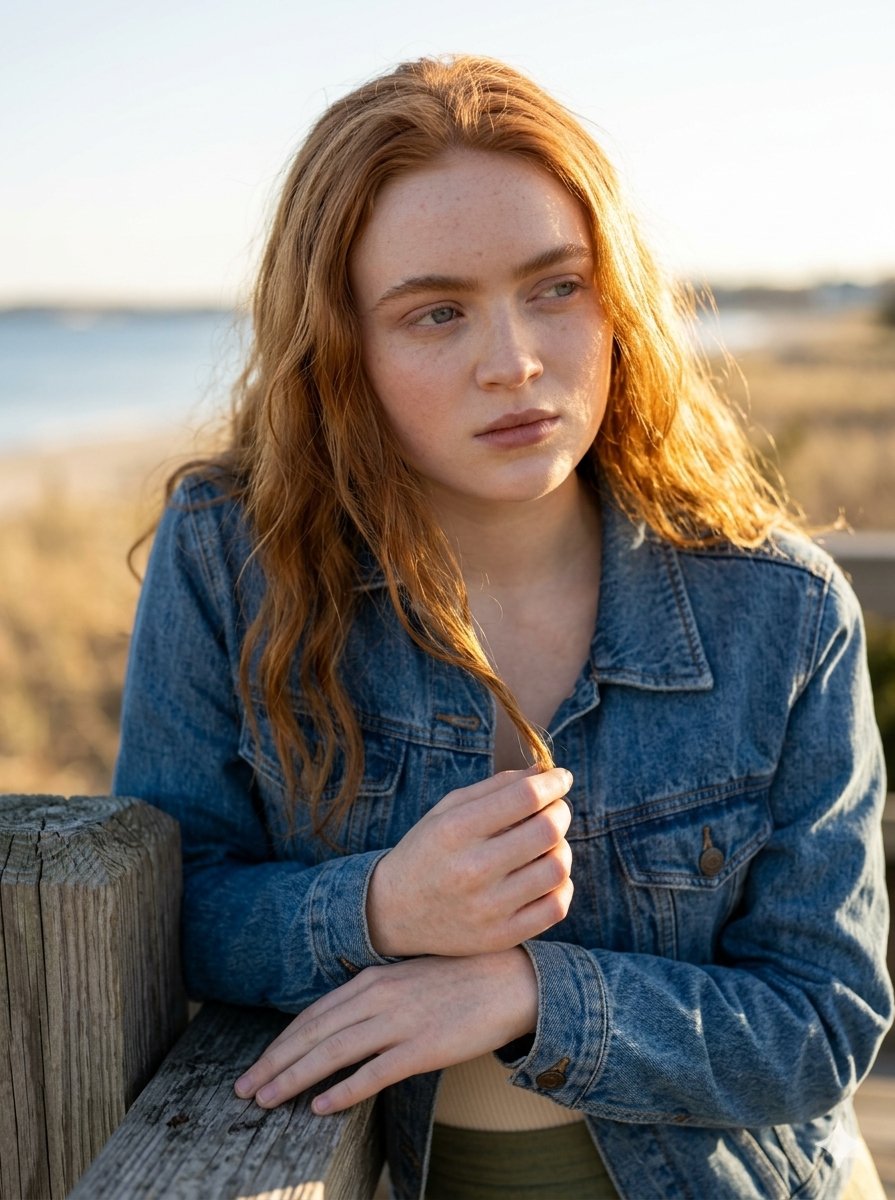
A highly structured JSON prompt for an ultra-realistic beach portrait of Ana de Armas during golden hour. It specifies the camera settings (85mm f/1.8), lighting (natural golden hour sunset), pose (hand on head, hand on hip), and wardrobe (light beige bikini with green trim), focusing on a serene, confident summer aesthetic. (free to use) — Free AI image template on PicX Studio.
{ "meta": { "style": "ultra-realistic beach portrait photography", "quality": "8k high resolution", "camera": "Full-frame DSLR", "lens": "85mm f/1.8 portrait lens", "aperture": "f/2.8", "lighting": "natural golden hour sunset light with soft ambient sky glow", "color_grading": "soft cinematic teal and peach tones", "aspect_ratio": "4:5 vertical", "sharpness": "razor sharp focus on subject, slightly softened background" }, "scene": { "location": "sandy beach shoreline", "environment": "gentle ocean waves rolling in behind subject", "time_of_day": "sunset / early dusk", "sky": "pastel blue sky with subtle pink and lavender sunset hues", "atmosphere": "calm, serene, warm coastal breeze", "background_blur": "moderate shallow depth of field with smooth ocean bokeh" }, "subject": { "gender": "female", "age_range": "mid 20s", "physique": "fit, natural proportions, toned yet soft curves", "skin_tone": "light with natural warm undertones", "skin_texture": "natural skin texture with subtle water sheen", "expression": "gentle confident smile, relaxed and approachable", "eyes": "soft expressive eyes looking directly at camera", "hair": { "color": "dark brown", "style": "long, loose, wet, naturally tousled", "detail": "slightly damp strands resting over shoulders and back" } }, "pose": { "stance": "standing upright on wet sand", "left_hand": "resting naturally on top of head, fingers lightly touching hair", "right_hand": "placed on hip creating confident posture", "body_angle": "slightly angled torso toward camera", "gaze_direction": "direct eye contact with camera" }, "wardrobe": { "outfit_type": "minimal two-piece bikini", "top": { "color": "light beige / off-white", "trim": "green edging", "style": "triangle bikini top with thin straps" }, "bottom": { "color": "light beige / off-white", "trim": "green edging", "style": "low-rise bikini bottom" } }, "composition": { "framing": "mid-thigh up portrait", "focus_priority": "sharp focus on face and upper body", "depth_of_field": "shallow depth for subject isolation", "rule_of_thirds": "subject centered with horizon line slightly above mid-frame", "balance": "symmetrical composition with ocean horizon in background" }, "mood": { "vibe": "fresh, natural, confident summer aesthetic", "emotion": "relaxed, empowered, radiant", "energy": "soft coastal elegance" }, "post_processing": { "retouching": "light professional beauty retouch, preserve natural skin texture", "contrast": "moderate contrast for depth", "highlights": "soft glow on skin highlights", "shadows": "balanced soft shadows", "color_enhancement": "enhanced ocean blues and warm sunset
Use Ana de Armas Golden Hour Beach Portrait to plan an AI image around nano-banana-2 generation. Match the preview's composition first, then personalize the subject, setting, and mood for your own project.
Use the primary action to load the template settings in PicX Studio.
Adjust the subject and creative details for your destination.
Create the image, compare the result with the preview, and refine one variable at a time.
A continuous mix — similar concepts first, woven with same-model prompts and fresh picks from the catalog.
Choose the primary action to open PicX Studio with the available template settings. Review the model and format, personalize the creative direction, and generate when ready.
Yes. You can change the subject, setting, lighting, mood, format, and available model controls before creating your image.
This template is free to open and customize. Generation usage is shown in PicX Studio before you create.
Start with nano-banana-2, which is the model associated with this template. You can compare another compatible model for a different finish.
Follow a topic to a crawlable collection of related PicX Studio templates.
39,155 public templates available. Verified via the PicX Studio public templates API; refreshed hourly.
A continuous mix — similar concepts first, woven with same-model prompts and fresh picks from the catalog.