How do I use the Monochrome Bedroom Candid template?
Choose the primary action to open PicX Studio with the available template settings. Review the model and format, personalize the creative direction, and generate when ready.
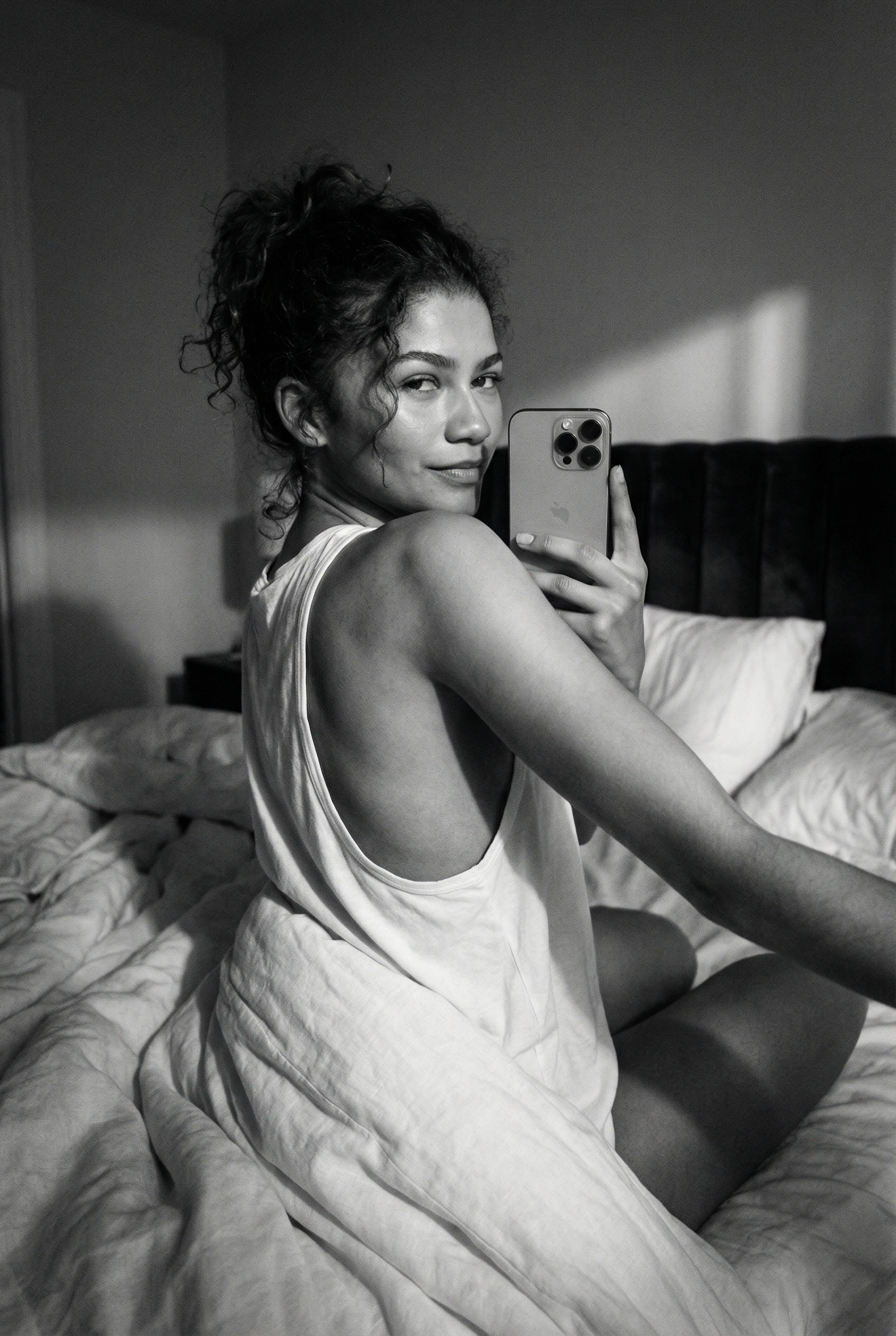


Use the Monochrome Bedroom Candid AI image template on PicX Studio. Free template, no signup required.
{ "meta": { "quality": "ultra-photorealistic, raw film grain, 8k resolution", "camera_model": "iPhone 15 Pro Max, front-facing camera", "lens_spec": "24mm wide-angle, f/1.8 aperture", "aspect_ratio": "9:16", "style_preset": "candid realism, black and white noir", "technical_rules": "monochrome, handheld selfie aesthetic, natural skin texture, no digital smoothing" }, "scene": { "location": "dimly lit bedroom", "time_of_day": "late night", "atmosphere": "intimate, quiet, moody, sensual", "background_elements": ["white pillows", "dark velvet headboard", "crumpled white bedsheets"], "props": ["white cotton duvet", "soft down pillows"] }, "subject": { "identity": { "name_reference": "Margot Robbie", "biometric_details": "classic Hollywood beauty, high cheekbones, defined jawline, bright eyes", "ethnicity_age": "Caucasian, early 30s" }, "physical": { "body_type": "slender, toned, graceful posture", "skin_details": "smooth flawless skin, subtle shoulder blades visible", "hair_style": "long tousled honey blonde hair cascading over one shoulder, bedhead waves", "facial_features": "iconic smile, full lips, defined brows, captivating gaze" } }, "wardrobe": { "outfit_description": "oversized white silk camisole slipping off shoulder, partially covered by duvet", "materials": "silk", "footwear": "none", "accessories": ["thin delicate gold chain necklace"] }, "pose_action": { "primary_pose": "lying prone on bed, propped on elbows, looking back at camera", "body_language": "relaxed yet elegant, shoulders back, hair swept to one side", "expression": "knowing smile, confident gaze, slightly playful", "interaction": "holding phone for selfie, intimate eye contact" }, "lighting": { "setup": "low-light, single warm lamp from side", "effects": "dramatic chiaroscuro lighting, soft highlights on cheekbones, deep shadows", "color_grading": "classic black and white with silver tones, rich midtones, cinematic contrast" }, "composition": { "shot_type": "high-angle selfie, medium close-up over the shoulder", "camera_angle": "elevated 30 degrees, intimate proximity", "focus_point": "sharp focus on eyes and face", "depth_of_field": "very shallow, dreamy blur on background" }, "realism_focus": { "textures": ["silk fabric catching light", "hair texture", "skin pores", "cotton sheets"], "imperfections": ["natural skin texture", "organic film grain", "slight lens vignette"] } }
Treat Monochrome Bedroom Candid as a focused AI image concept rather than a finished brief. Read the preview for composition, choose the intended destination, and then personalize one creative variable at a time.
Use the primary action to load the template settings in PicX Studio.
Adjust the subject and creative details for your destination.
Create the image, compare the result with the preview, and refine one variable at a time.
A continuous mix — similar concepts first, woven with same-model prompts and fresh picks from the catalog.
Choose the primary action to open PicX Studio with the available template settings. Review the model and format, personalize the creative direction, and generate when ready.
Yes. You can change the subject, setting, lighting, mood, format, and available model controls before creating your image.
This template is free to open and customize. Generation usage is shown in PicX Studio before you create.
Choose a compatible model in PicX Studio based on the style, speed, and output controls your project needs.
A continuous mix — similar concepts first, woven with same-model prompts and fresh picks from the catalog.
Follow a topic to a crawlable collection of related PicX Studio templates.
32,032 public templates available. Verified via the PicX Studio public templates API; refreshed hourly.


