How do I use the Ultra-Realistic Cowgirl Portrait Prompt template?
Choose the primary action to open PicX Studio with the available template settings. Review the model and format, personalize the creative direction, and generate when ready.
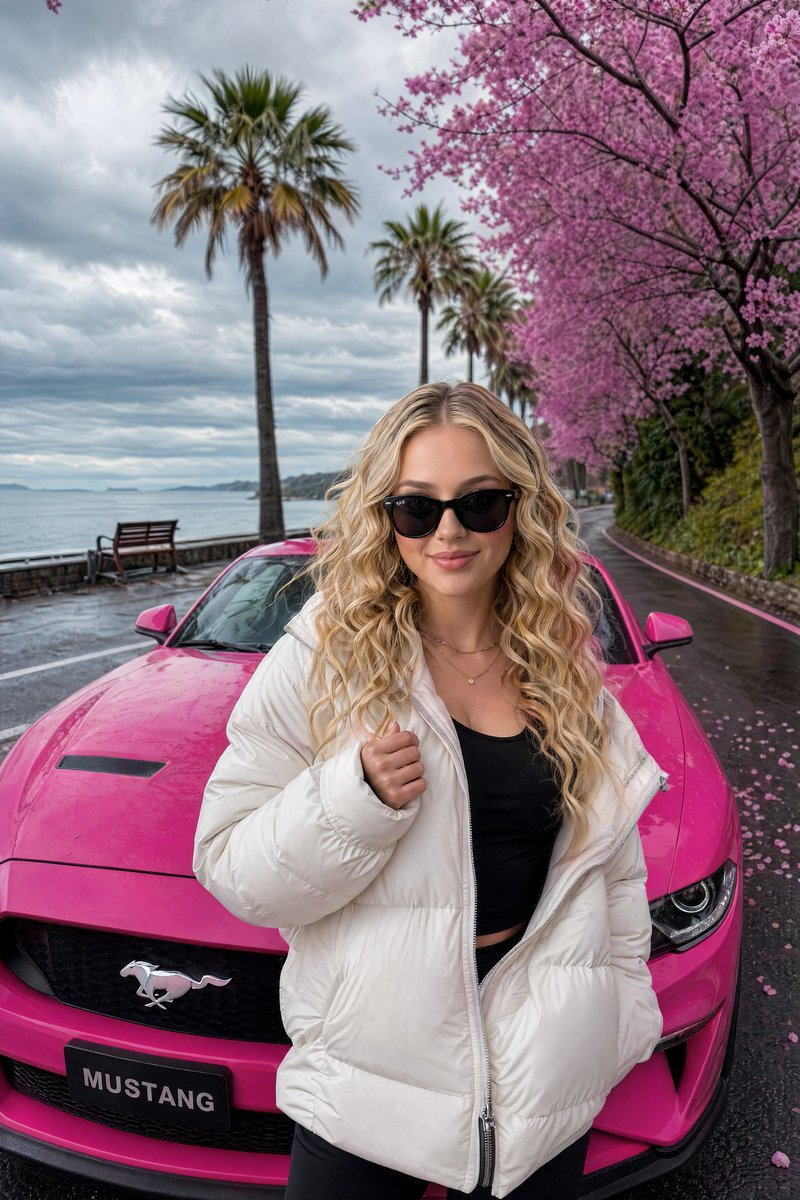
A detailed prompt for generating an ultra-realistic 8K portrait of a young girl with light blonde hair and a denim cowboy hat, set in a fast-food cafe environment with palm trees, capturing a cheerful, blinking pose. Change the subject, setting, or lighting one variable at a time.

Girl: {argument name="Age" default="19 years old"} Hair: Very light blonde Skin: Fair Skin: Natural and radiant Makeup: Light freckles, dark peach gloss, natural-looking face makeup Top: White crop top, red collar and sleeve seams, horseshoe symbol on the front of the top Hat: Denim cowboy hat Bottom: Dark blue jeans, skinny jeans, low-waisted Setting: Lunchtime, fast-food style cafes in the background, sidewalk, palm trees, jeep-style cars Girl's Pose: Blinking with one eye, cheerful aura, left hand in the back pocket of her jeans, bottom of the frame ending in the pockets of her jeans. Photo: 8k ultra-realistic, 3:4 aspect ratio
Choose the primary action to open PicX Studio with the available template settings. Review the model and format, personalize the creative direction, and generate when ready.
Yes. You can change the subject, setting, lighting, mood, format, and available model controls before creating your image.
This template is free to open and customize. Generation usage is shown in PicX Studio before you create.
Start with Nano Banana 2, which is the model associated with this template. You can compare another compatible model for a different finish.
Follow a topic to a crawlable collection of related PicX Studio templates.
43,474 public templates available. Verified via the PicX Studio public templates API; refreshed hourly.











![118-google-nano-banana-pro-skincare-product- — A professional skincare shot of a [product container] with [cap/lid], labeled [brand, product, descriptor, volume](/_next/image?url=https%3A%2F%2Fcdn.picxstudio.com%2Fuploads%2Fpost118_img0_332898b8-29ea-42a9-87ab-9ed746a3f944.jpg&w=828&q=100)




![69-untitled — FORMAT: 15s / 145 BPM / 14 SHOTS
SUBJECT: @[image1]
WARDROBE: Clean modern outfit
ENVIRONMENT: Street / indoor transitions
MOOD: Discovery → contr](/_next/image?url=https%3A%2F%2Fcdn.picxstudio.com%2Fuploads%2Fpost69_img0_d45faecf-38c3-4bcb-81a4-f6eb1cf42bb2.jpg&w=828&q=100)






![Naive doodle-style subject illustration — A doodle-style {argument name="subject" default="[subject]"}, naive lines, humorous shape exaggeration](https://pbs.twimg.com/media/G6Wl2YxbsAARB2b.jpg)