
Cyber-Liminal Dream Sequence Triptych
A highly complex, structured prompt for a cinematic widescreen image featuring a glitchcore vaporwave aesthetic presented as a triptych (three distinct frames).
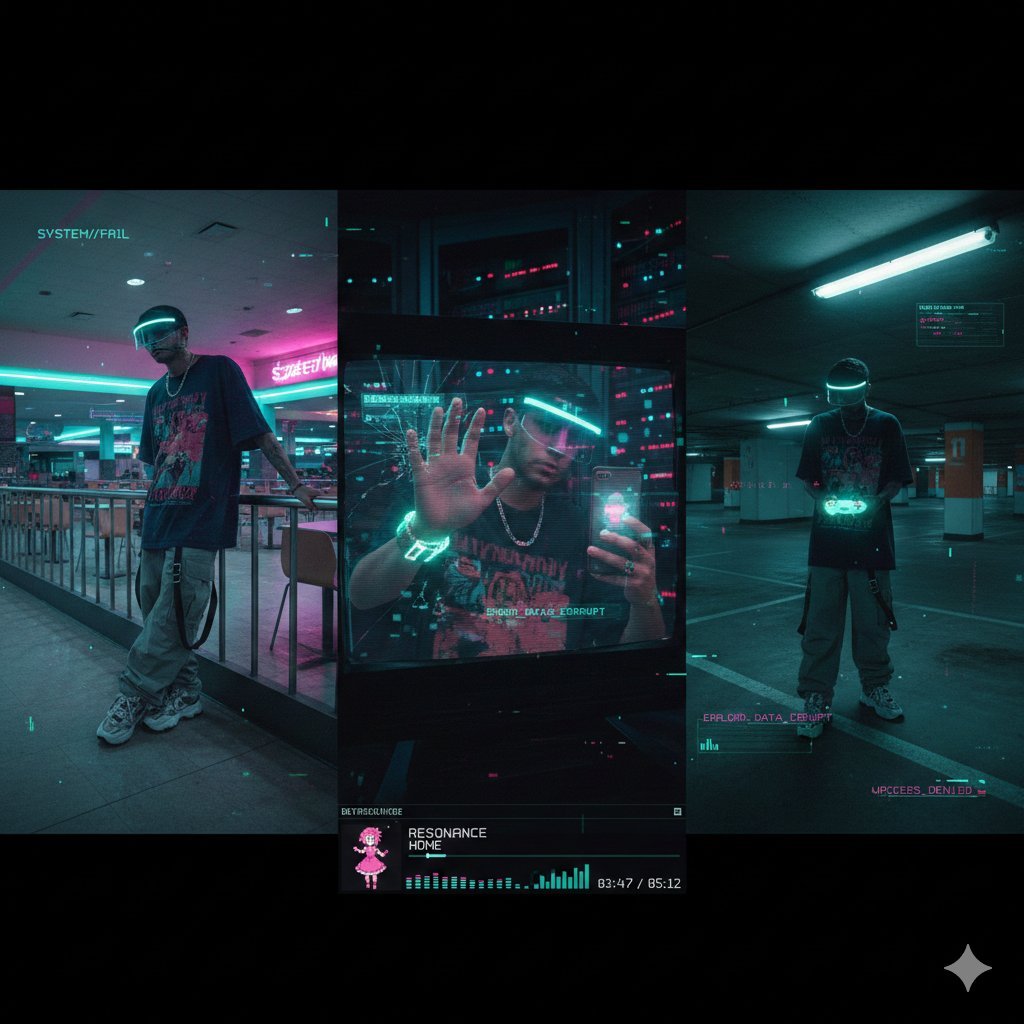
- Prompt included
- Model and format preset
- Premium template
The prompt behind this image
Copy the exact prompt behind Cyber-Liminal Dream Sequence Triptych, or open it in the studio and make it yours.
- Project Title
- Cyber-Liminal Dream Sequence
- Aspect Ratio
- 2.35:1 (cinematic widescreen)
- Aesthetic Theme › Style
- Glitchcore vaporwave triptych
- Aesthetic Theme › Mood
- Solitary digital nostalgia
- Aesthetic Theme › Color Palette
- Teal and magenta gradients, Mint greens, Off-whites, Deep indigo shadows
- Aesthetic Theme › Textures
- CRT screen static, Glossy plastic, Faux marble, Pixelated dithering
- Subject Outfit › Core
- Oversized vintage tech tee (obscure anime graphic), baggy cargos with utility straps, chunky sneakers
- Subject Outfit › Accessories
- Transparent visor with LED rim, silver chain necklace
- Subject Outfit › Tech
- Holographic flip phone, coiled wrist gadget
- Composition Layout › Frame 1 Left › Type
- Low-angle shot in empty mall food court
- Composition Layout › Frame 1 Left › Pose
- Leaning on neon-lit railing, looking away
- Composition Layout › Frame 1 Left › Visual Effects
- Scanlines, VHS bleed, chromatic aberration
- Composition Layout › Frame 2 Center › Type
- Mid-shot reflection in broken monitor screen
- Composition Layout › Frame 2 Center › Setting
- Dark server room with blinking lights
- Composition Layout › Frame 2 Center › Pose
- One hand touching screen, distorted reflection
- Composition Layout › Frame 2 Center › Visual Effects
- Data-moshing, fragmented geometry overlay
- Composition Layout › Frame 3 Right › Type
- Dutch angle in empty parking garage
- Composition Layout › Frame 3 Right › Lighting
- Flickering fluorescent tubes
- Composition Layout › Frame 3 Right › Props
- Holding translucent game controller
- Composition Layout › Frame 3 Right › Overlays
- Floating UI elements, low-poly wireframe grids
- Ui Elements › Player Ui › Style
- Late-90s multimedia player skin
- Ui Elements › Player Ui › Content
- “RESONANCE” by HOME
- Ui Elements › Player Ui › Features
- Virtual dancing anime mascot, equalizer bars, track time in pixel font
- Ui Elements › Graphics
- Glitch transitions between frames, corrupted text fragments, 'ERROR' pop-ups
Raw JSON
{
  "project_title": "Cyber-Liminal Dream Sequence",
  "aspect_ratio": "2.35:1 (cinematic widescreen)",
  "aesthetic_theme": {
    "style": "Glitchcore vaporwave triptych",
    "mood": "Solitary digital nostalgia",
    "color_palette": [
      "Teal and magenta gradients",
      "Mint greens",
      "Off-whites",
      "Deep indigo shadows"
    ],
    "textures": [
      "CRT screen static",
      "Glossy plastic",
      "Faux marble",
      "Pixelated dithering"
    ]
  },
  "subject_outfit": {
    "core": "Oversized vintage tech tee (obscure anime graphic), baggy cargos with utility straps, chunky sneakers",
    "accessories": "Transparent visor with LED rim, silver chain necklace",
    "tech": "Holographic flip phone, coiled wrist gadget"
  },
  "composition_layout": {
    "frame_1_left": {
      "type": "Low-angle shot in empty mall food court",
      "pose": "Leaning on neon-lit railing, looking away",
      "visual_effects": "Scanlines, VHS bleed, chromatic aberration"
    },
    "frame_2_center": {
      "type": "Mid-shot reflection in broken monitor screen",
      "setting": "Dark server room with blinking lights",
      "pose": "One hand touching screen, distorted reflection",
      "visual_effects": "Data-moshing, fragmented geometry overlay"
    },
    "frame_3_right": {
      "type": "Dutch angle in empty parking garage",
      "lighting": "Flickering fluorescent tubes",
      "props": "Holding translucent game controller",
      "overlays": "Floating UI elements, low-poly wireframe grids"
    }
  },
  "ui_elements": {
    "player_ui": {
      "style": "Late-90s multimedia player skin",
      "content": "“RESONANCE” by HOME",
      "features": "Virtual dancing anime mascot, equalizer bars, track time in pixel font"
    },
    "graphics": "Glitch transitions between frames, corrupted text fragments, 'ERROR' pop-ups"
  },
  "negative_constraints": [
    "Natural landscapes",
    "Modern UI (flat design)",
    "Human faces fully visible",
    "Grunge textures",
    "Warm lighting",
    "Organic shapes"
  ]
}How to use Cyber-Liminal Dream Sequence Triptych in 3 steps
- 1
Open
The prompt is already in the box next to the preview, with the template's model and format selected.
- 2…a portrait of your subject in softgolden-hour light, 85mm…
Personalize
Edit the subject and creative details for your destination.
- 3Generate
Generate
Press Generate — your image is created in PicX Studio, so you can compare it with the original and refine one variable at a time.
More like this
Templates with the same subject, style or setup. Open one to see its prompt.
High-Fashion Editorial Studio Portrait Triptych

Night City Bridge Triptych Portrait Session
Night City Bridge Triptych Portrait Session
Ethereal Dream Editorial Through Fabric Portrait
Japanese Samurai Ukiyo-e Triptych
Cosmic Mural Studio Portrait Sequence

Cyber Samurai Empress Portrait
Rainy Street Triptych Portrait
Airport Triptych Eye Reflection
Cyber Demon Maid Katana
Anime Girl Inside Iridescent Dream Droplet
Anime Steel Dream Cover
Make it yours
Cyber-Liminal Dream Sequence Triptych works as-is. These are the safest ways to change it without losing the look.
Swap the setting
Keep the rest of the prompt and replace the location block. The current setting is “Dark server room with blinking lights”.
Swap the light
One lighting change is enough to compare takes. Current light: “Flickering fluorescent tubes”.
Change one field
Copy a single group, rewrite it, and generate again so you can see what that field is doing.
| If the result… | Why | Fix |
|---|---|---|
| The result drifts from the preview | Too many fields changed at once. | Reuse Cyber-Liminal Dream Sequence Triptych as-is first, then change one group — subject, light, or setting. |
| Nano Banana 2 ignores part of the JSON | Some models flatten or skip nested keys. | Keep the same values and paste them as a short paragraph instead. |
More Nano Banana 2 templates
Other prompts made for Nano Banana 2.

Photorealistic Leaf Shaped Like a Dragon

K-Pop Idol Portrait Grid for Rapid Selection

Poetic Rain Forest Portrait During Golden Hour

Urban Street Portrait with Cartoon Inner Self Duo

Candid Nighttime Photo with Cat Prompt

High-Concept 3D Diorama Generation Prompt

Cinematic Futuristic Studio Portrait Template

Skincare Editorial Photography Collage Prompt

Hyper-Realistic Commercial Product Photography (Splash Effect)

Hyper-Realistic Nightclub Portrait Prompt
More image prompts
Fresh picks from across the catalog.

3D Product Box Dieline Visualization
Good Night Nano Banana Pro
Surreal Memory Scene
Photorealistic Portrait with Kandinsky Wall and Cat Prompt
Vintage Fujifilm Film Portrait

Japanese Wagashi Inspired by Counter Sniping
Oriental Aesthetic Poster Design
Minimal Isometric 3D Perspective
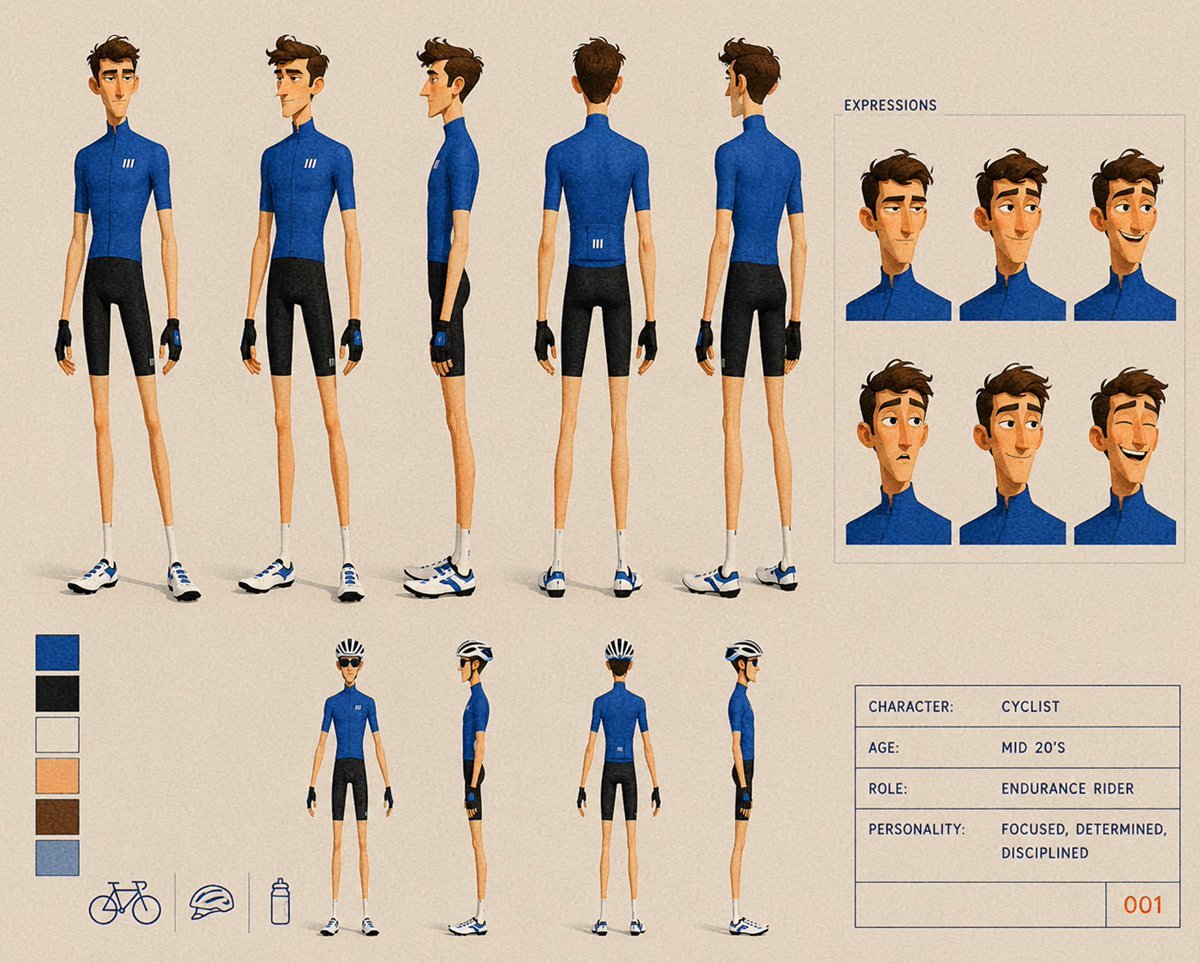
Cyclist Character Design Sheet

Three Japanese Note GPT Cover Proposals
Browse template categories
Cyber-Liminal Dream Sequence Triptych questions
How do I use the Cyber-Liminal Dream Sequence Triptych template?
Add your photo if the template asks for one, edit the prompt if you like — the template's model and format are already selected — and press Generate. Your version opens in PicX Studio.
Can I customize the Cyber-Liminal Dream Sequence Triptych template?
Yes. You can change the subject, setting, lighting, mood, format, and available model controls before creating your image.
Is the Cyber-Liminal Dream Sequence Triptych template free?
Opening and editing this template is free. Generating uses credits, shown on the Generate button when you are signed in.
Which AI model should I use?
Start with Nano Banana 2, which is the model associated with this template. You can compare another compatible model for a different finish.
Looking for something else? Browse all templates.

Your photo, any look
Thousands of ready templates for every top image and video model, from one credit balance.