
Cinematic Anime/Reality Action Blend Prompt
A highly technical, structured prompt for Nano Banana Pro designed to blend a photorealistic live-action person (from a reference image) with a cel-shaded anime character in a single cinematic frame.
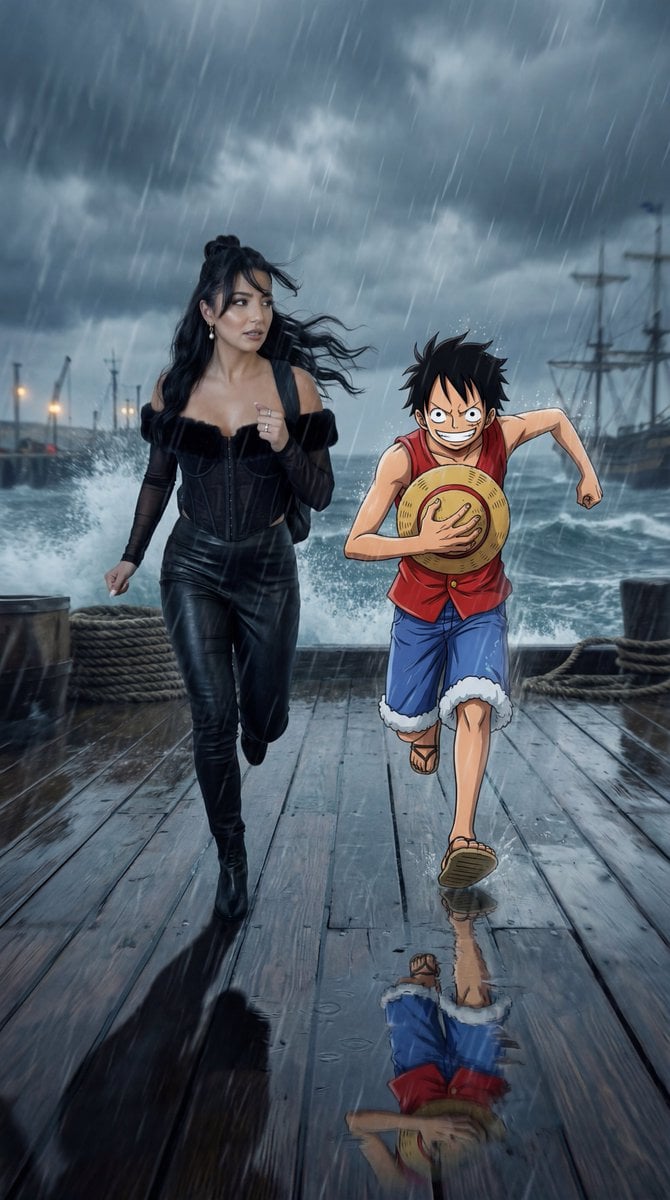
- Prompt included
- Model and format preset
- Premium template
The prompt behind this image
Copy the exact prompt behind Cinematic Anime/Reality Action Blend Prompt, or open it in the studio and make it yours.
{ "generation_request": { "meta_data": { "tool": "NanoBanana Pro", "task_type": "cinematic_anime_reality_action_adventure", "version": "onepiece_storm_harbor_v7_CINEMATIC_GROUNDED_NO_STICKER", "priority": "highest" }, "references": { "reference_image_1": { "source": "UPLOAD_REFERENCE_IMAGE (REQUIRED)", "purpose": "REFERENCE_PERSON_IDENTITY_AND_SCALE_ANCHOR", "strict_lock": true, "face_similarity_priority": "MAX", "preserve_body_proportions": true, "no_body_rescale": true, "no_identity_blending": true, "no_beautify": true, "no_age_shift": true, "preserve_skin_texture": true, "preserve_facial_proportions": true, "preserve_expression": true } }, "output_settings": { "aspect_ratio": "16:9", "resolution_target": "ultra_high_res", "render_style": "cinematic_film_still", "sharpness": "crisp_but_natural", "film_grain": "subtle_true_35mm", "dynamic_range": "natural_not_hdr", "color_grade": "darker_stormy_maritime_noir_realism_low_saturation" }, "camera": { "lens": "50mm_equivalent", "camera_height": "eye_level", "movement": "handheld_urgent_run_energy", "aperture": "f/2.8", "shutter_speed": "1/800", "iso": 800, "white_balance": "cool_4600K", "exposure_bias": "-0.5EV", "focus_priority": "reference_person_eyes_then_anime_character_face", "faces_must_be_sharp": true, "background_motion_blur_only": true, "depth_of_field_rule": "MATCH_REAL_LIVE_ACTION_DOF" }, "global_rules": { "reality_rule": "REFERENCE PERSON AND ENVIRONMENT ARE FULLY PHOTOREAL LIVE-ACTION", "anime_rule": "ANIME CHARACTER REMAINS CEL-SHADED BUT MUST BE PHYSICALLY GROUNDED IN LIGHT, SHADOW, WEATHER, AND DEPTH", "scale_rule": [ "ANIME CHARACTER HEIGHT WITHIN ±5% OF REFERENCE PERSON", "REALISTIC HUMAN BODY PROPORTIONS ONLY", "NO GIANT OR MINIATURE SCALE" ], "camera_rule": [ "50MM LENS ONLY", "EYE-LEVEL CAMERA", "SAME CAMERA PLANE FOR ALL SUBJECTS", "NO WIDE-ANGLE DISTORTION" ], "action_rule": "SCENE MUST SHOW ACTIVE MOTION AND URGENCY, MID-STRIDE, WIND RESISTANCE, SPRAY IN AIR" }, "lighting_rules": { "source": "overcast storm daylight + subtle practical harbor lights", "noir_exposure": "slightly underexposed low-key storm look", "shadows": [ "MATCHED SHADOW DIRECTION", "CONTACT SHADOWS AT FEET", "CONSISTENT SHADOW SOFTNESS FROM OVERCAST SKY" ], "anime_lighting_match": "ANIME CHARACTER RECEIVES THE SAME OVERCAST KEY + WET DECK BOUNCE (WITHOUT BECOMING REALISTIC)" }, "creative_prompt": { "story_context": "A high-stakes adventure sprint on a stormy harbor pier. Wind and sea spray whip across the frame. The referen" } }
How to use Cinematic Anime/Reality Action Blend Prompt in 3 steps
- 1
Open
The prompt is already in the box next to the preview, with the template's model and format selected.
- 2…a portrait of your subject in softgolden-hour light, 85mm…
Personalize
Edit the subject and creative details for your destination.
- 3Generate
Generate
Press Generate — your image is created in PicX Studio, so you can compare it with the original and refine one variable at a time.
More like this
Templates with the same subject, style or setup. Open one to see its prompt.










Make it yours
Cinematic Anime/Reality Action Blend Prompt works as-is. These are the safest ways to change it without losing the look.
Change one field
Copy a single group, rewrite it, and generate again so you can see what that field is doing.
Keep the frame, change the subject
Hold the composition and light of Cinematic Anime/Reality Action Blend Prompt, then swap wardrobe, props or the person for a new take.
| If the result… | Why | Fix |
|---|---|---|
| The result drifts from the preview | Too many fields changed at once. | Reuse Cinematic Anime/Reality Action Blend Prompt as-is first, then change one group — subject, light, or setting. |
| The model over-stylizes the scene | The prose prompt leaves finish and camera underspecified. | Add one camera or lighting sentence and stay on Nano Banana 2. |
More Nano Banana 2 templates
Other prompts made for Nano Banana 2.

Photorealistic Leaf Shaped Like a Dragon

K-Pop Idol Portrait Grid for Rapid Selection

Poetic Rain Forest Portrait During Golden Hour

Urban Street Portrait with Cartoon Inner Self Duo

Candid Nighttime Photo with Cat Prompt

High-Concept 3D Diorama Generation Prompt

Cinematic Futuristic Studio Portrait Template

Skincare Editorial Photography Collage Prompt

Hyper-Realistic Commercial Product Photography (Splash Effect)

Hyper-Realistic Nightclub Portrait Prompt
More image prompts
Fresh picks from across the catalog.
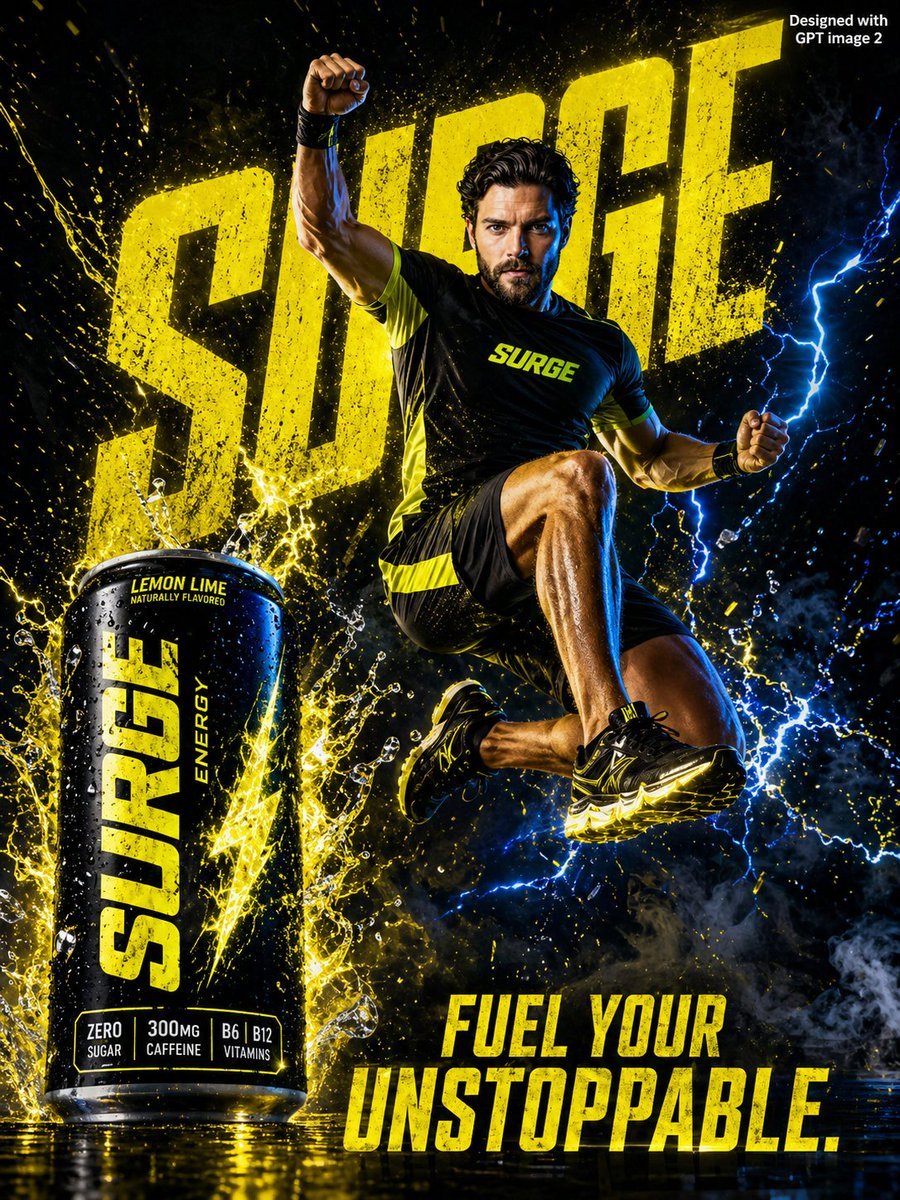
Energy Drink Advertising Poster
Scandinavian Minimalist Café Illustration
Lego Store Candid Lifestyle Photo Prompt
Minimal Anti-Itch Cream Poster

Nano Banana Pro Image Generation Refusal Analysis (Freepik Example)
Winamp-style software screenshot prompt
Surreal Conceptual Overthinking Illustration
Neon Studio Fitness Influencer
Hyper-Realistic Red Bull Can Ice Explosion Commercial
Retro Xi'an Roujiamo Food Poster
Browse template categories
Cinematic Anime/Reality Action Blend Prompt questions
How do I use the Cinematic Anime/Reality Action Blend Prompt template?
Add your photo if the template asks for one, edit the prompt if you like — the template's model and format are already selected — and press Generate. Your version opens in PicX Studio.
Can I customize the Cinematic Anime/Reality Action Blend Prompt template?
Yes. You can change the subject, setting, lighting, mood, format, and available model controls before creating your image.
Is the Cinematic Anime/Reality Action Blend Prompt template free?
Opening and editing this template is free. Generating uses credits, shown on the Generate button when you are signed in.
Which AI model should I use?
Start with Nano Banana 2, which is the model associated with this template. You can compare another compatible model for a different finish.
Looking for something else? Browse all templates.

Your photo, any look
Thousands of ready templates for every top image and video model, from one credit balance.