How do I use the Luxury Monochrome Couple Portrait Prompt template?
Choose the primary action to open PicX Studio with the available template settings. Review the model and format, personalize the creative direction, and generate when ready.
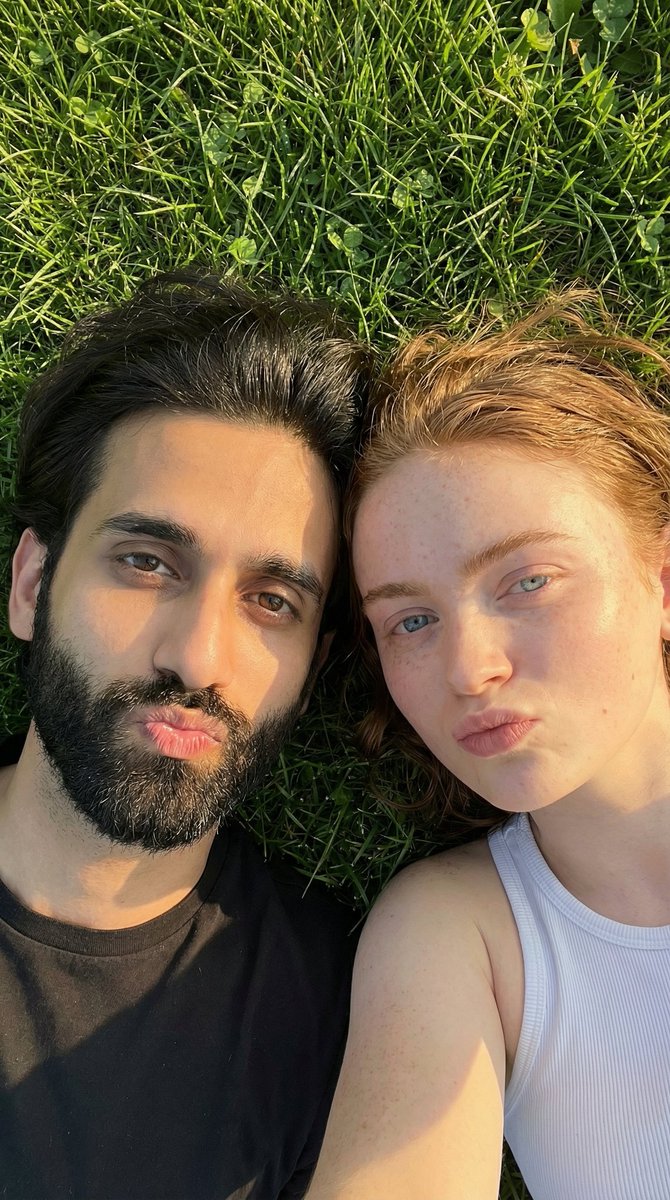
A highly detailed image generation prompt for Nano Banana Pro, designed to create a photorealistic, luxury-themed portrait of a couple at night. It requires two reference images for identity preservation and specifies monochrome black outfits (faux fur, sequins, tailored wear) set against an upscale city street background with warm architectural lighting. (free to use) — Free AI image template on PicX Studio.
{ "reference_images": { "female_reference": "Reference photo of the woman (face, hair, proportions, skin tone preserved)", "male_reference": "Reference photo of the man (face, hair, proportions, skin tone preserved)" }, "subjects": [ { "role": "female", "description": "Young woman based on reference image, long wavy jet-black hair.", "pose": "Standing close to the male partner, facing the camera, slight elegant smile, arms relaxed and natural.", "expression": "Soft, confident, and engaging.", "makeup": "Classic black smoky eye makeup, softly contoured cheeks, natural satin skin finish, nude/rose lip.", "styling_notes": [ "Elegant, tasteful cleavage (not deep, not provocative)", "Refined luxury mood" ] }, { "role": "male", "description": "Young man based on reference image, well-groomed jet-black hair.", "pose": "Standing next to the female partner, relaxed confident posture, one arm subtly close to her (non-posing, natural).", "expression": "Calm, confident, subtly charismatic.", "grooming": "Clean-shaven or light stubble, natural skin texture.", "styling_notes": [ "Masculine elegance", "Refined luxury mood" ] } ], "outfits": { "female": { "top": "Elegant black blouse with a tasteful neckline: sweetheart neckline or soft V-neck (moderate depth), structured bust seams.", "outerwear": "Large plush black faux fur coat worn off the shoulders, draped around the elbows.", "bottoms": "Black sequined trousers or black sequined skirt, partially visible.", "accessories": "Small black clutch handbag held in hand.", "jewelry": [ "Black diamond heart-shaped pendant necklace on a delicate chain" ] }, "male": { "top": "Black tailored shirt or fine-knit black turtleneck, fitted but elegant.", "outerwear": "Luxury black wool overcoat or black faux fur coat worn open.", "bottoms": "Black tailored trousers.", "accessories": "Minimal black leather card holder or clutch.", "jewelry": [ "Minimal black diamond or onyx pendant necklace" ] }, "color_rule": "All clothing and accessories are black (monochrome black-on-black styling)." }, "environment": { "location": "Upscale city street at night (London implied by Union Jack flags).", "background_elements": [ "Grand building entrance with large stone columns", "Union Jack flags on the facade", "Ornate black metal gate", "Large green hedge with warm white fairy lights", "Parked black luxury car (Rolls-Royce style)", "City streetlights and blurred pedestrians in the distance" ] }, "lighting": { "type": "Nighttime ambient city lighting", "qualities": "Warm architectural and fairy lights mixed with cool street lighting, clean subject illumination, na" } }
Use Luxury Monochrome Couple Portrait Prompt to plan an AI image around nano-banana-2 generation. Match the preview's composition first, then personalize the subject, setting, and mood for your own project.
Use the primary action to load the template settings in PicX Studio.
Adjust the subject and creative details for your destination.
Create the image, compare the result with the preview, and refine one variable at a time.
A continuous mix — similar concepts first, woven with same-model prompts and fresh picks from the catalog.
Choose the primary action to open PicX Studio with the available template settings. Review the model and format, personalize the creative direction, and generate when ready.
Yes. You can change the subject, setting, lighting, mood, format, and available model controls before creating your image.
This template is free to open and customize. Generation usage is shown in PicX Studio before you create.
Start with nano-banana-2, which is the model associated with this template. You can compare another compatible model for a different finish.
Follow a topic to a crawlable collection of related PicX Studio templates.
39,155 public templates available. Verified via the PicX Studio public templates API; refreshed hourly.
A continuous mix — similar concepts first, woven with same-model prompts and fresh picks from the catalog.