How do I use the Cozy Winter Selfie Prompt with Fireplace template?
Choose the primary action to open PicX Studio with the available template settings. Review the model and format, personalize the creative direction, and generate when ready.
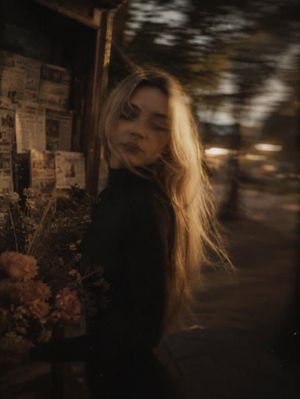
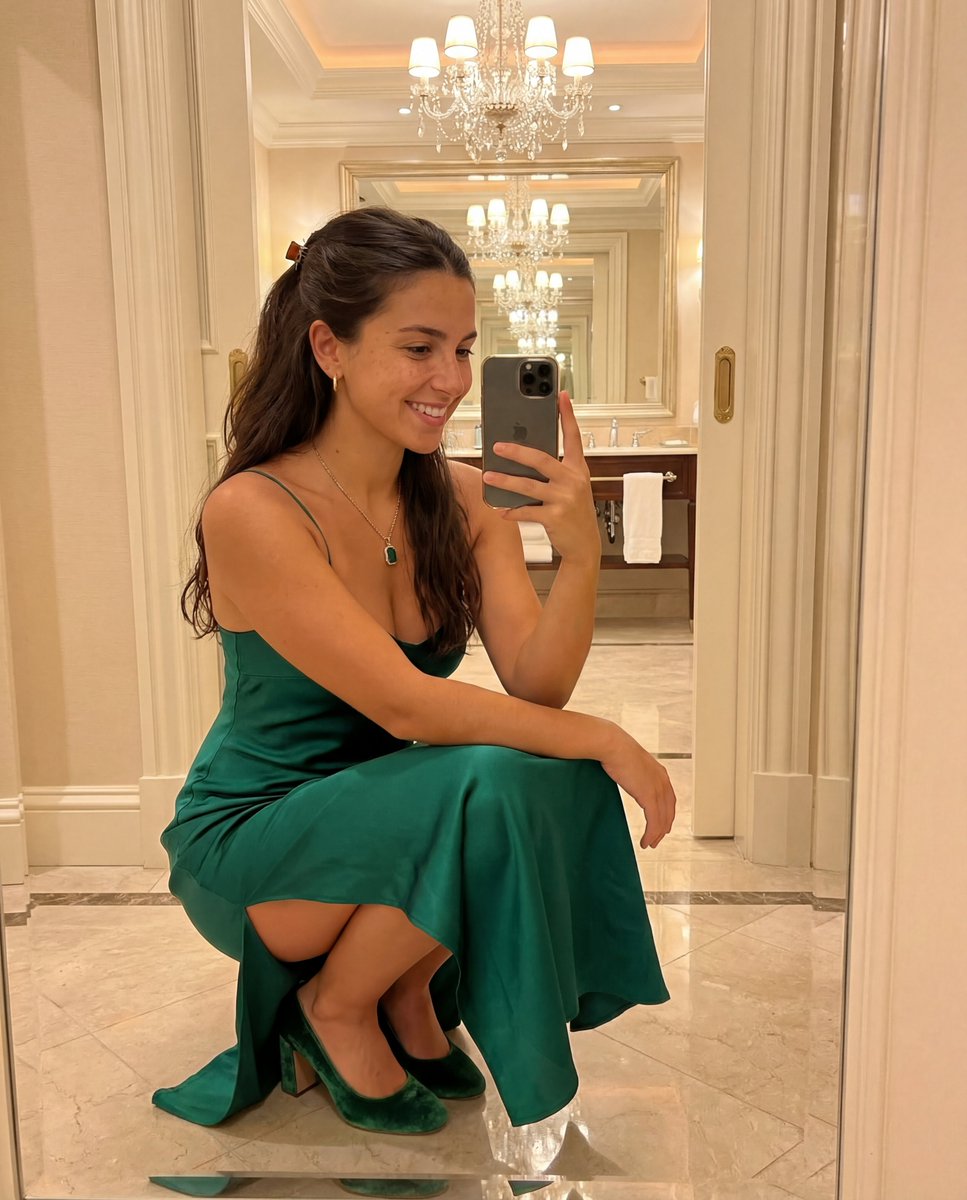
A prompt for generating a selfie-style image of a woman sitting on the floor in a cozy, dimly lit living room. She is wearing an off-the-shoulder cream cable-knit sweater dress, with a gas fireplace and a white faux fur rug visible in the background. The prompt specifies a high-angle shot and a mix of warm fire glow and harsh on-camera flash, aiming for an early 2000s digital camera aesthetic. (free to use) — Free AI image template on PicX Studio.
{ "prompt_structure": { "subject": { "demographics": "Young woman, light skin tone with a tan", "hair": "Long, voluminous blonde hair with loose waves, side part", "face": "Hazel eyes, defined eyebrows, winged eyeliner, glossy nude lips, soft contouring", "expression": "Soft, alluring gaze, head tilted slightly to the right" }, "attire": { "garment": "Chunky cream-colored cable-knit sweater dress", "style": "Off-the-shoulder neckline exposing shoulders and collarbone", "details": "Long oversized sleeves, thick textured knit pattern" }, "pose_and_framing": { "type": "Selfie perspective", "arm_placement": "One arm extended toward the lens (holding camera)", "body_position": "Sitting on the floor, legs bent and tucked to the side", "angle": "High-angle shot looking down at the subject" }, "environment": { "setting": "Cozy, dimly lit living room interior", "background_elements": [ "Gas fireplace with {argument name="fire color" default="bright orange flames"} on the left", "White mantelpiece", "Dark window or glass door in the background", "Beige armchair visible in the upper right corner" ], "flooring": "Dark hardwood floor partially covered by a plush {argument name="rug color" default="white faux fur"} rug" }, "technical_specs": { "lighting": "Direct on-camera flash (harsh shadows behind subject) mixed with warm ambient glow from the fire", "aesthetic": "Early 2000s digital camera aesthetic, influencer lifestyle photography, cozy winter evening vibe", "color_palette": "Warm neutrals, cream, orange (fire), dark brown shadows" } } }
Use Cozy Winter Selfie Prompt with Fireplace to plan an AI image around nano-banana-2 generation. Match the preview's composition first, then personalize the subject, setting, and mood for your own project.
Use the primary action to load the template settings in PicX Studio.
Adjust the subject and creative details for your destination.
Create the image, compare the result with the preview, and refine one variable at a time.
A continuous mix — similar concepts first, woven with same-model prompts and fresh picks from the catalog.
Choose the primary action to open PicX Studio with the available template settings. Review the model and format, personalize the creative direction, and generate when ready.
Yes. You can change the subject, setting, lighting, mood, format, and available model controls before creating your image.
This template is free to open and customize. Generation usage is shown in PicX Studio before you create.
Start with nano-banana-2, which is the model associated with this template. You can compare another compatible model for a different finish.
Follow a topic to a crawlable collection of related PicX Studio templates.
39,155 public templates available. Verified via the PicX Studio public templates API; refreshed hourly.
A continuous mix — similar concepts first, woven with same-model prompts and fresh picks from the catalog.