How do I use the Mountain Biker Action Sequence template?
Edit the prompt in the box under the preview — the template's model and format are already selected — and press Generate. Your version appears right on this page.
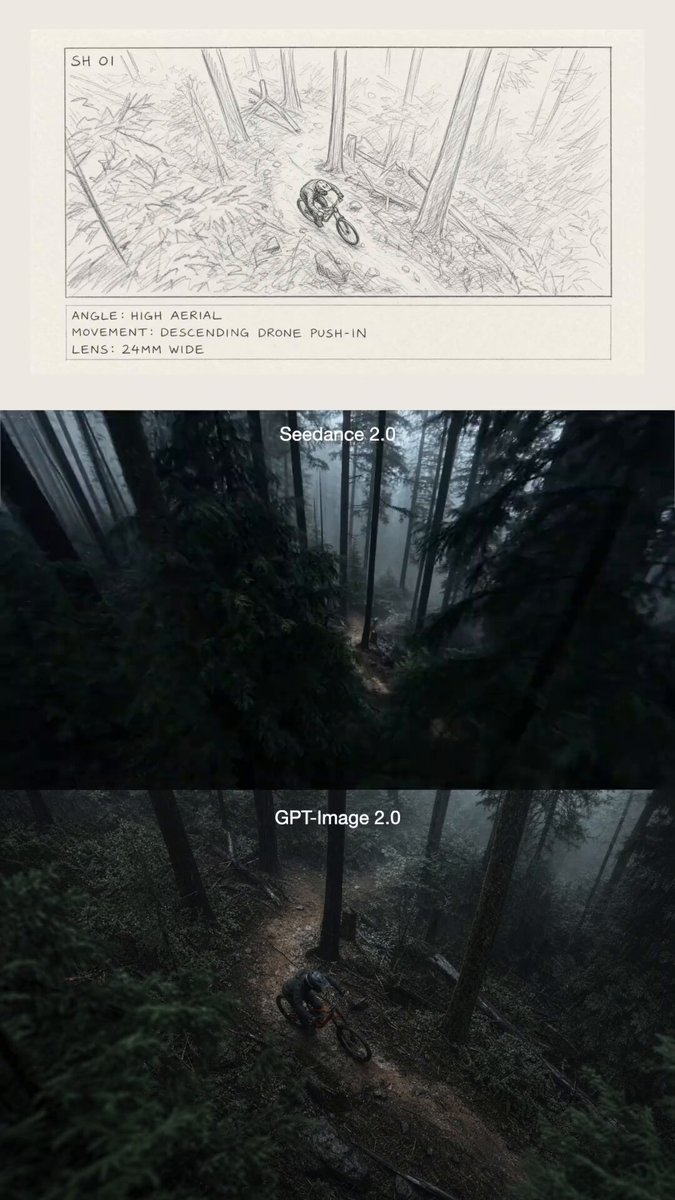
A high-intensity action prompt for a 15-second tracking shot of a mountain biker performing stunts in a dense forest, with specific timing for camera angles and a backflip.
A dynamic 15-second tracking shot follows a skilled female mountain biker racing down a steep, treacherous dirt trail through a dense pine forest. 0–4s: The camera follows closely behind as she speeds downhill, weaving between trees, with slight camera shake emphasizing intensity. Dirt sprays from her tires as she leans into sharp turns. 4–8s: The angle shifts low and to the side, highlighting her control and speed over rugged terrain, sunlight flickering through tall pines. 8–12s: She hits a dirt ramp and launches into the air, performing a massive backflip, silhouetted against a bright sun flare breaking through the forest canopy. 12–15s: She lands smoothly, kicking up dust, and continues her breakneck descent as the camera stabilizes slightly and follows her into the forest.
A dynamic 15-second tracking shot follows a skilled female mountain biker racing down a steep, treacherous dirt trail through a dense pine forest. 0–4s: The camera follows closely behind as she speeds downhill, weaving between trees, with slight camera shake emphasizing intensity. Dirt sprays from her tires as she leans into sharp turns. 4–8s: The angle shifts low and to the side, highlighting her control and speed over rugged terrain, sunlight flickering through tall pines. 8–12s: She hits a dirt ramp and launches into the air, performing a massive backflip, silhouetted against a bright sun flare breaking through the forest canopy. 12–15s: She lands smoothly, kicking up dust, and continues her breakneck descent as the camera stabilizes slightly and follows her into the forest.
Edit the prompt in the box under the preview — the template's model and format are already selected — and press Generate. Your version appears right on this page.
Yes. You can change the subject, setting, lighting, mood, format, and available model controls before creating your video.
Opening and editing this template is free. Generating uses credits, shown on the Generate button when you are signed in.
Start with Seedance 2.0, which is the model associated with this template. You can compare another compatible model for a different finish.
Follow a topic to a crawlable collection of related PicX Studio templates.