
Espionage-Thriller Fight Scene Prompt with Image References
An extremely detailed, multi-shot prompt for generating a high-intensity espionage-thriller fight sequence between two characters, Mei and Dex Rei, using Seedance 2.0.
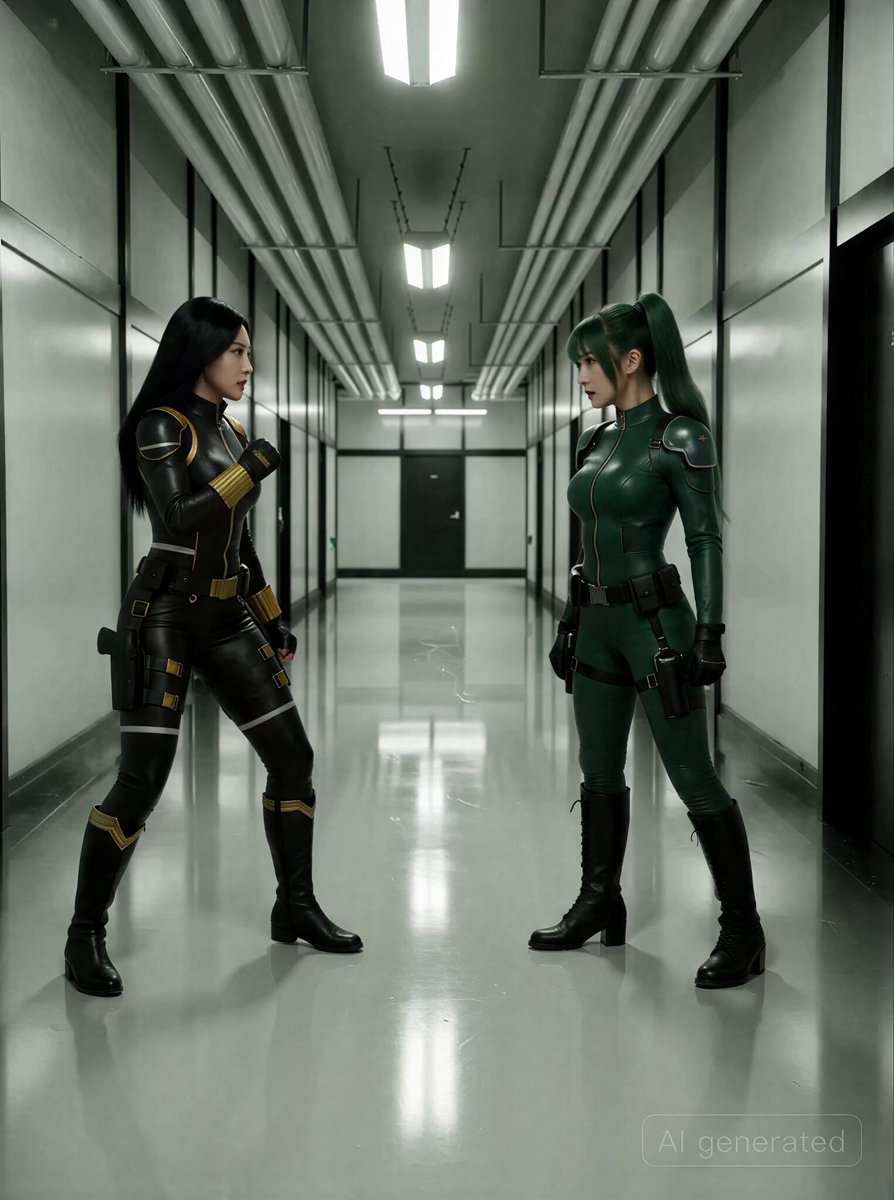
- Prompt included
- Model and format preset
- Premium template
The prompt behind this video
Copy the exact prompt behind Espionage-Thriller Fight Scene Prompt with Image References, or open it in the studio and make it yours.
Mei Tactical suit.png = Mei: East Asian woman, long straight black hair, black leather tactical suit with gold accent piping along collar, shoulders, and wrist cuffs, gold buckle utility belt, dual thigh holsters, black flat-heeled boots with gold chevron trim. Dex Rei Tactical suit.png = Dex Rei: East Asian woman, dark green twin ponytails with blunt-cut bangs, dark green leather tactical suit with black reinforced shoulder pads and knee panels, black utility belt with hip pouch, single thigh holster, black lace-up heeled combat boots, black tactical gloves. Hallway 2.PNG = Hallway environment reference. Style & Mood: Aggressive espionage-thriller intensity dialed higher. Fluorescent tubes flicker under impact vibrations, casting staccato light across polished epoxy floors. Desaturated teal-gray palette, motion blur on extremities during fast rotation, sharp focus snapping to point of contact on every strike. Sweat droplets flung from hair on spinning moves catch the overhead light. Dynamic Description: Handheld medium shot already in motion — Mei drives forward with a rapid three-punch combination, fists cutting the air. Dex Rei weaves back, parries the third strike wide, and fires a roundhouse kick that whips her green ponytails in a wide arc, boot connecting flush with Mei's raised guard. Smash cut to low-angle wide, static — Mei absorbs the impact, slides back half a step on the slick floor, then explodes forward with a spinning back kick, her black hair fanning outward as her heel drives toward Dex Rei's sternum. Cut to high-angle crane shot descending — Dex Rei catches the kick against crossed forearms, the force pushing her boots backward on polished floor, fluorescent reflections streaking beneath her. She redirects Mei's momentum, pivots, and launches a spinning jump kick — her entire body rotating airborne, green suit blurring, boot arcing toward Mei's head. Cut to ECU, static — Mei's hand snaps up, palm catching the incoming boot inches from her temple, fingers gripping leather. Whip-pan to medium handheld tracking — Mei shoves the caught leg away, immediately chains into a leaping roundhouse, her body torquing horizontal mid-air, gold wrist cuffs flashing under fluorescent light. The kick grazes Dex Rei's shoulder as she ducks. Cut to wide stabilized tracking from floor level — Dex Rei drops into a spinning leg sweep across the polished surface, one palm planted. Mei vaults over it, lands, and Dex Rei is already rising with a vertical spinning crescent kick that forces Mei to arch backward, the boot passing centimeters from her chin. Hard cut to medium close-up, handheld — both women snap back to fighting stance simultaneously, chests heaving, green ponytails and black hair still settling from the rotational force. A flicker of mutual acknowledgment passes between them — Dex Rei's smirk, Mei's narrowed eyes — before they surge forward again. Static Descriptio
How to use Espionage-Thriller Fight Scene Prompt with Image References in 3 steps
- 1
Open
The prompt is already in the box next to the preview, with the template's model and format selected.
- 2…a portrait of your subject in softgolden-hour light, 85mm…
Personalize
Edit the subject and creative details for your destination.
- 3Generate
Generate
Press Generate — your video is created in PicX Studio, so you can compare it with the original and refine one variable at a time.
More like this
Templates with the same subject, style or setup. Open one to see its prompt.
Cinematic Istanbul Night Fight - Seedance 2.5
Action Thriller Ninja Fight Scene (i2v)
Swordsman vs Shadow Monster — Bamboo Forest Battle
Rainforest Thriller — Searching the Unseen
Luxury Hotel Thriller Sequence
Psychological Thriller Performance Study

Martial Arts Fight Sequence
Post-Apocalyptic Survival Thriller Prompt
Anamorphic Surreal Thriller Time-Freeze
Arctic Motorcycle Ice Racing Thriller
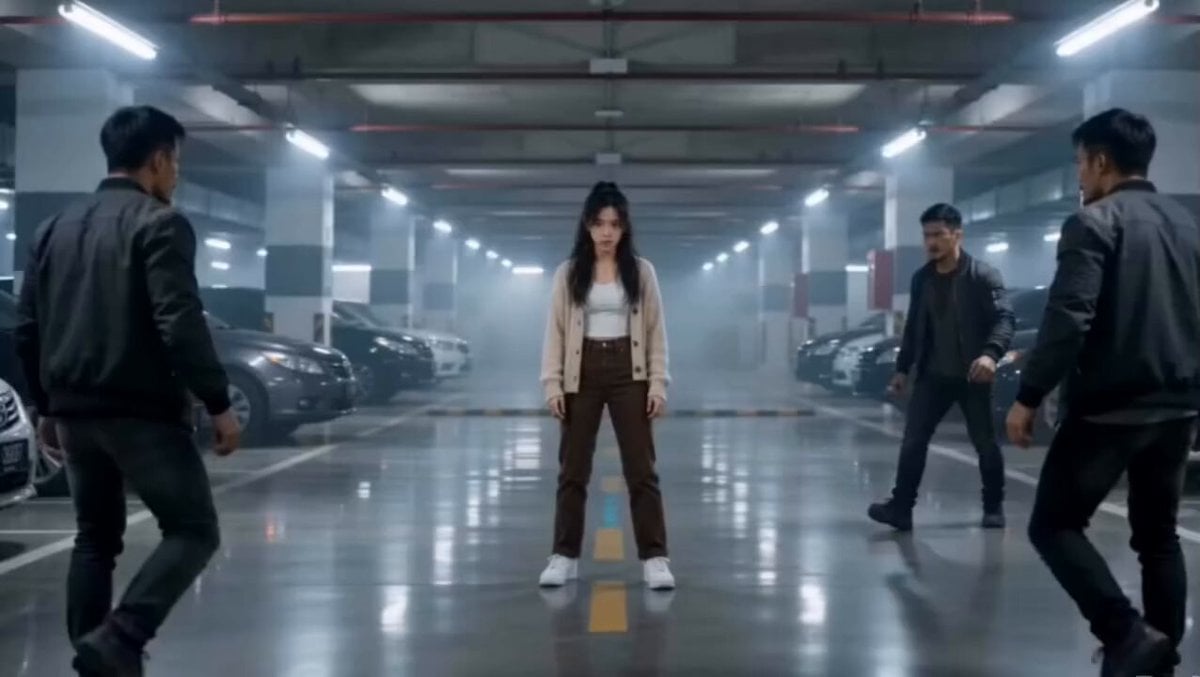
Martial Arts Parking Garage Fight

Psychological Thriller Cinematic Trailer
Make it yours
Espionage-Thriller Fight Scene Prompt with Image References works as-is. These are the safest ways to change it without losing the look.
Change one field
Copy a single group, rewrite it, and generate again so you can see what that field is doing.
Keep the frame, change the subject
Hold the composition and light of Espionage-Thriller Fight Scene Prompt with Image References, then swap wardrobe, props or the person for a new take.
| If the result… | Why | Fix |
|---|---|---|
| The result drifts from the preview | Too many fields changed at once. | Reuse Espionage-Thriller Fight Scene Prompt with Image References as-is first, then change one group — subject, light, or setting. |
| The model over-stylizes the scene | The prose prompt leaves finish and camera underspecified. | Add one camera or lighting sentence and stay on Seedance 2.0. |
More Seedance 2.0 templates
Other prompts made for Seedance 2.0.

Comical Martial Arts Punch Scene

Maglev Train Action Sequence

Wuxia Protection and Trust Script

Vintage Korean Arcade MiniDV Vlog

Mercedes 190 SL Luxury Ad

Rainy Night Supernatural Reverse Comedy Video Script

Amazon Civilization Discovery

Futuristic South Asian City Transformation

Cozy Luxury Cafe Commercial

Cyber Ronin Nanotech Transformation Video
More video prompts
Fresh picks from across the catalog.
Lady Transforms into Cowgirl Video Prompt
Visual Journey Project
VHS Glitch Cyberpunk Girl Video Prompt
Emotional Breakdown and Fabric Interaction - Seedance 2.5

Jane Austen Transformation
Cyberpunk Dynamic Camera Shot
Cinematic Sunrise Mountain Ridge Video
Cinematic 1950s Film Noir Diner Scene
Miniature World Cup Tire Stadium
3D Toon Warrior Combat
Browse template categories
Espionage-Thriller Fight Scene Prompt with Image References questions
How do I use the Espionage-Thriller Fight Scene Prompt with Image References template?
Add your photo if the template asks for one, edit the prompt if you like — the template's model and format are already selected — and press Generate. Your version opens in PicX Studio.
Can I customize the Espionage-Thriller Fight Scene Prompt with Image References template?
Yes. You can change the subject, setting, lighting, mood, format, and available model controls before creating your video.
Is the Espionage-Thriller Fight Scene Prompt with Image References template free?
Opening and editing this template is free. Generating uses credits, shown on the Generate button when you are signed in.
Which AI model should I use?
Start with Seedance 2.0, which is the model associated with this template. You can compare another compatible model for a different finish.
Looking for something else? Browse all templates.

Your photo, any look
Thousands of ready templates for every top image and video model, from one credit balance.