
Rainforest Thriller — Searching the Unseen
Seedance prompt by @umesh_ai — Cinematic 15-second thriller, continuous shot deep inside rain-soaked rainforest at night.
- Prompt included
- Model and format preset
- Free template
The prompt behind this video
Copy the exact prompt behind Rainforest Thriller — Searching the Unseen, or open it in the studio and make it yours.
A cinematic 15-second thriller in one continuous shot set deep inside a rain-soaked rainforest at night, dense jungle dripping with heavy rain, thick rolling fog weaving between giant roots and black tree trunks, flashes of distant lightning briefly revealing impossible shapes in the mist. The camera glides low through wet ferns and tangled vines as if something unseen is moving through the forest with purpose. Every surface gleams with cold moonlit blue and sickly green highlights, water running over leaves, insects suddenly going silent. A lone explorer with a dim lantern pushes through the fog, breathing hard, constantly looking back. The beam catches strange markings carved into trees, then a line of fresh bare footprints filling with rainwater — though no one is there. The camera circles him as the fog tightens like a living wall. Final beat: lightning flashes, and for one frame a towering humanlike figure is standing directly behind him in the rain, motionless, smiling, then gone in darkness.
How to use Rainforest Thriller — Searching the Unseen in 3 steps
- 1
Open
The prompt is already in the box next to the preview, with the template's model and format selected.
- 2…a portrait of your subject in softgolden-hour light, 85mm…
Personalize
Edit the subject and creative details for your destination.
- 3Generate
Generate
Press Generate — your video is created in PicX Studio, so you can compare it with the original and refine one variable at a time.
More like this
Templates with the same subject, style or setup. Open one to see its prompt.

Forest Fantasy Girl Short Film
Midnight Fog Steam Train in Highlands
Porsche 911 GT3 RS Night Racing — Neon City Streets
Tiger vs Gorilla — Jungle Canyon Clash
Asteroid Impact City Destruction
Urban Night Rain Tracking Shot
Amazon Rainforest Horror Monster Encounter

Cinematic Istanbul Night Fight - Seedance 2.5
Late Night Kitchen Phone Recording - Seedance 2.5

Korean Night Market Bullet-Time Scene - Seedance 2.5

Rainy Night Supernatural Reverse Comedy Video Script
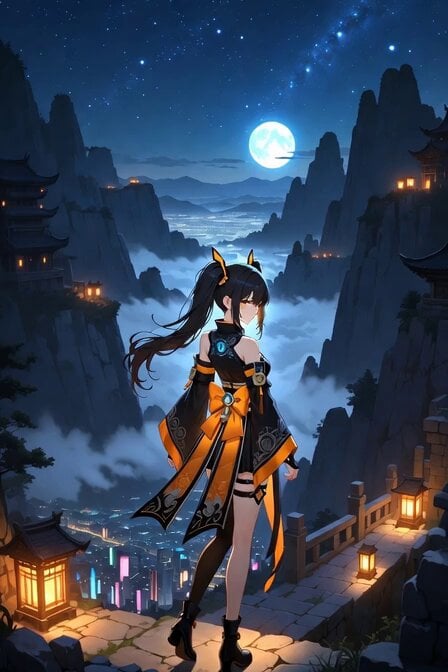
Starry Night Foggy Movement
Make it yours
Rainforest Thriller — Searching the Unseen works as-is. These are the safest ways to change it without losing the look.
Change one field
Copy a single group, rewrite it, and generate again so you can see what that field is doing.
Keep the frame, change the subject
Hold the composition and light of Rainforest Thriller — Searching the Unseen, then swap wardrobe, props or the person for a new take.
| If the result… | Why | Fix |
|---|---|---|
| The result drifts from the preview | Too many fields changed at once. | Reuse Rainforest Thriller — Searching the Unseen as-is first, then change one group — subject, light, or setting. |
| The model over-stylizes the scene | The prose prompt leaves finish and camera underspecified. | Add one camera or lighting sentence and stay on Seedance. |
More Seedance templates
Other prompts made for Seedance.
More video prompts
Fresh picks from across the catalog.
Industrial Gym Fitness Montage

Luxury Skincare Commercial 3D Animation
Cinematic Storyboard Grid Prompt for Seedance 2.0
Shaw Brothers Style Cat Fight Video Prompt

Fantasy Dragon Rider Anime Battle
Soda Commercial Cinematic Scene

Pixel Art Animation Attempt with Seedance 2.0
Historically Accurate Julius Caesar Selfie
Luxury Beauty Brand Success Story Film

Anthropomorphic cat classroom fight sequence
Browse template categories
Rainforest Thriller — Searching the Unseen questions
How do I use the Rainforest Thriller — Searching the Unseen template?
Add your photo if the template asks for one, edit the prompt if you like — the template's model and format are already selected — and press Generate. Your version opens in PicX Studio.
Can I customize the Rainforest Thriller — Searching the Unseen template?
Yes. You can change the subject, setting, lighting, mood, format, and available model controls before creating your video.
Is the Rainforest Thriller — Searching the Unseen template free?
Opening and editing this template is free. Generating uses credits, shown on the Generate button when you are signed in.
Which AI model should I use?
Start with Seedance, which is the model associated with this template. You can compare another compatible model for a different finish.
Looking for something else? Browse all templates.

Your photo, any look
Thousands of ready templates for every top image and video model, from one credit balance.