How do I use the Anthropomorphic cat classroom fight sequence template?
Edit the prompt in the box under the preview — the template's model and format are already selected — and press Generate. Your version appears right on this page.
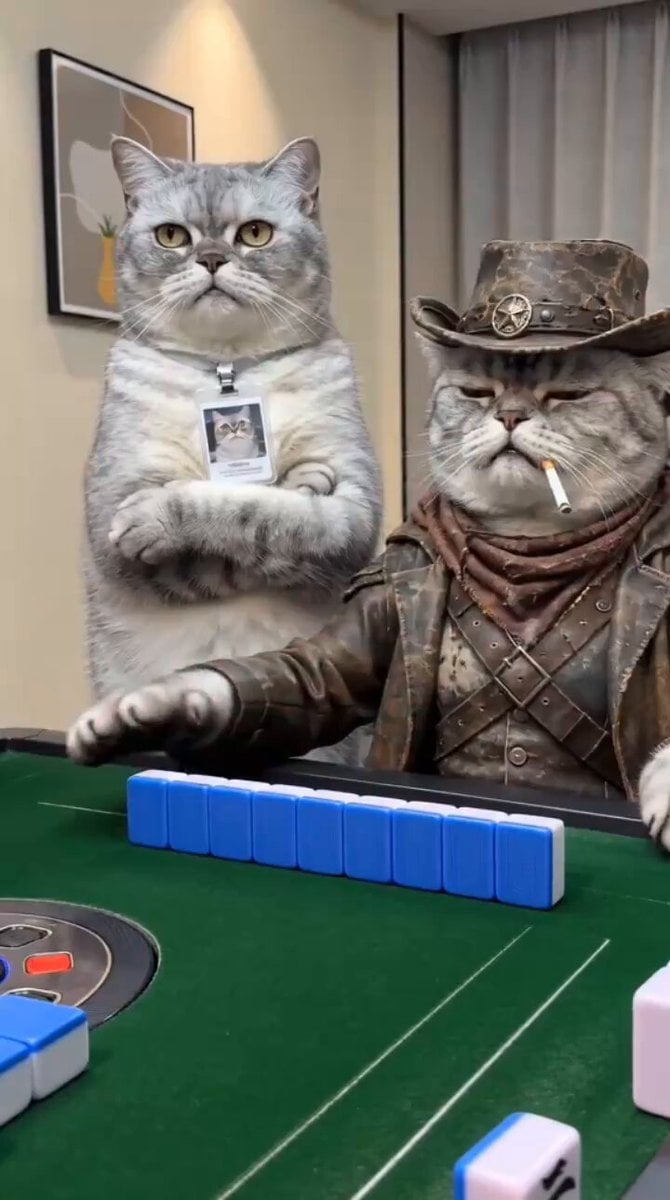
A detailed cinematic timeline for a stylized, darkly comedic action sequence featuring anthropomorphic cat characters in a classroom setting.
[CHARACTER DESCRIPTION] MAIN CHARACTER: Shy white female cat student with clean soft white fur, gentle round eyes, and a delicate nervous expression. Wearing a neat pink short-sleeve blouse tucked into a black knee-length skirt (high school uniform). Clothes are tidy and properly fitted. Slightly hunched posture, avoids eye contact, hands close to chest. Personality: quiet, introverted → transforms into sharp, fearless, explosively confident fighter. Facial features must remain fully consistent. BULLIES: 4 female gray cats with darker fur, heavy exaggerated makeup (thick eyeliner, smeared lipstick). Same uniform but messy—shirts untucked, loose collars, wrinkled skirts. Smug, loud, theatrical personalities. Movements are exaggerated, chaotic, synchronized teasing. [ENVIRONMENT / ART STYLE] LOCATION: Old classroom with scratched wooden desks, scattered books and papers. ATMOSPHERE: Dark cinematic lighting, warm sunlight beams through dusty air, visible particles. Calm tension → explosive chaos. STYLE: Ultra-realistic, 4K, gritty cinematic look, detailed fur texture, natural lighting with stylized exaggerated motion. [CAMERA STYLE] Handheld shaky cam, fast whip pans, dynamic tracking, impact shake, quick zoom-ins, occasional slow motion on key hits, slight comedic timing pauses. [CINEMATIC TIMELINE – 15 SECONDS TOTAL] SHOT 1 (0–2s) – Quiet Main character sits alone studying neatly. Slow push-in. Silence with faint ambient noise. SHOT 2 (2–4s) – Mocking Bullies surround her, camera tight and shaky. DIALOGUE: “Wow… she still exists?” “Hey nerdy, ever tried having a life?” “Stupid AND awkward? impressive.” “No boyfriend? yeah… obvious.” She stays silent, eyes down. SHOT 3 (4–5.5s) – Trigger One bully knocks her book to the floor. “Oops. it slipped.” Silence drops. SHOT 4 (5.5–7s) – Switch Close-up. Her eyes lift, expression turns cold. “…you done?” SHOT 5 (7–11s) – CHAOTIC CAT FIGHT Sudden explosive movement, fast and exaggerated: • Hair grab → spin pull • Sharp scream → double-hand shove • Rapid slap combo (stylized rhythm) • Collar grab → two bullies collide • Knee bump + hip check → dramatic stumble • Sidestep → light kick sends one sliding back • Sleeve pull → flip onto desk (papers burst) Camera rotates, whip pans, heavy shake Dust and papers fly everywhere Brief slow motion on strongest hits Tone: aggressive but absurd, darkly comedic SHOT 6 (11–13s) – Control All gray cats down, tangled, groaning. Main character stands center, slightly messy but composed, adjusts sleeve. SHOT 7 (13–15s) – Final Line Slow push-in. She looks at camera, calm confident smirk. “Alright…” (beat) “who’s next?” “Bring it on.” [IMPORTANT] Maintain perfect character consistency across all frames. No facial distortion or identity drift. Action must feel fast, stylized, cinematic, not graphic. Tone: hig
[CHARACTER DESCRIPTION] MAIN CHARACTER: Shy white female cat student with clean soft white fur, gentle round eyes, and a delicate nervous expression. Wearing a neat pink short-sleeve blouse tucked into a black knee-length skirt (high school uniform). Clothes are tidy and properly fitted. Slightly hunched posture, avoids eye contact, hands close to chest. Personality: quiet, introverted → transforms into sharp, fearless, explosively confident fighter. Facial features must remain fully consistent. BULLIES: 4 female gray cats with darker fur, heavy exaggerated makeup (thick eyeliner, smeared lipstick). Same uniform but messy—shirts untucked, loose collars, wrinkled skirts. Smug, loud, theatrical personalities. Movements are exaggerated, chaotic, synchronized teasing. [ENVIRONMENT / ART STYLE] LOCATION: Old classroom with scratched wooden desks, scattered books and papers. ATMOSPHERE: Dark cinematic lighting, warm sunlight beams through dusty air, visible particles. Calm tension → explosive chaos. STYLE: Ultra-realistic, 4K, gritty cinematic look, detailed fur texture, natural lighting with stylized exaggerated motion. [CAMERA STYLE] Handheld shaky cam, fast whip pans, dynamic tracking, impact shake, quick zoom-ins, occasional slow motion on key hits, slight comedic timing pauses. [CINEMATIC TIMELINE – 15 SECONDS TOTAL] SHOT 1 (0–2s) – Quiet Main character sits alone studying neatly. Slow push-in. Silence with faint ambient noise. SHOT 2 (2–4s) – Mocking Bullies surround her, camera tight and shaky. DIALOGUE: “Wow… she still exists?” “Hey nerdy, ever tried having a life?” “Stupid AND awkward? impressive.” “No boyfriend? yeah… obvious.” She stays silent, eyes down. SHOT 3 (4–5.5s) – Trigger One bully knocks her book to the floor. “Oops. it slipped.” Silence drops. SHOT 4 (5.5–7s) – Switch Close-up. Her eyes lift, expression turns cold. “…you done?” SHOT 5 (7–11s) – CHAOTIC CAT FIGHT Sudden explosive movement, fast and exaggerated: • Hair grab → spin pull • Sharp scream → double-hand shove • Rapid slap combo (stylized rhythm) • Collar grab → two bullies collide • Knee bump + hip check → dramatic stumble • Sidestep → light kick sends one sliding back • Sleeve pull → flip onto desk (papers burst) Camera rotates, whip pans, heavy shake Dust and papers fly everywhere Brief slow motion on strongest hits Tone: aggressive but absurd, darkly comedic SHOT 6 (11–13s) – Control All gray cats down, tangled, groaning. Main character stands center, slightly messy but composed, adjusts sleeve. SHOT 7 (13–15s) – Final Line Slow push-in. She looks at camera, calm confident smirk. “Alright…” (beat) “who’s next?” “Bring it on.” [IMPORTANT] Maintain perfect character consistency across all frames. No facial distortion or identity drift. Action must feel fast, stylized, cinematic, not graphic. Tone: hig
Edit the prompt in the box under the preview — the template's model and format are already selected — and press Generate. Your version appears right on this page.
Yes. You can change the subject, setting, lighting, mood, format, and available model controls before creating your video.
Opening and editing this template is free. Generating uses credits, shown on the Generate button when you are signed in.
Start with Seedance 2.0, which is the model associated with this template. You can compare another compatible model for a different finish.
Follow a topic to a crawlable collection of related PicX Studio templates.