How do I use the Pen and Watercolor Photo Transformation template?
Edit the prompt in the box under the preview — the template's model and format are already selected — and press Generate. Your version appears right on this page.
Transforms a reference photo into a loose ink-and-watercolor illustration while preserving the original composition and subject placement.

This template uses your photo — add one with the + button.
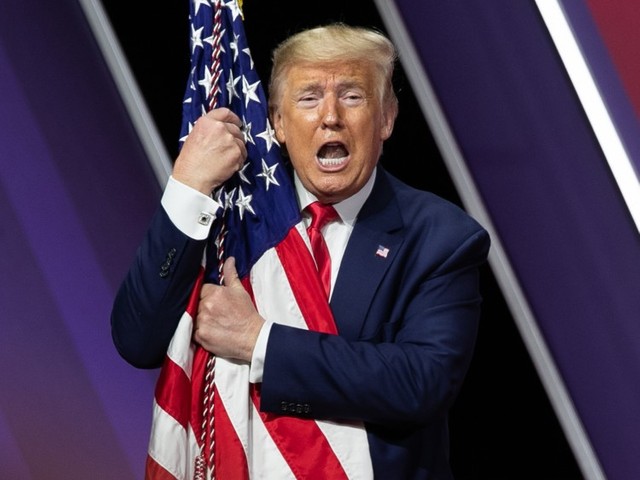
Using REFERENCE_0 as the sole source image, transform the scene into a loose pen-and-watercolor illustration on white textured paper. Preserve the original pose, framing, suit, tie, and American flag placement, including the face-obscuring rectangle. Remove the photographic stage/background and replace it with plain off-white paper. Render the subject with expressive black ink sketch lines, rough crosshatching, uneven hand-drawn contours, visible watercolor washes, soft bleeding pigments, muted navy/red tones, and lightly unfinished edges. Keep the composition close to the original medium shot and do not add any new objects, text, or background details.
Using REFERENCE_0 as the sole source image, transform the scene into a loose pen-and-watercolor illustration on white textured paper. Preserve the original pose, framing, suit, tie, and American flag placement, including the face-obscuring rectangle. Remove the photographic stage/background and replace it with plain off-white paper. Render the subject with expressive black ink sketch lines, rough crosshatching, uneven hand-drawn contours, visible watercolor washes, soft bleeding pigments, muted navy/red tones, and lightly unfinished edges. Keep the composition close to the original medium shot and do not add any new objects, text, or background details.
Pen and Watercolor Photo Transformation needs input media to work. Open it in the studio and these load alongside the prompt — pick whichever ones your chosen model can take.
Edit the prompt in the box under the preview — the template's model and format are already selected — and press Generate. Your version appears right on this page.
Yes. You can change the subject, setting, lighting, mood, format, and available model controls before creating your image.
Opening and editing this template is free. Generating uses credits, shown on the Generate button when you are signed in.
Start with GPT Image 2, which is the model associated with this template. You can compare another compatible model for a different finish.
Follow a topic to a crawlable collection of related PicX Studio templates.