How do I use the Enhanced Oni General Charge template?
Edit the prompt in the box under the preview — the template's model and format are already selected — and press Generate. Your version appears right on this page.
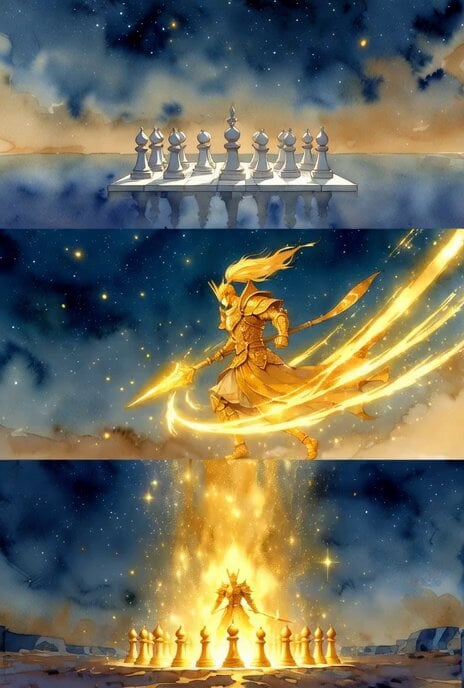
A tuning prompt focusing on enhancing flame trails and the speed of a charging general character.
調整コンセプト • 鬼金将の突撃シーンで、赤い炎の軌跡を大幅に強化 → 炎がより長く、激しく燃え上がり、宇宙を切り裂くような迫力をアップ • 真田幸村の赤兎馬を思わせる猛烈な疾走感をさらに強調 • 金色の光粒子と赤い炎のコントラストを強め、全体のダイナミックさを増す 👹鬼金将軍猛烈な疾走が激しく突撃する 宇宙を切り裂く瞬きできないほどのスピードで光すら飲み込まれる 敵は恐れのあまり次々と逃げ回る
調整コンセプト • 鬼金将の突撃シーンで、赤い炎の軌跡を大幅に強化 → 炎がより長く、激しく燃え上がり、宇宙を切り裂くような迫力をアップ • 真田幸村の赤兎馬を思わせる猛烈な疾走感をさらに強調 • 金色の光粒子と赤い炎のコントラストを強め、全体のダイナミックさを増す 👹鬼金将軍猛烈な疾走が激しく突撃する 宇宙を切り裂く瞬きできないほどのスピードで光すら飲み込まれる 敵は恐れのあまり次々と逃げ回る
Edit the prompt in the box under the preview — the template's model and format are already selected — and press Generate. Your version appears right on this page.
Yes. You can change the subject, setting, lighting, mood, format, and available model controls before creating your video.
Opening and editing this template is free. Generating uses credits, shown on the Generate button when you are signed in.
Start with Grok Imagine, which is the model associated with this template. You can compare another compatible model for a different finish.
Follow a topic to a crawlable collection of related PicX Studio templates.