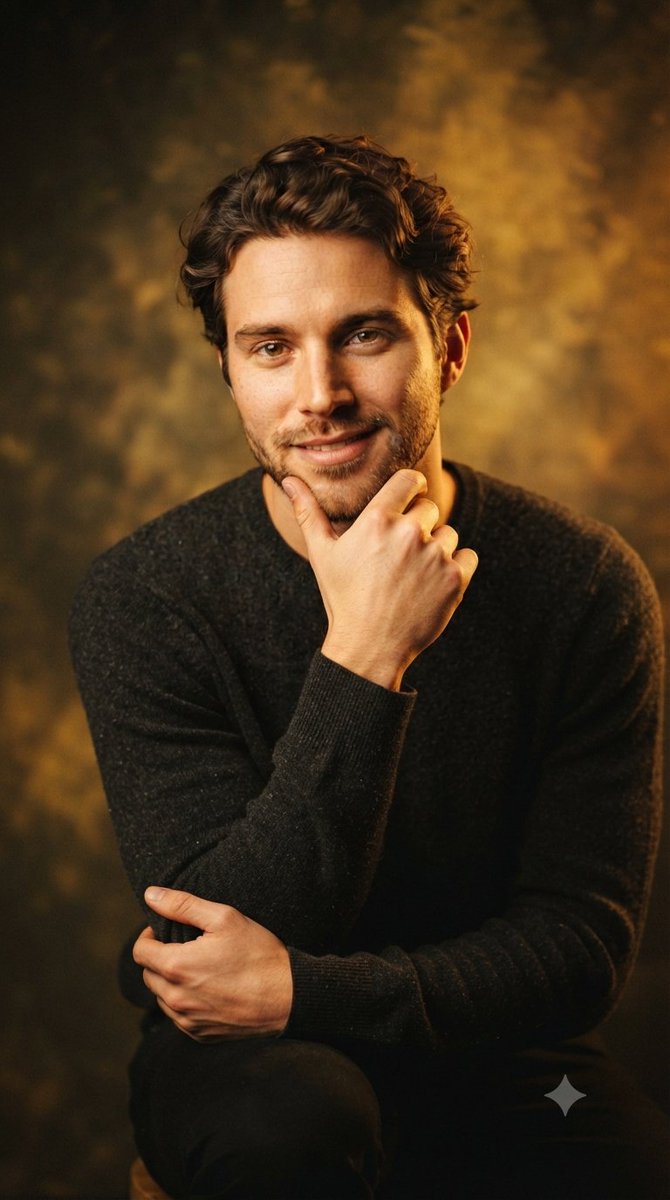


How do I use the Handsome Studio Style Male Portrait template?
Choose the primary action to open PicX Studio with the available template settings. Review the model and format, personalize the creative direction, and generate when ready.
A prompt for generating professional studio portraits of a handsome man with warm golden lighting and cinematic quality. (free to use) — Free AI image template on PicX Studio.
A handsome young man with a {argument name="beard" default="neatly groomed beard"} and {argument name="hair style" default="wavy dark hair"} is captured in a series of close-up portraits, all set within a professional studio environment characterized by dramatic, warm golden lighting that creates a sophisticated atmosphere. In each composition, he is dressed in a {argument name="outfit" default="dark, textured sweater"} and seated, with his posture varying subtly across the images: he appears in a direct, inviting gaze, resting his chin thoughtfully on his hand, leaning forward slightly with his arms resting on his knees, and sitting in a relaxed, composed position with his hands clasped. The background features a soft, mottled texture that enhances the cinematic quality of the scene, highlighting his sharp features and the soft, glowing highlights on his face and hair.
Use Handsome Studio Style Male Portrait to plan an AI image around nano-banana-2 generation. Match the preview's composition first, then personalize the subject, setting, and mood for your own project.
Use the primary action to load the template settings in PicX Studio.
Adjust the subject and creative details for your destination.
Create the image, compare the result with the preview, and refine one variable at a time.
A continuous mix — similar concepts first, woven with same-model prompts and fresh picks from the catalog.
Choose the primary action to open PicX Studio with the available template settings. Review the model and format, personalize the creative direction, and generate when ready.
Yes. You can change the subject, setting, lighting, mood, format, and available model controls before creating your image.
This template is free to open and customize. Generation usage is shown in PicX Studio before you create.
Start with nano-banana-2, which is the model associated with this template. You can compare another compatible model for a different finish.
A continuous mix — similar concepts first, woven with same-model prompts and fresh picks from the catalog.
Follow a topic to a crawlable collection of related PicX Studio templates.
32,032 public templates available. Verified via the PicX Studio public templates API; refreshed hourly.


