How do I use the High Fashion Suit Editorial Portrait template?
Choose the primary action to open PicX Studio with the available template settings. Review the model and format, personalize the creative direction, and generate when ready.
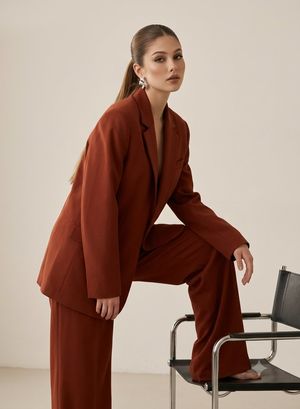
Generates a sophisticated fashion editorial image featuring a subject in a tailored suit against a concrete studio backdrop with abstract art.
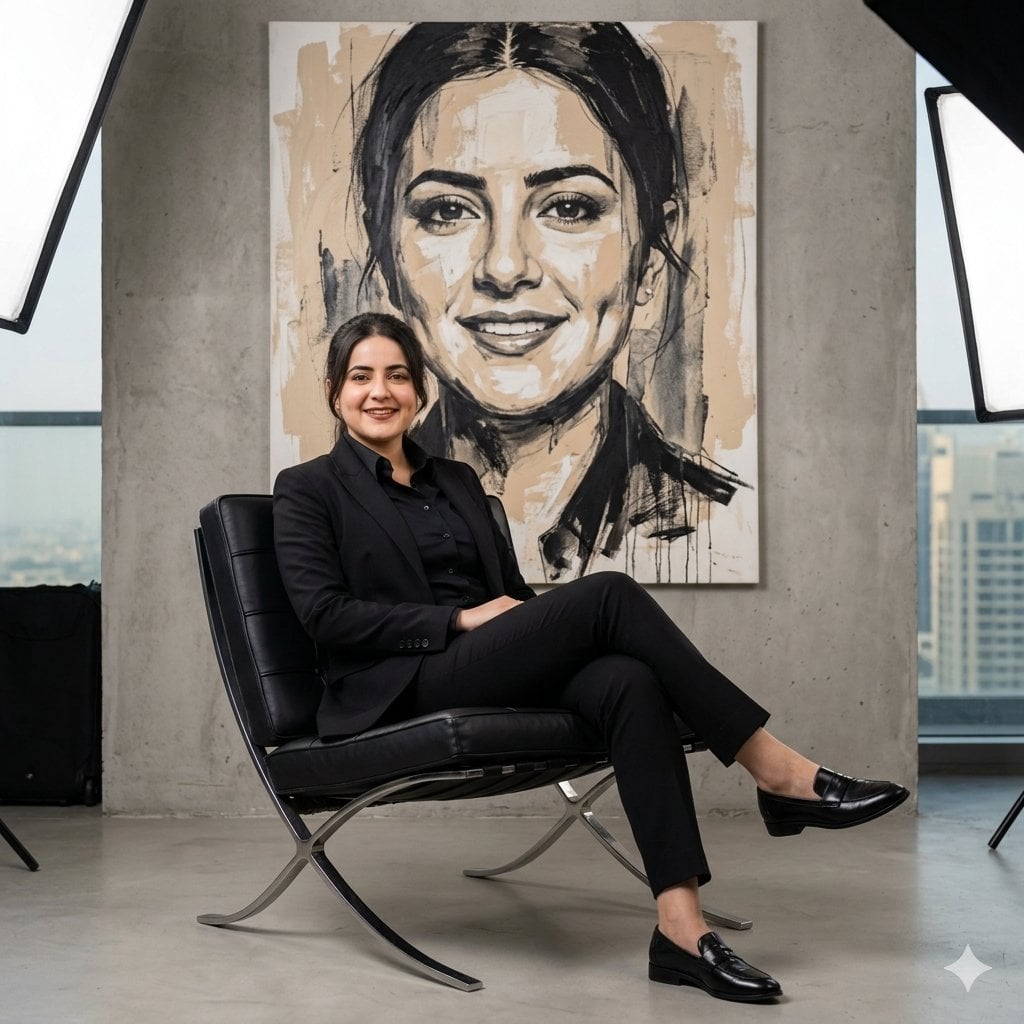
Create a high-fashion editorial portrait of a young womenn from the reference image. A confident women sits in a {argument name="furniture" default="modern designer chair"}, wearing a {argument name="clothing" default="sharp, tailored black suit with a crisp black shirt"}, no tie, polished black dress shoes. His posture is relaxed yet authoritative, conveying quiet power and self-assurance. The setting is a {argument name="setting" default="contemporary studio with concrete-gray walls"} and soft professional softbox lighting subtly visible at the edges of the frame. Behind him hangs a large expressive abstract painting of his own face, rendered in neutral beige, black, and charcoal tones, featuring bold brush strokes and subtle paint drips. Cinematic studio lighting, clean composition, luxury fashion campaign aesthetic, fine-art realism, sharp details, elegant and masculine mood, shallow depth of field, editorial photography style, 1:1 aspect ratio.
Choose the primary action to open PicX Studio with the available template settings. Review the model and format, personalize the creative direction, and generate when ready.
Yes. You can change the subject, setting, lighting, mood, format, and available model controls before creating your image.
This template is free to open and customize. Generation usage is shown in PicX Studio before you create.
Start with Nano Banana 2, which is the model associated with this template. You can compare another compatible model for a different finish.
Follow a topic to a crawlable collection of related PicX Studio templates.