How do I use the Lonely Crowd One-Shot Through Seasons template?
Edit the prompt in the box under the preview — the template's model and format are already selected — and press Generate. Your version appears right on this page.
reference-guided generation, scene continuity, and multimodal prompting.
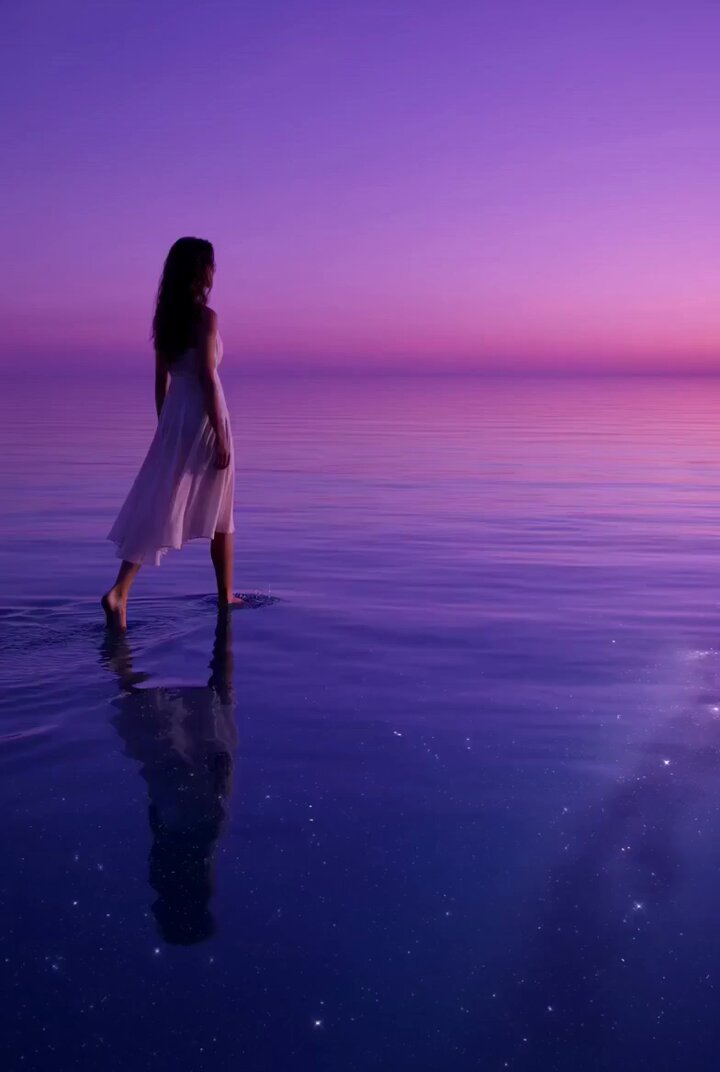
Core instruction: a 26-second one-shot narrative short film, stable follow shot, interweaving the smooth tracking of <<<video_1_1>>> and the smooth orbit movement of <<<video_2_2>>>. The shot should feel like fluid forward motion. Day and night alternate, and the four seasons flow within the frame. The protagonist is a European woman <<<image_1_3>>> placed within crowds full of everyday life, emphasizing extreme loneliness and cinematic photographic texture. 0-3s, stable rear follow: the camera follows behind her through a crowded morning street. Warm sunlight and moving people create a lively environment, but she remains emotionally distant. 3-7s: The light shifts to noon. The crowd becomes denser. The camera drifts to a side angle and circles slightly, keeping her as the emotional center. 7-11s: Rain begins. The street becomes reflective, umbrellas pass by, and neon signs begin to appear. Her expression remains restrained. 11-15s: The environment transitions into autumn. Leaves move across the frame, the crowd thins, and the color palette becomes amber and gray. 15-20s: Night falls. City lights blur into bokeh while the camera glides around her in a slow orbit. People pass close to the lens, creating occlusion transitions without cuts. 20-26s: The season turns into winter. Fine snow falls. The crowd fades into soft silhouettes. She stops briefly in the center of the moving world and looks upward. The final image should feel lonely, beautiful, and cinematic, with no hard cuts.
Core instruction: a 26-second one-shot narrative short film, stable follow shot, interweaving the smooth tracking of <<<video_1_1>>> and the smooth orbit movement of <<<video_2_2>>>. The shot should feel like fluid forward motion. Day and night alternate, and the four seasons flow within the frame. The protagonist is a European woman <<<image_1_3>>> placed within crowds full of everyday life, emphasizing extreme loneliness and cinematic photographic texture. 0-3s, stable rear follow: the camera follows behind her through a crowded morning street. Warm sunlight and moving people create a lively environment, but she remains emotionally distant. 3-7s: The light shifts to noon. The crowd becomes denser. The camera drifts to a side angle and circles slightly, keeping her as the emotional center. 7-11s: Rain begins. The street becomes reflective, umbrellas pass by, and neon signs begin to appear. Her expression remains restrained. 11-15s: The environment transitions into autumn. Leaves move across the frame, the crowd thins, and the color palette becomes amber and gray. 15-20s: Night falls. City lights blur into bokeh while the camera glides around her in a slow orbit. People pass close to the lens, creating occlusion transitions without cuts. 20-26s: The season turns into winter. Fine snow falls. The crowd fades into soft silhouettes. She stops briefly in the center of the moving world and looks upward. The final image should feel lonely, beautiful, and cinematic, with no hard cuts.
Edit the prompt in the box under the preview — the template's model and format are already selected — and press Generate. Your version appears right on this page.
Yes. You can change the subject, setting, lighting, mood, format, and available model controls before creating your video.
Opening and editing this template is free. Generating uses credits, shown on the Generate button when you are signed in.
Start with seedance-2.5, which is the model associated with this template. You can compare another compatible model for a different finish.
Follow a topic to a crawlable collection of related PicX Studio templates.