How do I use the Nostalgic Korean Summer House Video template?
Edit the prompt in the box under the preview — the template's model and format are already selected — and press Generate. Your version appears right on this page.
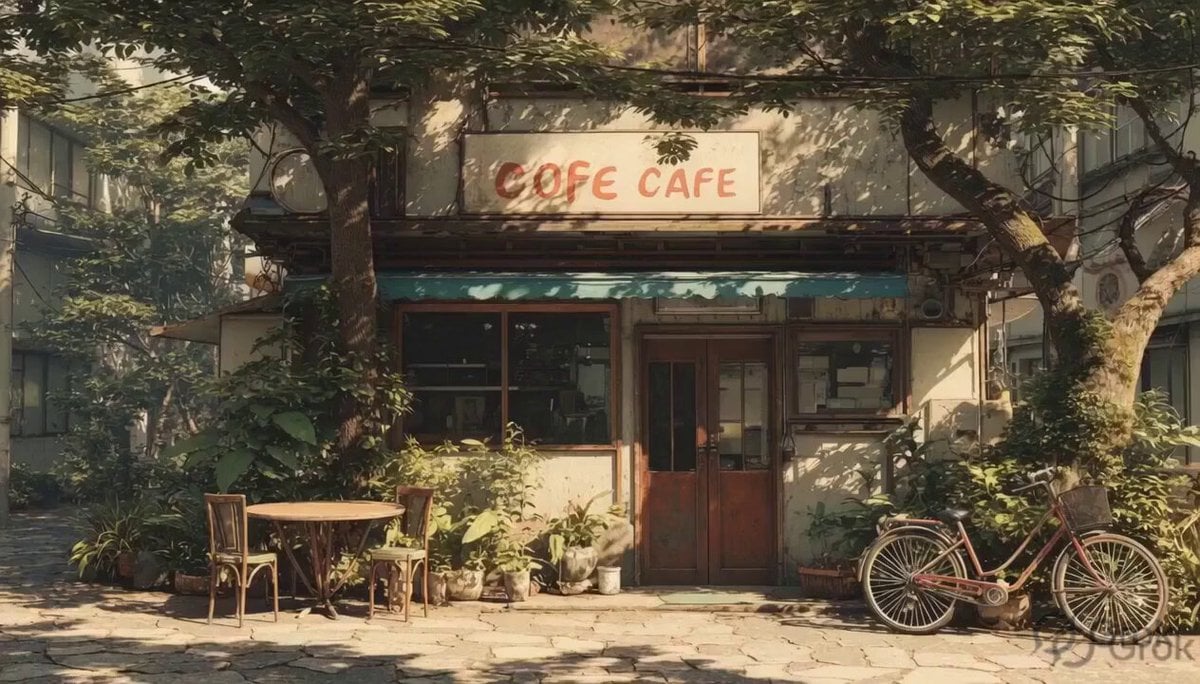
A highly detailed video prompt capturing the peaceful atmosphere of an old Korean country home on a sunny summer afternoon, featuring watermelon and a rotating fan.
한국의 오래된 나무 시골집 거실 안에서 펼쳐지는 맑고 산뜻한 10초짜리 여름 영상. 열린 문과 창문 사이로 깨끗하고 밝은 햇살이 들어오고, 나무 바닥과 오래된 나무 벽이 따뜻하고 정겨운 시골집 분위기를 만든다. 전체적으로 밝고 공기가 잘 통하는 듯한 여름 오후 느낌. 문은 활짝 열려 있고, 문 밖에는 싱그러운 초록 나무와 잎사귀들이 바람에 살짝 흔들리고 있다. 바깥은 햇살이 맑고 푸르며, 조용한 시골 여름 오후처럼 평화롭게 보인다. 낮은 나무 탁자 위에는 둥근 금속 쟁반이 놓여 있다. 수박 조각들은 반드시 쟁반 안에만 올려져 있고, 탁자 위에 직접 놓여 있지 않다. 쟁반 위에는 5~6개의 신선한 삼각꼴 수박 조각이 가지런히 놓여 있다. 각각의 수박 조각은 반달 모양이 아니라, 윗부분이 뾰족하고 아래쪽에 초록색 껍질이 짧게 붙어 있는 전형적인 삼각 수박 조각이다. 카메라에서 보았을 때 빨간 과육 면이 선명한 세모 모양으로 보이고, 초록 껍질은 세모의 아래쪽 가장자리를 따라 자연스럽게 붙어 있다. 수박은 너무 두껍지 않고 얇고 산뜻하며, 촉촉한 빨간 과육, 작은 검은 씨, 신선하고 차가운 여름 수박 느낌이 잘 보인다. 쟁반 옆에는 색연필로 그린 여름 그림일기 노트가 놓여 있지만, 글자는 읽히지 않게 한다. 여러 개의 색연필이 그림일기 주변에 자연스럽게 놓여 있고, 살짝 흩어져 있지만 지저분하지 않고 생활감 있게 보인다. 오래된 전기 선풍기는 탁자 옆 나무 바닥에 놓여 있고, 천천히 좌우로 회전하며 날개가 돌아가고 있다. 선풍기 바람에 커튼과 그림일기 페이지가 살짝 움직이고, 햇살이 뜨거운 여름날이지만 방 안은 시원하고 여유롭게 느껴진다. 한국 시골집의 향수 어린 분위기, 맑은 햇살, 싱그러운 초록 나무, 통풍이 잘 되는 나무 거실, 부드러운 그림자, 현실적인 질감, 평화로운 여름 오후, 조용하고 여유로운 분위기, 시네마틱 4K, 자연광, 금속 쟁반 위의 삼각꼴 수박 조각과 그림일기, 바닥 선풍기를 향해 천천히 다가가는 카메라 움직임. 사람은 없음. 영상 길이: 10초. 화면 비율: 16:9. 분위기: 밝고, 신선하고, 향수 어린, 평화로운, 맑은 여름날의 시원한 선풍기 바람. 네거티브 프롬프트: 반달 모양 수박, 초승달 모양 수박, 둥근 슬라이스 수박, 원형으로 잘린 수박, 수박이 탁자 위에 직접 놓임, 수박이 쟁반 밖에 있음, 과일이 공중에 떠 있음, 이상한 수박 모양, 기하학적으로 너무 딱딱한 삼각형, 왜곡된 수박 조각, 녹아내린 과일, 너무 두껍운 수박 조각, 두툼한 덩어리 수박, 큐브 모양 수박, 울퉁불퉁하게 깨진 조각, 지나치게 큰 수박 껍질, 인공적으로 보이는 과일, 창백하고 마른 수박, 수박이 가운데에 쌓여 있음, 지저분한 과일 배치, 어두운 방, 우울한 조명, 현대식 아파트, 사람, 손, 얼굴, 읽을 수 있는 글자, 자막, 로고, 워터마크, 왜곡된 선풍기, 흐릿한 이미지, 낮은 화질, 흔들리는 카메라.
한국의 오래된 나무 시골집 거실 안에서 펼쳐지는 맑고 산뜻한 10초짜리 여름 영상. 열린 문과 창문 사이로 깨끗하고 밝은 햇살이 들어오고, 나무 바닥과 오래된 나무 벽이 따뜻하고 정겨운 시골집 분위기를 만든다. 전체적으로 밝고 공기가 잘 통하는 듯한 여름 오후 느낌. 문은 활짝 열려 있고, 문 밖에는 싱그러운 초록 나무와 잎사귀들이 바람에 살짝 흔들리고 있다. 바깥은 햇살이 맑고 푸르며, 조용한 시골 여름 오후처럼 평화롭게 보인다. 낮은 나무 탁자 위에는 둥근 금속 쟁반이 놓여 있다. 수박 조각들은 반드시 쟁반 안에만 올려져 있고, 탁자 위에 직접 놓여 있지 않다. 쟁반 위에는 5~6개의 신선한 삼각꼴 수박 조각이 가지런히 놓여 있다. 각각의 수박 조각은 반달 모양이 아니라, 윗부분이 뾰족하고 아래쪽에 초록색 껍질이 짧게 붙어 있는 전형적인 삼각 수박 조각이다. 카메라에서 보았을 때 빨간 과육 면이 선명한 세모 모양으로 보이고, 초록 껍질은 세모의 아래쪽 가장자리를 따라 자연스럽게 붙어 있다. 수박은 너무 두껍지 않고 얇고 산뜻하며, 촉촉한 빨간 과육, 작은 검은 씨, 신선하고 차가운 여름 수박 느낌이 잘 보인다. 쟁반 옆에는 색연필로 그린 여름 그림일기 노트가 놓여 있지만, 글자는 읽히지 않게 한다. 여러 개의 색연필이 그림일기 주변에 자연스럽게 놓여 있고, 살짝 흩어져 있지만 지저분하지 않고 생활감 있게 보인다. 오래된 전기 선풍기는 탁자 옆 나무 바닥에 놓여 있고, 천천히 좌우로 회전하며 날개가 돌아가고 있다. 선풍기 바람에 커튼과 그림일기 페이지가 살짝 움직이고, 햇살이 뜨거운 여름날이지만 방 안은 시원하고 여유롭게 느껴진다. 한국 시골집의 향수 어린 분위기, 맑은 햇살, 싱그러운 초록 나무, 통풍이 잘 되는 나무 거실, 부드러운 그림자, 현실적인 질감, 평화로운 여름 오후, 조용하고 여유로운 분위기, 시네마틱 4K, 자연광, 금속 쟁반 위의 삼각꼴 수박 조각과 그림일기, 바닥 선풍기를 향해 천천히 다가가는 카메라 움직임. 사람은 없음. 영상 길이: 10초. 화면 비율: 16:9. 분위기: 밝고, 신선하고, 향수 어린, 평화로운, 맑은 여름날의 시원한 선풍기 바람. 네거티브 프롬프트: 반달 모양 수박, 초승달 모양 수박, 둥근 슬라이스 수박, 원형으로 잘린 수박, 수박이 탁자 위에 직접 놓임, 수박이 쟁반 밖에 있음, 과일이 공중에 떠 있음, 이상한 수박 모양, 기하학적으로 너무 딱딱한 삼각형, 왜곡된 수박 조각, 녹아내린 과일, 너무 두껍운 수박 조각, 두툼한 덩어리 수박, 큐브 모양 수박, 울퉁불퉁하게 깨진 조각, 지나치게 큰 수박 껍질, 인공적으로 보이는 과일, 창백하고 마른 수박, 수박이 가운데에 쌓여 있음, 지저분한 과일 배치, 어두운 방, 우울한 조명, 현대식 아파트, 사람, 손, 얼굴, 읽을 수 있는 글자, 자막, 로고, 워터마크, 왜곡된 선풍기, 흐릿한 이미지, 낮은 화질, 흔들리는 카메라.
Edit the prompt in the box under the preview — the template's model and format are already selected — and press Generate. Your version appears right on this page.
Yes. You can change the subject, setting, lighting, mood, format, and available model controls before creating your video.
Opening and editing this template is free. Generating uses credits, shown on the Generate button when you are signed in.
Start with Grok Imagine, which is the model associated with this template. You can compare another compatible model for a different finish.
Follow a topic to a crawlable collection of related PicX Studio templates.