How do I use the Handheld Gym Cardio Vlog template?
Edit the prompt in the box under the preview — the template's model and format are already selected — and press Generate. Your version appears right on this page.
A detailed video prompt for a vintage-style gym vlog featuring a Korean woman, utilizing handheld camcorder aesthetics and specific scene directions.
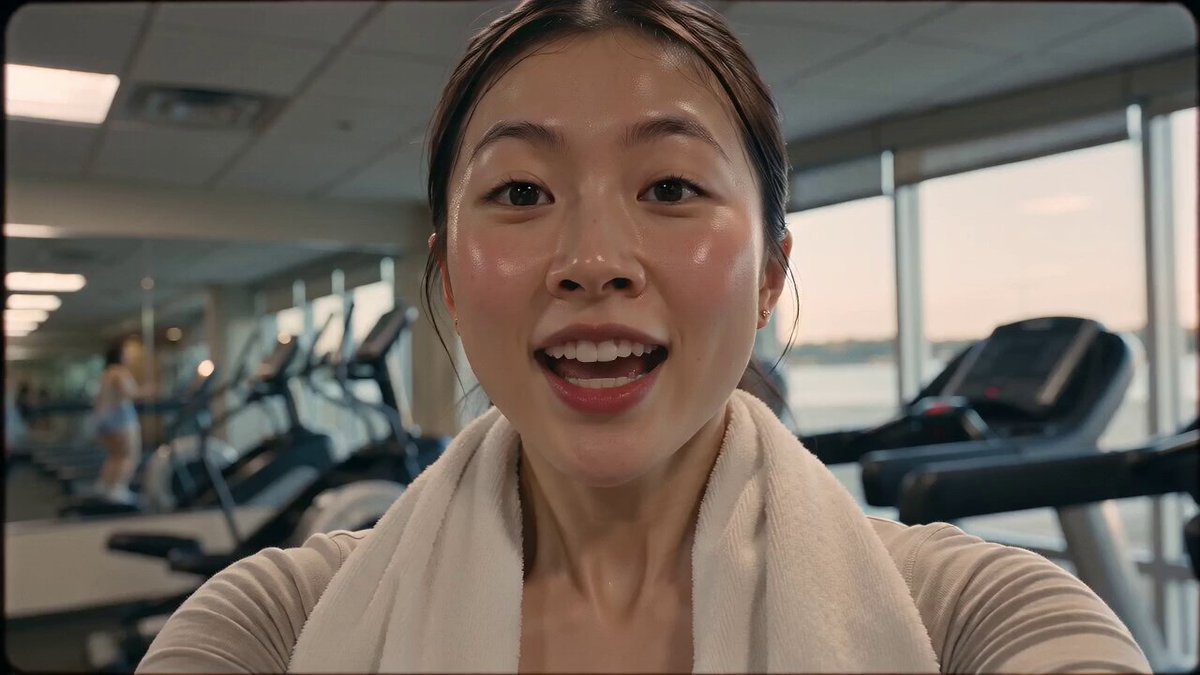
**CAMERA:** DV 16mm handheld camcorder POV. CHASE holds the camera or props it on the treadmill/bike console. Natural shake, soft focus, delayed focus pulls, clumsy zooms, imperfect framing. Camcorder never visible. **LOOK:** Soft vintage tape quality, slight blur, tape noise, bloomed gym lights, flickering auto-exposure, muted contrast. **STYLE:** High-energy cardio vlog. Upbeat, breathless, camera bouncing with movement, building to a sweaty, satisfying finish. **CHARACTER:** CHASE — Korean woman in her 20s. High ponytail, glowing skin with increasing sweat, slim athletic build. Modest long-sleeve athletic top, loose joggers/leggings, sneakers. **SETTING:** Evening gym cardio area with treadmill/bike, mirrors, cardio machines, phone playing music, soft lighting. **SCENES:** 1. Starts treadmill. "Okay, cardio time!" 2. Running. "This song's so good." 3. Wipes sweat. "Five minutes in and I already regret this." 4. Close-up of feet, sweat, treadmill. 5. Faster sprint. "Almost... done..." 6. Slows down, towel. "I survived." 7. Sweaty grin. "That actually felt really good." 8. Steps off, thumbs up. "Cardio done—see you guys."
**CAMERA:** DV 16mm handheld camcorder POV. CHASE holds the camera or props it on the treadmill/bike console. Natural shake, soft focus, delayed focus pulls, clumsy zooms, imperfect framing. Camcorder never visible. **LOOK:** Soft vintage tape quality, slight blur, tape noise, bloomed gym lights, flickering auto-exposure, muted contrast. **STYLE:** High-energy cardio vlog. Upbeat, breathless, camera bouncing with movement, building to a sweaty, satisfying finish. **CHARACTER:** CHASE — Korean woman in her 20s. High ponytail, glowing skin with increasing sweat, slim athletic build. Modest long-sleeve athletic top, loose joggers/leggings, sneakers. **SETTING:** Evening gym cardio area with treadmill/bike, mirrors, cardio machines, phone playing music, soft lighting. **SCENES:** 1. Starts treadmill. "Okay, cardio time!" 2. Running. "This song's so good." 3. Wipes sweat. "Five minutes in and I already regret this." 4. Close-up of feet, sweat, treadmill. 5. Faster sprint. "Almost... done..." 6. Slows down, towel. "I survived." 7. Sweaty grin. "That actually felt really good." 8. Steps off, thumbs up. "Cardio done—see you guys."
Edit the prompt in the box under the preview — the template's model and format are already selected — and press Generate. Your version appears right on this page.
Yes. You can change the subject, setting, lighting, mood, format, and available model controls before creating your video.
Opening and editing this template is free. Generating uses credits, shown on the Generate button when you are signed in.
Start with Seedance 2.0, which is the model associated with this template. You can compare another compatible model for a different finish.
Follow a topic to a crawlable collection of related PicX Studio templates.